Author: Sebastian Strobl

  • Meal Prep for the Busy Professional: Simple Recipes for Healthy Eating

    Meal Prep for the Busy Professional: Simple Recipes for Healthy Eating

    For busy professionals, finding time to eat healthy can feel like a challenge. But meal prepping can be your secret weapon to staying on track, ensuring that you and your family enjoy nutritious, protein-packed meals throughout the week. In this article, I’ll share simple, protein-rich, meat-centered recipes that are quick to prepare, kid-approved, and perfect for lunch or dinner. Plus, I’ll throw in a sweet treat to satisfy your cravings in a healthy way.

    1. Chicken and Veggie Stir-Fry

    Ingredients:

    • 1 kg (2 lbs) boneless, skinless chicken thighs (or breasts)
    • 1 bell pepper (sliced)
    • 1 zucchini (sliced)
    • 1 onion (sliced)
    • 2 tbsp soy sauce (or tamari for gluten-free)
    • 2 tbsp olive oil
    • 1 tsp garlic powder
    • 1 tsp paprika

    Instructions:

    1. Cut the chicken into bite-sized pieces.
    2. Heat olive oil in a pan, then cook the chicken until golden brown (around 8-10 minutes).
    3. Add the veggies, soy sauce, garlic powder, and paprika. Stir-fry for another 5 minutes until veggies are tender.
    4. Serve over rice or quinoa.

    Tip: You can prep the chicken and vegetables in advance, keeping them in separate containers in the fridge. Cook when needed!

    2. Beef Taco Bowls

    Ingredients:

    • 500 g (1 lb) ground beef
    • 1 packet taco seasoning
    • 1 can (400 g) black beans (drained and rinsed)
    • 250 g (1 cup) cooked rice (or cauliflower rice)
    • 200 g (1 cup) cherry tomatoes (halved)
    • 1 avocado (sliced)
    • Shredded cheese, salsa, and sour cream for garnish

    Instructions:

    1. Brown the ground beef in a pan, drain excess fat, then stir in taco seasoning and 60 ml (¼ cup) of water. Simmer until the water evaporates.
    2. Assemble the taco bowls by layering rice, black beans, seasoned beef, tomatoes, avocado, and your favorite toppings.
    3. Store components separately to keep everything fresh until it’s time to eat.

    Kid-friendly Twist: Let the kids build their own bowls with their favorite toppings!

    3. Sheet Pan Chicken Fajitas

    Ingredients:

    • 1 kg (2 lbs) boneless, skinless chicken breasts (sliced thin)
    • 3 bell peppers (sliced)
    • 1 onion (sliced)
    • 2 tbsp olive oil
    • 1 packet fajita seasoning (or mix your own with cumin, paprika, chili powder, and garlic)
    • Tortillas or lettuce wraps

    Instructions:

    1. Preheat your oven to 200°C (400°F).
    2. Toss the chicken, peppers, and onions in olive oil and fajita seasoning.
    3. Spread the mixture on a sheet pan and bake for 20-25 minutes, stirring halfway through.
    4. Serve in tortillas or lettuce wraps for a low-carb option.

    Prep Tip: Store the cooked chicken and veggies in containers for easy reheating throughout the week.

    4. Turkey Meatballs with Marinara

    Ingredients:

    • 500 g (1 lb) ground turkey
    • 1 egg
    • 50 g (½ cup) breadcrumbs (or almond flour for a low-carb option)
    • 2 tbsp Parmesan cheese
    • 1 tsp oregano
    • 1 jar marinara sauce

    Instructions:

    1. Preheat your oven to 190°C (375°F).
    2. In a bowl, combine turkey, egg, breadcrumbs, Parmesan, and oregano. Roll into meatballs.
    3. Place the meatballs on a baking sheet and bake for 20-25 minutes, or until cooked through.
    4. Serve with marinara sauce over whole wheat pasta or zucchini noodles.
      Meal Prep: Freeze half the batch for an easy dinner next week.
    5. Sweet Treat: Protein-Packed Ice Cream

    Ingredients:

    • 240 ml (1 cup) heavy cream
    • 1 scoop vanilla or chocolate protein powder
    • 1 tbsp cocoa powder (for chocolate flavor)
    • 1 tsp vanilla extract
    • Optional: 1 tbsp peanut butter or chocolate chips

    Instructions:

    1. Whip the heavy cream in a mixing bowl until soft peaks form.
    2. Gently fold in the protein powder, cocoa powder (if using), and vanilla extract.
    3. Freeze the mixture in a shallow dish for 2-3 hours, stirring once halfway through to break up ice crystals.
    4. Enjoy a creamy, protein-rich ice cream!

    Bonus: This ice cream is rich, satisfying, and can be made in bulk for a week of indulgence without the guilt.

    Final Thoughts:

    Meal prep doesn’t have to be complicated or time-consuming. With just a bit of planning, you can have a week’s worth of protein-packed, delicious meals that keep you energized and help you stay on track with your health goals — even with a busy schedule!

  • Top 10 Project Management Tools to Streamline Your Workflow

    Top 10 Project Management Tools to Streamline Your Workflow

    In today’s fast-paced work environment, effective project management is more important than ever. The right tools not only streamline workflow but also empower teams to be more productive and organized. With countless options available, finding the right tool can be overwhelming. Here’s a rundown of the top 10 project management tools and how they can help you stay on top of your projects.

    1. Trello
    Pros:
    • Visual task management through an intuitive board system.
    • Great for collaboration across small to mid-sized teams.
    • Simple to use with drag-and-drop functionality.
    Cons:
    • Lacks advanced project management features.
    • Limited reporting and tracking capabilities compared to other tools.
    Best Use Case:

    Trello is ideal for teams that need a visual overview of tasks. Using a Kanban system, you can easily track work progress from “To Do” to “Done.” Pairing Trello with automation (via Power-Ups) can eliminate repetitive tasks, making your workflow more efficient.

    2. Asana
    Pros:
    • Customizable workflows and task automation.
    • Timelines, task dependencies, and reporting tools.
    • Easy to manage complex projects and assign tasks.
    Cons:
    • Can be overwhelming for beginners due to its feature richness.
    • Limited offline functionality.
    Best Use Case:

    For teams looking to manage multiple projects simultaneously, Asana’s automation features help streamline repetitive tasks. Use timelines and task dependencies to ensure that everyone is on the same page and that deadlines are met.

    3. Jira
    Pros:
    • Ideal for software development teams working in Agile.
    • Excellent for tracking issues, bugs, and tasks.
    • Comprehensive reporting for sprints, backlogs, and workflows.
    Cons:
    • Not beginner-friendly.
    • Overwhelming for non-technical teams.
    Best Use Case:

    Jira is perfect for teams using Scrum or Kanban methodologies. You can create custom workflows for software development, from sprint planning to issue tracking. Jira’s integration with GitHub or Bitbucket makes it a favorite among developers.

    4. Monday.com
    Pros:
    • Custom workflows and task tracking.
    • Visual and user-friendly interface.
    • Seamless integration with tools like Slack, Google Drive, and more.
    Cons:
    • Can get expensive for large teams.
    • Limited advanced reporting features.
    Best Use Case:

    For teams that want visual project tracking with the flexibility to customize workflows. Monday.com’s integrations and automations allow you to track project progress in real-time and ensure no tasks slip through the cracks.

    5. Smartsheet
    Pros:
    • Combines spreadsheet capabilities with project management.
    • Excellent for managing large datasets and generating detailed reports.
    • Powerful automation features and real-time dashboards.
    Cons:
    • Less intuitive for non-spreadsheet users.
    • Requires some technical knowledge to maximize its potential.
    Best Use Case:

    Trello is ideal for teams that need a visual overview of tasks. Using a Kanban system, you can easily track work progress from “To Do” to “Done.” Pairing Trello with automation (via Power-Ups) can eliminate repetitive tasks, making your workflow more efficient.

    1. Trello
    Pros:
    • Visual task management through an intuitive board system.
    • Great for collaboration across small to mid-sized teams.
    • Simple to use with drag-and-drop functionality.
    Cons:
    • Lacks advanced project management features.
    • Limited reporting and tracking capabilities compared to other tools.
    Best Use Case:

    Smartsheet is a perfect fit for teams that rely heavily on data and spreadsheets. Its automation and reporting features allow you to track progress and generate reports easily, especially for larger, data-driven projects.

    6. ClickUp
    Pros:
    • Customizable with a broad range of features (task management, document collaboration, and goal tracking).
    • Provides time tracking, timelines, and resource management.
    • All-in-one platform that reduces the need for multiple tools.
    Cons:
    • Learning curve due to its feature-heavy interface.
    • Some users may find it cluttered.
    Best Use Case:

    ClickUp works for teams that need a customizable project management tool that combines task management, documentation, and goals into one platform. ClickUp’s flexibility can be tailored to any team’s workflow.

    7. Wrike
    Pros:
    • Real-time project updates, task tracking, and collaboration.
    • Detailed reporting, including resource and budget tracking.
    • Easy team communication with file-sharing and messaging.
    Cons:
    • Limited customization options.
    • May become expensive for large teams.
    Best Use Case:

    Wrike is excellent for teams juggling multiple projects at once. Use its real-time dashboard and task-tracking features to ensure projects stay on track and deadlines are met.

    8. Microsoft Project
    Pros:
    • Powerful for planning and scheduling projects.
    • Advanced resource management and budgeting features.
    • Can handle complex dependencies and timelines.
    Cons:
    • Complex interface that requires training.
    • Expensive, particularly for smaller teams.
    Best Use Case:

    Best for teams working on large, complex projects with many moving parts. Microsoft Project’s advanced planning and scheduling tools ensure that resources are allocated efficiently and deadlines are met.

    9. Notion
    Pros:
    • Flexible platform combining note-taking, databases, and task management.
    • Great for knowledge sharing and collaborative project planning.
    • Clean, minimalistic interface.
    Cons:
    • Can be challenging for teams managing complex projects.
    • Limited task automation.
    Best Use Case:

    Notion is best for creative teams that need a flexible space for brainstorming, note-taking, and organizing project tasks. It’s also excellent for knowledge sharing and documentation.

    10. Basecamp
    Pros:
    • Simple interface with task lists, file sharing, and messaging.
    • Ideal for teams needing basic project tracking and communication.
    • Affordable pricing for small businesses.
    Cons:
    • Lacks advanced project management features.
    • No built-in time tracking or advanced reporting.
    Best Use Case:

    Basecamp is ideal for small to mid-sized teams that need a simple, easy-to-use project management tool. Its communication features (such as message boards) help teams stay connected without over-complicating the workflow.

    Maximizing the Benefit from Any Tool

    Regardless of the tool you choose, here are some systems you can apply across all platforms for maximum benefit:

    1. Automation: Many tools, like Asana, Monday.com, and Smartsheet, offer automation for recurring tasks. Use this to reduce repetitive tasks and save time.
    2. Task Dependencies: Tools like Microsoft Project, ClickUp, and Asana allow you to set task dependencies, ensuring that teams work on the right tasks at the right time.
    3. Dashboards and Reporting: Real-time dashboards in Wrike, Smartsheet, or ClickUp help you monitor project progress in one glance, while reporting tools keep stakeholders updated.
    4. Communication Integration: Integrating your project management tools with communication platforms like Slack (available in Monday.com and Trello) keeps team collaboration smooth.
    A Way Forward: Combining Tools for Maximum Efficiency

    If you’re managing multiple complex projects, you might need more than one tool to meet all your needs. Here are some combinations worth considering:

    • Trello + Slack: For small teams that thrive on collaboration and visual task tracking, combining Trello with Slack creates an efficient, communicative workspace.
    • Jira + Confluence: For software development teams, Jira’s task tracking paired with Confluence’s documentation features offers a comprehensive project management suite.
    • Asana + Google Workspace: For teams that need file sharing and seamless document collaboration, Asana combined with Google Drive ensures smooth integration.
    • ClickUp + Zoom: If you run remote teams, ClickUp’s task management combined with Zoom for communication ensures tasks are on track while keeping teams connected.
    Conclusion

    Choosing the right project management tool can revolutionize how your team operates. Whether you’re a small startup using Trello for task tracking or a large enterprise using Microsoft Project for managing multiple project timelines, understanding the pros and cons of each tool will help you make the best decision. Start with your team’s specific needs, and don’t be afraid to combine tools to create the perfect workflow for your projects.

  • How AI Might Be Revolutionizing Project Management

    How AI Might Be Revolutionizing Project Management

    We’re living in an age where the buzzwords of yesterday are quickly becoming the business tools of today. Artificial Intelligence (AI) is no longer the realm of sci-fi; it’s rapidly embedding itself into the fabric of how we work, particularly in project management. For project managers, staying ahead of deadlines, managing resources, and navigating unexpected curveballs are all part of the job. But what if AI could turn these challenges into opportunities, offering smarter ways to predict risks, optimize schedules, and enhance decision-making?

    The Rise of AI-Powered Tools in Project Management

    Imagine starting your day, not with an overwhelming task list, but with a smart assistant that has already analyzed your team’s workload, anticipated bottlenecks, and provided optimized solutions. Sounds like magic, right? Well, welcome to the age of AI in project management.

    AI-powered tools are transforming the way projects are planned and executed by automating tedious processes and offering insights that would take a human brain hours, if not days, to generate.

    1. Predicting Risks Before They Become Problems

    One of the most powerful capabilities of AI in project management is risk prediction. Through machine learning algorithms, AI can scan historical data from previous projects, identify patterns, and predict potential risks before they happen. Whether it’s budget overruns, team burnout, or supplier delays, AI tools can flag issues early on and even suggest mitigation strategies. This enables project managers to not only react faster but, in many cases, avoid crises altogether.

    In essence, AI helps project managers move from firefighting mode to a proactive stance, ensuring smoother operations and happier teams.

    2. Optimizing Schedules Like Never Before

    Who hasn’t had the headache of adjusting timelines when a project starts veering off course? Traditional scheduling tools are static and often feel like they’re working against you when changes occur. Enter AI scheduling optimizers—these dynamic tools don’t just plan a project based on input; they continuously learn and adapt.

    AI-powered schedulers factor in every imaginable variable—resource availability, task dependencies, weather conditions (in some cases), and even team member efficiency. These tools dynamically adjust schedules in real time, providing the project manager with the most efficient path forward. You’ll spend less time adjusting timelines and more time focusing on high-impact decisions.

    3. Enhanced Decision-Making With Data-Driven Insights

    AI doesn’t just help automate tasks; it supercharges decision-making by offering data-backed insights that help project managers make smarter choices. Have you ever been stuck choosing between two suppliers or debating which team member is best suited for a task? AI can assess numerous factors—from past performance to project-specific needs—and recommend the best course of action.

    By processing massive amounts of data that no human could possibly analyze on their own, AI helps cut through the noise and provides actionable, informed advice. Think of it as having a project mentor that’s always available, always learning, and always improving.

    The Human Touch: AI as Your Co-Pilot, Not Your Replacement

    Before we start imagining a future where robots run our projects, let’s clear one thing up — AI is not here to replace project managers. Far from it. In fact, AI’s greatest strength lies in enhancing the human element. By automating mundane tasks, predicting problems, and providing data-driven insights, AI frees up project managers to focus on what truly matters: leading, inspiring, and making judgment calls that only a human can make.

    At its core, AI is a co-pilot, guiding you through complex project landscapes, allowing you to work smarter, not harder.

    Practical AI Tools for Project Managers Today

    So, how can you harness this revolution today? Thankfully, you don’t need to be a tech guru to integrate AI into your daily workflow. Here’s a checklist to get started:

    AI Checklist for Project Managers:
    1. Risk Prediction Tools: Start using platforms like Oracle Primavera or RiskLens that leverage AI to predict project risks and suggest mitigation strategies.
    2. AI-Driven Scheduling: Explore tools like Monday.com or ClickUp with AI scheduling assistants that adapt your timelines based on real-time project updates.
    3. Resource Management: Implement tools like Toggl Plan or Resource Guru, which use AI to optimize resource allocation and ensure teams aren’t overburdened.
    4. Automated Reporting: Tools like Wrike or Zoho Projects can generate AI-based reports that highlight key insights and trends, helping you make faster decisions.
    5. Chatbots for Collaboration: Integrate AI chatbots (like Trello Bots or Slack’s Workbot) to manage tasks, set reminders, and facilitate smoother communication within your team.
    6. AI-Enhanced Decision Support: Consider tools like GiniMachine for data-backed decision-making, providing recommendations based on previous project data.
    7. AI-Driven Analytics: Use AI-based analytics platforms like Smartsheet or Microsoft Project to visualize project performance and make data-driven adjustments.
    In Conclusion

    AI is no longer just a futuristic concept — it’s here, and it’s changing the way projects are managed. By embracing AI-powered tools, project managers can predict risks before they happen, optimize their schedules, and make better, faster decisions. Best of all, AI helps you focus on what really matters: leading your team to success.

    The future of project management is bright — and it’s AI-powered.

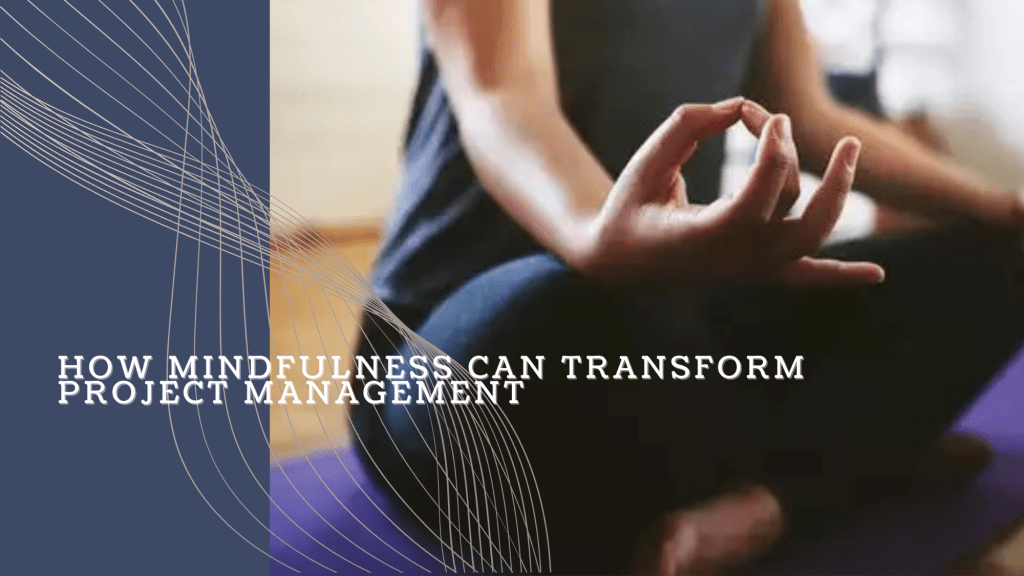
  • How Mindfulness Can Transform Project Management

    How Mindfulness Can Transform Project Management

    In today’s fast-paced project management landscape, it’s easy to get overwhelmed by tight deadlines, evolving priorities, and constant communication. As project managers, we are responsible not only for the success of our projects but also for the well-being and productivity of our teams. What if there was a way to navigate this challenging environment with greater clarity, calm, and focus? Enter mindfulness.

    Mindfulness, the practice of staying present and fully engaged in the current moment, can significantly reduce stress, increase focus, and improve decision-making. Let’s explore how mindfulness techniques can help transform your approach to project management.

    1. Mindful Breathing for Clarity Under Pressure

    In the midst of back-to-back meetings, urgent emails, and complex problem-solving, it’s easy for your mind to get overloaded. Mindful breathing can serve as an anchor, helping you regain focus and clarity.

    How to practice it:

    • Take a few moments during the day to pause.
    • Close your eyes and take a deep breath in for four seconds.
    • Hold for four seconds, then exhale slowly for six seconds.
    • Repeat this cycle a few times, focusing solely on your breath.

    This technique helps you reset, reducing the effects of stress and sharpening your focus on the task at hand. When practiced regularly, it can lead to better decision-making during high-pressure situations.

    2. Mindful Listening for Better Team Communication

    Effective communication is critical in project management. Yet, it’s easy to get caught up in thinking about how to respond rather than truly listening to what your team is saying. Mindful listening allows you to fully engage in conversations, promoting a deeper understanding of your team’s challenges, ideas, and concerns.

    How to practice it:

    • When speaking with a team member, consciously focus on their words without mentally preparing your response.
    • Notice their body language and tone of voice.
    • Before replying, pause for a moment to reflect on what they’ve said.

    Mindful listening fosters trust and collaboration, improving team morale and alignment. It also helps prevent misunderstandings and conflicts that arise from miscommunication.

    3. Mindful Prioritization to Avoid Burnout

    Project managers often face competing priorities. Mindful prioritization helps you discern what truly requires your attention and what can be delegated or postponed. By staying present and aware of your current tasks, you can make more strategic decisions about where to focus your energy.

    How to practice it:

    • At the start of each day, review your to-do list and ask yourself, “What tasks will have the most impact?”
    • As you work, be aware of when you’re becoming distracted or overwhelmed.
    • Practice single-tasking—focus on completing one task at a time instead of multitasking.

    By bringing mindfulness into your planning, you’ll be more efficient and less prone to burnout.

    4. Body Scans for Stress Management

    A body scan is a mindfulness technique that helps you tune into your physical state, making you aware of tension or discomfort you may be holding. It’s especially useful when stress starts to take a physical toll on your body.

    How to practice it:

    • Find a quiet space and sit comfortably.
    • Close your eyes and take a few deep breaths.
    • Slowly bring your attention to different parts of your body, starting from your toes and working your way up to your head.
    • As you notice tension, breathe into that area and consciously relax it.

    Regular body scans allow you to manage stress proactively, reducing the risk of burnout and maintaining your overall well-being.

    5. Mindful Reflection for Continuous Improvement

    At the end of a project or a challenging week, taking time to reflect mindfully on what went well and what didn’t can lead to valuable insights for future improvement. This form of reflection allows you to evaluate your own performance and that of your team without judgment.

    How to practice it:

    • Set aside time at the end of each week or project to reflect on key events.
    • Ask yourself questions like, “What worked well? What didn’t? What can I do differently next time?”
    • Take note of patterns in your stress levels, time management, and team dynamics.

    By regularly practicing mindful reflection, you can refine your project management skills and foster a culture of continuous improvement.

    Conclusion

    Mindfulness is not just a personal wellness tool; it’s a leadership strategy. By integrating mindfulness into your project management practices, you can improve focus, communication, and decision-making while reducing stress. Ultimately, it empowers you to lead more effectively, create a more resilient team, and deliver better project outcomes.

    Start small—introduce a few of these mindfulness techniques into your daily routine, and watch how they transform not only your work life but your leadership as well.

  • Minimalism and Mental Health: How Simplifying Your Life Reduces Stress

    Minimalism and Mental Health: How Simplifying Your Life Reduces Stress

    Meet Sarah and Jason—two individuals living in the same city but leading very different lives. Sarah has embraced minimalism, finding peace in simplicity, while Jason is caught up in a whirlwind of consumerism and over-commitment. Their stories reveal the profound impact that lifestyle choices have on mental health, and how simplifying can lead to a more fulfilling life.

    Jason: The Pursuit of More

    Jason’s mornings begin in chaos. His alarm jolts him awake, and before he’s even out of bed, he’s scrolling through his phone. Social media posts of new cars, exotic vacations, and luxury goods fill his feed, stoking his desire for more. His closet is packed, his calendar overloaded, and his mind is perpetually racing toward the next thing to acquire or achieve.

    At work, Jason is overwhelmed. His desk is cluttered with paperwork, and his email inbox is an endless stream of unread messages. He never says no, always taking on extra projects, hoping they’ll lead to promotions or recognition. Despite being busy, he often feels like he’s getting nowhere. His stress manifests in sleepless nights, constant worry, and a sense that something is missing.

    In an attempt to feel better, Jason often shops online, buying the latest tech gadgets or clothes, hoping these purchases will bring a sense of fulfillment. But they don’t. Instead, the more he accumulates, the more his stress and anxiety seem to grow. It’s a never-ending cycle of wanting, buying, and feeling empty.

    Sarah: The Joy of Less

    Sarah, on the other hand, lives differently. Her mornings are calm and intentional. She wakes up to a soft alarm, takes a few moments to stretch, and begins her day with mindfulness. Her phone sits quietly on her nightstand, its notifications turned off, as she enjoys the quiet of the morning.

    Her home is simple, but not bare. Every item she owns has purpose or brings her joy. She doesn’t feel the need to fill her space with the latest trends or gadgets. Instead, she values the calm and clarity that come with owning fewer things.

    At work, Sarah is focused and productive. Her desk is clean, her tasks prioritized. She knows how to say no to projects that don’t align with her goals, giving her the mental space to excel in the areas that truly matter to her. Unlike Jason, she’s not chasing after every opportunity. Instead, she’s carefully chosen the ones that align with her values and long-term vision.

    After work, Sarah doesn’t feel the need to shop or scroll through social media. She enjoys reading, spending time in nature, and savoring the simple pleasures in life. She’s found that by letting go of the unnecessary, she’s made room for what truly matters—peace of mind, meaningful relationships, and personal growth.

    The Mental Toll of Excess

    Jason’s lifestyle of wanting more has come with a high cost to his mental health. His home, filled with things, is a reflection of his mind—cluttered and chaotic. The constant pressure to keep up with others, to have the latest and the best, has left him feeling anxious, restless, and unfulfilled.

    The more Jason tries to fill the void with possessions, the more distant he becomes from what he truly needs: a sense of purpose and peace.

    The Calm of Minimalism

    For Sarah, minimalism isn’t just about decluttering her physical space; it’s about simplifying every aspect of her life. By intentionally choosing less, she’s created space for mental clarity and emotional well-being. She’s free from the constant comparison, the endless pursuit of more, and the stress that comes with overcommitting.

    Her simplified lifestyle has improved her mental health in ways she never expected. She sleeps better, feels more in control, and is able to focus on the things that bring her lasting joy. The fewer distractions she has, the more present she can be in the moment.

    The Mental Health Benefits of Minimalism

    Minimalism goes beyond just having a clean home. It’s a mindset that prioritizes what truly matters and lets go of the rest. Studies have shown that cluttered environments can lead to higher stress levels, while organized, simplified spaces promote relaxation and focus.

    By choosing to live minimally, like Sarah, you can reduce decision fatigue, anxiety, and the pressure to constantly acquire more. Minimalism allows you to be more mindful of your choices, whether they’re about what you own, how you spend your time, or the commitments you take on.

    A Life of Intentionality

    Jason’s story is a cautionary tale of what happens when we get caught up in the pursuit of more. It’s easy to believe that having more possessions, a busier schedule, or a higher social status will lead to happiness. But, as Jason’s mental health shows, the opposite is often true.

    Sarah’s journey, on the other hand, illustrates the freedom that comes with living intentionally. By simplifying her life, she’s reduced her stress, improved her focus, and created space for what truly matters.

    In the end, minimalism isn’t about deprivation. It’s about making deliberate choices that enhance your quality of life. As Sarah demonstrates, less really can be more when it comes to living with peace, clarity, and purpose.


    Through the stories of Jason and Sarah, we see two common paths people take in today’s world—one of excess and stress, and one of intentionality and peace. By embracing minimalism, we can simplify our lives, reduce stress, and focus on what truly brings us happiness.