Author: Sebastian Strobl

  • Building a Second Brain in Notion: A Project Manager’s Guide to Effortless Productivity

    Building a Second Brain in Notion: A Project Manager’s Guide to Effortless Productivity

    Introduction: The Effortless Art of Managing Chaos

    Project management often feels like juggling flaming swords while riding a unicycle. Stakeholders demand updates, tasks pile up, and information scatters across emails, meeting notes, and half-remembered conversations. Keeping track of everything can feel overwhelming, yet the best project managers make it look effortless.

    What’s their secret? They don’t rely on their memory—they build systems that think for them.

    This is where the Second Brain comes in. A concept popularized by Tiago Forte, a Second Brain is a digital knowledge management system designed to capture, organize, and retrieve information effortlessly. And for project managers, Notion is the perfect tool to build one.

    In this article, I’ll show you how to create a Second Brain in Notion, so you can stop chasing details and start leading projects with clarity and confidence. The goal? To make the hard things—like managing multiple projects, deadlines, and stakeholders—look completely effortless.


    What is a Second Brain, and Why Do Project Managers Need One?

    A Second Brain is an external system that captures everything you don’t want to store in your head—meeting notes, project plans, insights, decisions—so you can focus on making the right moves instead of remembering the details.

    For project managers, this is a game-changer. Instead of drowning in information, you can:

    Access critical details instantly (no more digging through old emails)
    Streamline decision-making with well-documented insights
    Improve efficiency by having all project-related info in one place
    Collaborate effortlessly with a shared knowledge hub for your team

    With Notion, you can build this system with minimal effort while maximizing clarity and control.


    Why Notion? The Ultimate Tool for a Project Manager’s Second Brain

    Notion stands out because of its:

    Flexibility – Combine notes, tasks, databases, and wikis in one place.
    Customization – Design a system that fits your workflow.
    Interconnectivity – Link projects, tasks, and knowledge seamlessly.
    Search Power – Instantly find what you need.

    In short, Notion allows you to think once and retrieve forever—the essence of effortless efficiency.


    How to Set Up Your Second Brain in Notion (Step-by-Step)

    1. Capture Information Effortlessly

    A system is only as good as the information that flows into it. Your first priority? Make it ridiculously easy to capture notes, ideas, and tasks.

    Set Up an “Inbox” Page
    • A single page where you quickly dump thoughts, ideas, and information from meetings or research.
    • Later, you’ll organize it—but for now, just capture without friction.
    Use Quick Capture Methods
    • Notion Web Clipper – Save articles, reports, and research in a click.
    • Email to Notion – Forward important emails directly to your workspace.
    • Voice-to-Text Apps – Capture ideas on the go.

    Key Principle: If something might be useful later, don’t rely on memory—capture it.


    2. Organize for Maximum Clarity

    Once you’ve captured information, it needs structure. The goal? Everything should be findable in seconds.

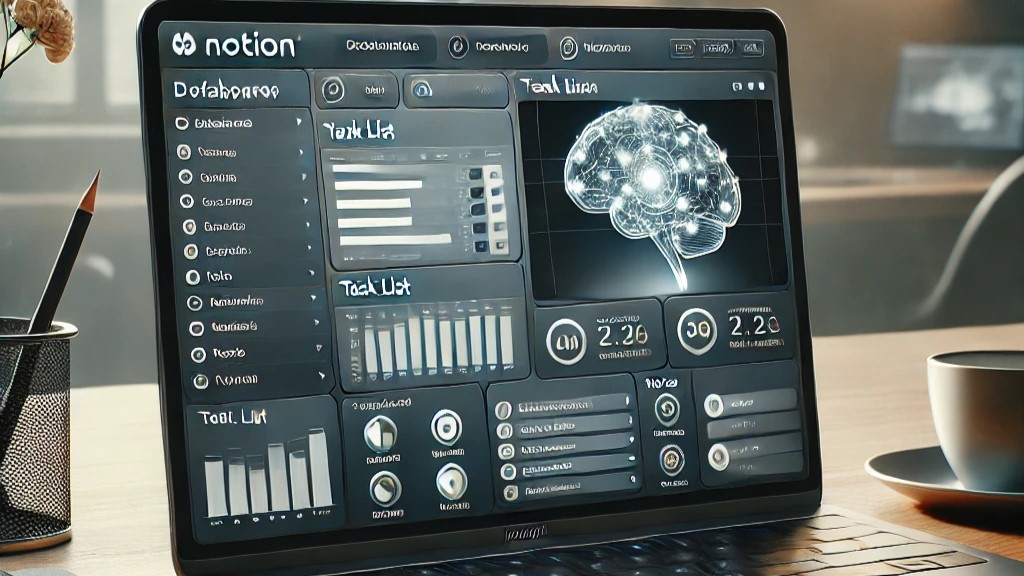
    Essential Databases for a Project Manager’s Second Brain
    1. 📌 Project Dashboard – A high-level view of all your ongoing projects, deadlines, and stakeholders.
    2. 🗂 Knowledge Base – A library of best practices, lessons learned, and reference materials.
    3. 📅 Meeting Notes Database – A structured way to capture key discussions and action items.
    4. ✅ Task & Action Tracker – A simple system to track and prioritize to-dos.

    Pro Tip: Use relational databases in Notion to link meeting notes to projects, decisions to outcomes, and tasks to deadlines—so everything connects effortlessly.


    3. Retrieve and Process Information Instantly

    A Second Brain isn’t just about storage—it’s about effortless retrieval when you need it.

    Smart Ways to Find Information Quickly
    • Use Linked Databases – Connect meeting notes to their relevant projects, so you’re never hunting for context.
    • Tag Key Insights – Apply tags like “Urgent,” “Lesson Learned,” or “Blocked” for quick filtering.
    • Create a Decision Log – Keep track of why key choices were made to avoid revisiting old debates.

    Think of this step as turning your Second Brain into an intuitive search engine for your projects.


    4. Automate and Maintain Your System

    A Second Brain should work for you—not the other way around. Keep it simple and automate wherever possible.

    Best Practices for Long-Term Success

    Regular Reviews – Spend 10 minutes weekly refining and updating your system.
    Use Templates – Standardize meeting notes, project briefs, and retrospectives for consistency.
    Limit Complexity – The best system is the one you actually use. If it feels like work, simplify it.

    Key Principle: A well-maintained system keeps you sharp and makes your leadership look effortless.


    The Productivity Impact: How This Changes Your Work

    Implementing a Second Brain in Notion isn’t just about feeling organized—it fundamentally changes how you work.

    1. You’ll Save Hours Every Week
    • No more searching for lost emails or scattered notes.
    • Find exactly what you need in seconds.
    2. Decision-Making Becomes Effortless
    • Clear documentation = confident choices.
    • A decision log prevents backtracking.
    3. You’ll Lead with More Confidence
    • With every key detail at your fingertips, you exude control and composure.
    • Your team will trust you more because you always have the answers.
    4. Projects Run Smoother
    • Teams stay aligned when information flows seamlessly.
    • No more confusion about priorities or next steps.

    The result? You look like the kind of project manager who handles chaos with ease.


    Final Thoughts: Making the Hard Things Look Effortless

    Most people assume that being a highly effective project manager means working harder. In reality, the best ones work smarter by building systems that think for them.

    A Second Brain in Notion isn’t just another tool—it’s the secret weapon that lets you:

    Stay two steps ahead in every project.
    Eliminate stress and mental clutter.
    Make leadership look effortless.

    The difference between average project managers and great ones? Great ones don’t just manage projects—they design systems that do the heavy lifting.

    So, are you ready to make your work look effortless? Set up your Second Brain today, and experience the clarity, control, and confidence that comes with it.


  • Creating a Minimalist Morning Routine for Families

    Creating a Minimalist Morning Routine for Families

    Introduction

    Mornings in a family household can often feel like a chaotic race against the clock — misplaced shoes, last-minute lunch packing, and someone always forgetting something important. But what if mornings could feel calm, predictable, and even enjoyable? A minimalist morning routine isn’t about doing less for the sake of it — it’s about removing unnecessary stressors so that your family can start the day with focus and ease. With a few strategic changes, you can transform the morning madness into a seamless routine that makes the hard things in life look effortless.

    By embracing simplicity, prioritization, and consistency, you create a morning routine that not only reduces stress but also fosters a sense of control and harmony within your household. The key to achieving this is to establish systems that work efficiently while allowing room for flexibility. This guide will provide you with practical steps to help streamline your mornings and start the day with intention.


    1. The Core Principles of a Minimalist Morning Routine

    A successful morning routine doesn’t start in the morning — it begins with a mindset shift. By focusing on these key principles, you can create a system that works consistently for your family.

    • Prioritization: Identify what really matters in the morning. Do you need an elaborate breakfast, or will a simple, nutritious option do? Focus only on the essentials.
    • Consistency: Routines thrive on repetition. By keeping the same order of events each morning, you reduce decision fatigue and create predictability for your family.
    • Preparation: The less you leave to chance in the morning, the smoother everything runs. Prepping clothes, meals, and bags the night before eliminates morning friction.
    • Flexibility: Even the best-laid plans will sometimes go awry. A minimalist morning routine allows for small disruptions without throwing off the entire day.

    One of the most overlooked aspects of a minimalist morning routine is the importance of decluttering your physical and mental space. By removing unnecessary distractions and streamlining decision-making processes, you free up time and energy for what truly matters.


    2. Streamlining Mornings for Parents

    Parents set the tone for the household, and if your morning feels rushed and frantic, the rest of the family will pick up on that energy. Here’s how to simplify:

    • Capsule Wardrobe for Effortless Dressing: A closet filled with versatile, well-fitting basics means no time wasted on outfit indecision. Have go-to combinations that work for any occasion.
    • Quick and Nutritious Breakfast Solutions: Stick to easy, protein-packed options like overnight oats, smoothies, or eggs and toast. Avoid decision overload by rotating a few simple meal choices.
    • Time-Blocking to Minimize Stress: Set designated times for each task (e.g., 10 minutes for getting dressed, 15 minutes for breakfast) to create a structured yet flexible morning flow.
    • Tech-Free Mornings: Avoid checking emails or social media first thing in the morning. Instead, focus on setting a positive tone for the day with mindfulness, light stretching, or journaling.

    By keeping things simple and intentional, you reduce stress and set yourself up for a more productive day.


    3. Simplifying Mornings for Kids

    Children thrive on routine, and the more they can handle independently, the smoother mornings will be.

    • Independent Dressing with Pre-Selected Outfits: Encourage kids to choose their outfits the night before, or simplify further with a weekly outfit organizer.
    • Simplified Breakfast Choices: Give them two to three consistent options to minimize morning negotiations.
    • Making Routines Engaging and Fun: Use checklists, timers, or even a morning playlist to keep kids on track without constant reminders.
    • Encouraging Self-Sufficiency: Teach kids to pack their own school bags, brush their teeth on time, and take responsibility for their morning tasks.

    By instilling responsibility early, children become more self-reliant, leading to smoother mornings for the entire family.


    4. Household Systems That Make Mornings Flow Smoothly

    A well-organized home reduces morning friction. Set up systems that eliminate unnecessary searching and scrambling.

    • Organized Entryways and Designated Drop Zones: Have a space for keys, backpacks, and shoes so nothing gets misplaced.
    • A Family Command Center for Schedules and Reminders: A central calendar or whiteboard can display daily to-dos, appointments, and important reminders.
    • Teaching Responsibility Through Shared Morning Tasks: Assign age-appropriate responsibilities, such as setting the table or packing lunch, so everyone contributes.
    • Decluttering for Efficiency: Ensure that common areas like the kitchen and bathroom are tidy and functional. Eliminating excess clutter helps reduce stress and keeps the morning running smoothly.

    A few small adjustments can lead to major improvements in how efficiently your family operates each morning.


    5. Dealing with the Unexpected Without Losing Your Cool

    Even with the best system, mornings don’t always go as planned. Here’s how to stay on track:

    • Buffer Time: Build in an extra 5–10 minutes so small delays don’t derail the whole morning.
    • Mindset Shifts: Accept that some mornings won’t be perfect. Staying calm sets a positive example for kids.
    • Quick Recovery Strategies: If something goes wrong, focus on problem-solving instead of stressing. Have a backup outfit, easy-to-grab snacks, and a game plan for delays.
    • Emphasizing the Bigger Picture: Remind yourself that a rough morning doesn’t define the entire day. Practicing gratitude and maintaining perspective can help keep stress levels in check.

    The more prepared you are for the unexpected, the more resilient your family will become in handling morning hiccups.


    Conclusion

    A minimalist morning routine isn’t about stripping everything away—it’s about keeping only what truly serves your family. By reducing decision fatigue, fostering independence, and setting up systems that support efficiency, mornings become a smooth transition into the day rather than a daily battle.

    The long-term benefits of a minimalist morning routine extend far beyond just saving time. It cultivates a sense of calm, reduces household stress, and sets the foundation for a more intentional lifestyle. Start with small adjustments, and over time, you’ll see how simplifying your mornings can have a positive ripple effect on the rest of your day.

    Are you ready to transform your family’s mornings? Start by implementing just one of these strategies this week and build from there!

  • How Minimalism Improves Team Productivity and Collaboration

    How Minimalism Improves Team Productivity and Collaboration

    1. Introduction: The Power of Less in Teamwork

    In today’s fast-paced work environment, teams often find themselves drowning in endless meetings, overflowing inboxes, and an overwhelming number of tools. Instead of boosting productivity, these distractions create inefficiencies, miscommunication, and burnout.

    Minimalism, often associated with decluttering personal spaces, is just as powerful in a team setting. By focusing only on what truly adds value, teams can operate more effectively, reduce stress, and collaborate seamlessly. The goal of minimalism in teamwork is to remove unnecessary complexity, eliminate distractions, and emphasize clarity, focus, and efficiency.

    Imagine a team where every meeting has a clear purpose, where communication is concise yet impactful, and where tools serve to enhance rather than hinder workflow. By implementing minimalist principles, teams can transform the way they work, fostering a culture of simplicity, agility, and high performance.


    2. The Key Minimalist Principles for Team Productivity

    Clarity Over Clutter

    A cluttered workspace—whether digital or physical—leads to wasted time and confusion. Minimalist teams focus on clear roles, responsibilities, and workflows, ensuring that everyone understands their priorities and objectives. This eliminates ambiguity and allows for a more streamlined execution of tasks.

    A practical example: Instead of multiple platforms for task management, teams should use a single, well-structured tool with clearly defined action items and deadlines. The less time spent navigating multiple systems, the more time spent on meaningful work.

    Focused Work, Fewer Interruptions

    Constant notifications, last-minute meetings, and unnecessary updates disrupt deep work. Studies show that it can take up to 25 minutes to regain full focus after an interruption. A minimalist approach emphasizes structured time for focused work, reducing context switching and enhancing overall efficiency.

    Encouraging “focus blocks,” where team members dedicate uninterrupted periods to deep work, can drastically improve productivity. Companies like Asana and Basecamp implement this strategy, allowing employees to engage in deep, distraction-free work.

    Essentialism in Communication

    Overcommunication can be just as harmful as under-communication. Teams that practice minimalism prioritize concise, clear, and necessary conversations, avoiding redundant discussions and excessive emails.

    For instance, rather than sending lengthy email threads, teams can adopt quick summary reports or project dashboards that provide essential updates at a glance. This not only saves time but also ensures that communication is purposeful and actionable.

    Streamlined Collaboration

    Instead of juggling multiple collaboration tools, minimalist teams adopt only the most effective ones, ensuring a seamless and efficient workflow. Every tool should serve a clear purpose and integrate smoothly with existing processes.

    For example, rather than using five different communication platforms, teams can consolidate into one or two tools that serve both instant messaging and structured documentation needs. This helps avoid information silos and reduces confusion.


    3. Eliminating the Noise: Practical Ways to Implement Minimalism in Teams

    Meetings: Less but More Effective
    • Reduce meeting frequency: Only schedule meetings when they are essential for decision-making. A well-structured email or a shared document can often replace unnecessary discussions.
    • Set clear objectives and time limits: Use the “15-minute stand-up” format where possible. Stick to a strict agenda to maximize efficiency.
    • Encourage asynchronous updates: Many discussions can be handled via written summaries instead of real-time meetings. Tools like Slack or project management boards allow for updates without disrupting workflow.
    Communication: Cutting Through the Clutter
    • The “No-Reply Culture”: Encourage emails that require minimal back-and-forth communication. Clearly state the objective and action items to avoid unnecessary clarification emails.
    • The 80/20 Rule for Collaboration Tools: Focus on a few high-impact tools rather than using multiple platforms. Using fewer tools with deeper functionality is more effective than juggling too many.
    • Use concise, action-driven messages: Avoid long-winded explanations. Instead, use bullet points, direct instructions, and highlight key takeaways.
    Tools & Processes: Doing More with Less
    • Avoid “App Overload”: Stick to a select few tools that integrate well and cover multiple needs. Too many apps can lead to confusion and inefficiencies.
    • Standardize workflows: Minimize custom processes that complicate decision-making. Having a clear process ensures consistency and predictability in execution.
    • Automate repetitive tasks: Leverage automation to reduce manual work and save time. For example, automated reporting can replace time-consuming manual status updates.

    4. The Minimalist Leadership Mindset: Setting the Tone

    • Leaders must set an example: Encourage a results-driven approach rather than a culture of busyness. Rewarding output rather than input fosters efficiency.
    • Empower teams to say “No”: Employees should feel comfortable pushing back against non-essential tasks. Leaders should encourage a mindset where time is valued and protected.
    • Shift from input-based to outcome-based evaluation: Instead of measuring success by hours worked, focus on measurable outcomes and key performance indicators (KPIs).

    5. Case Study: A Real-World Example

    A great example of minimalist team management is Basecamp, a company that prioritizes simplicity in collaboration. They avoid unnecessary meetings, limit their communication channels, and emphasize asynchronous work. As a result, their teams remain focused, productive, and less stressed.

    Key takeaways:
    • Fewer meetings lead to more productive work time.
    • Simplifying tool usage prevents inefficiencies.
    • Encouraging written updates over real-time interruptions improves clarity and documentation.

    Additionally, tech giants like Google and Apple integrate minimalist principles in their work culture by focusing on essential meetings, limiting email overload, and promoting deep work hours. This allows their teams to stay highly productive while maintaining a healthy work-life balance.


    6. Conclusion: Less is More — The Path to a High-Performing Team

    Minimalism in the workplace is not about doing less work—it’s about eliminating distractions and focusing on what truly matters. By streamlining meetings, improving communication, and reducing tool overload, teams can work more efficiently, reduce stress, and collaborate more effectively.

    Try this today: Identify one unnecessary meeting, tool, or process in your workflow and eliminate it. Watch how this small step improves your team’s productivity and collaboration.

    By adopting a minimalist mindset, teams can achieve higher efficiency, stronger collaboration, and a more enjoyable work experience. Remember, in productivity—less is often more.

  • Simplifying Nutrition for Fitness Success: Minimalist Meal Plans

    Simplifying Nutrition for Fitness Success: Minimalist Meal Plans

    Introduction

    Nutrition is often overcomplicated with complex meal plans, calorie tracking, and restrictive diets that are hard to follow. But what if there was a simpler way? A minimalist approach to nutrition prioritizes whole, nutrient-dense foods while making meal planning effortless.

    For fitness success, the goal is to fuel your body efficiently while maintaining consistency. This article outlines a simple meal strategy based on 40% carbs, 30% protein, and 30% fats, emphasizing protein intake at 2g per kg of body weight to support muscle growth, recovery, and satiety.

    If you’re looking for lean muscle gain, fat loss, or overall health, this minimalist approach will help you achieve results without the stress of micromanaging your diet.

    1. The Minimalist Nutrition Philosophy

    Less is More

    Instead of juggling complex diets, focus on the essentials: high-quality protein, smart carbs, and healthy fats. A small number of nutrient-dense foods will cover all your needs without the hassle.

    Protein as the Foundation

    Since protein is essential for muscle growth, recovery, and satiety, it should be the focus of every meal. We recommend 2g of protein per kg of body weight to optimize performance and lean muscle retention.

    Consistency Over Complexity

    Rather than trying to create new meals daily, repeat simple, effective meals that you enjoy. This not only saves time but also ensures you stay on track effortlessly.

    2. Core Components of a Minimalist Meal Plan

    A well-balanced meal should include:

    Protein (30%) – Lean meats, fish, eggs, dairy, tofu, legumes

    Carbs (40%) – Whole grains, starchy vegetables, legumes, fruits

    Healthy Fats (30%) – Nuts, seeds, avocado, olive oil, fatty fish

    Vegetables – The fiber and micronutrient powerhouse

    Hydration – Water, herbal teas, and electrolyte balance

    By keeping meals structured and simple, decision fatigue is eliminated, making healthy eating easier to maintain.

    3. Meal Planning for Efficiency

    The Power of Meal Templates

    Using a meal template helps you rotate foods without overthinking. Here’s a simple guideline:

    Breakfast: Protein + healthy fat + fiber

    Lunch: Protein + smart carbs + vegetables

    Dinner: Protein + fiber + healthy fats

    Batch Cooking & Meal Prep

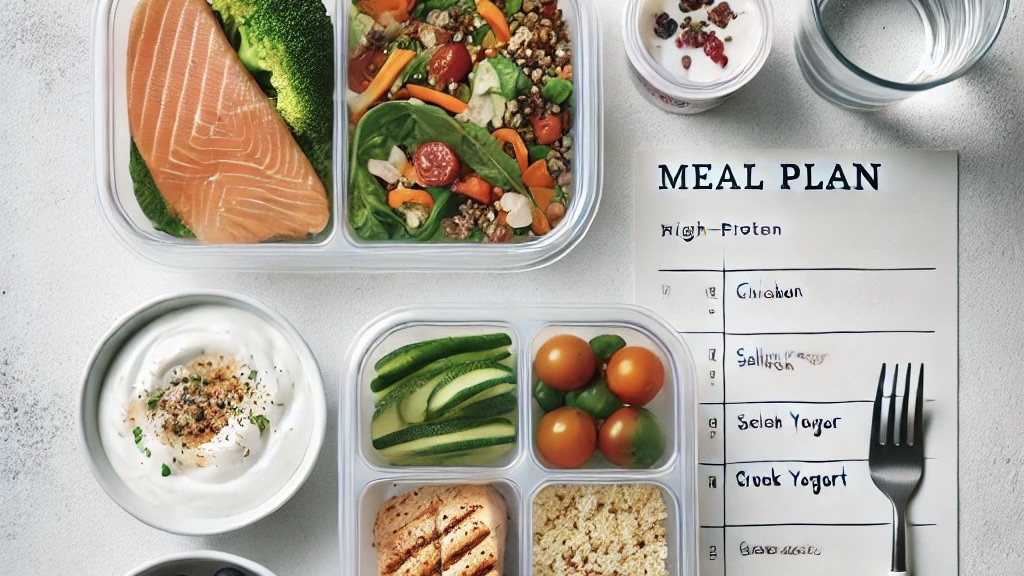
    • Cook proteins in bulk (e.g., grilled chicken, boiled eggs, baked salmon).

    • Prepare staple carbs (e.g., brown rice, quinoa, roasted potatoes).

    • Chop vegetables in advance for easy assembly.

    • Stick to a repeatable grocery list to minimize decision-making.

    4. Sample Minimalist Meal Plans (Macronutrient Balanced at 40/30/30)

    For Fat Loss (High Protein, Caloric Deficit)

    Breakfast: Scrambled eggs (3 whole, 2 whites) + spinach + avocado

    Lunch: Grilled chicken breast (150g) + quinoa (100g) + steamed broccoli

    Dinner: Salmon (120g) + roasted Brussels sprouts + olive oil

    Snack: Greek yogurt + walnuts

    For Muscle Gain (Higher Calories, Protein-Prioritized)

    Breakfast: Omelet (3 eggs, cheese) + whole grain toast + avocado

    Lunch: Ground beef (150g) + brown rice (120g) + grilled zucchini

    Dinner: Chicken thighs (160g) + sweet potatoes (150g) + sautéed spinach

    Snack: Cottage cheese + peanut butter + banana

    For General Health & Maintenance

    Breakfast: Greek yogurt + berries + almonds

    Lunch: Turkey breast (140g) + whole wheat wrap + hummus + salad greens

    Dinner: Grilled shrimp (130g) + quinoa (100g) + roasted carrots

    Snack: Boiled eggs + mixed nuts

    The key to success? Pick a few core meals and stick to them for consistency.

    5. Overcoming Common Challenges

    “What if I Get Bored?”

    Rotate spices, sauces, and cooking methods (grilled, baked, stir-fried) while keeping the core ingredients the same.

    Eating Out While Staying on Track

    Stick to lean protein + vegetables + a smart carb when ordering meals. Skip excessive sauces and deep-fried options.

    Cravings & Social Events

    Enjoy occasional treats without guilt, but focus on portion control and protein-first choices to stay in balance.

    Conclusion: The Power of Minimalist Nutrition

    By prioritizing protein, simplifying meal choices, and following a balanced macronutrient approach, you can maintain a lean, strong, and healthy physique without obsessing over food.

    Stick to whole foods with a simple structure

    Plan ahead to avoid decision fatigue

    Stay consistent – minimalism is about sustainability

    Start today: Choose one meal to simplify and build momentum. What’s your go-to simple meal? Drop it in the comments!

  • Effortless Focus: How Digital Minimalism Enhances Mental Clarity and Well-Being

    Effortless Focus: How Digital Minimalism Enhances Mental Clarity and Well-Being

    In today’s world, our phones buzz more than a beehive in peak summer. Emails, notifications, and the infinite scroll of social media have turned our attention spans into something rivaling a goldfish. But what if the key to mental clarity and effortless focus wasn’t about doing more—but about doing less? Welcome to digital minimalism, where you don’t have to quit technology, just use it smarter.

    The Digital Drain on Mental Energy

    Ever found yourself checking emails at a red light? Or grabbing your phone just to check the time, only to emerge 20 minutes later from a TikTok rabbit hole? You’re not alone. Studies show that the average person checks their phone 96 times a day—that’s once every 10 minutes. And each time we get distracted, it takes around 23 minutes to refocus on the task at hand.

    Think of your brain like a web browser. Right now, you’ve got 37 tabs open, and some are playing music you can’t locate. Constant digital engagement clutters our mental space, leading to stress, decision fatigue, and scattered thinking.

    Actionable Insight: Audit Your Digital Habits

    For one day, track how often you check your phone or switch between tasks. If you gasp at the final number, congratulations—you’re human. Step one to digital minimalism is awareness.

    The Art of Intentional Tech Use

    Let’s be clear: Digital minimalism isn’t about tossing your smartphone into a lake (though tempting). It’s about using technology on your terms—not letting it use you.

    Tech should serve your goals, not hijack your attention. That means curating the tools that add value and ditching (or at least limiting) the ones that don’t.

    Actionable Insight: Turn Your Phone into a Tool, Not a Temptation
    • Delete one app today that drains your time (you know the one).
    • Move distracting apps off your home screen—out of sight, out of mind.
    • Use grayscale mode to make social media less enticing.

    Mental Health Benefits of Doing Less

    Imagine your brain like a cluttered desk. Every notification, every open tab, every email ping is another piece of paper thrown on top. Eventually, you can’t find what you’re looking for, and stress levels skyrocket.

    Studies have linked high screen time with increased anxiety, sleep disruption, and decreased emotional well-being. On the flip side, people who practice digital minimalism report feeling calmer, more present, and—ironically—more connected in real life.

    Actionable Insight: Set Digital-Free Zones
    • Keep your phone out of the bedroom to improve sleep quality.
    • Make mealtimes screen-free to strengthen real-life connections.
    • Use “Do Not Disturb” mode for a few hours daily to give your brain breathing space.

    Effortless Focus & Productivity

    The secret to getting more done? Reduce distractions. Less input = more output.

    Neuroscientist Adam Gazzaley found that switching tasks constantly (a.k.a. our normal digital behavior) creates a cognitive bottleneck, slowing us down and making work feel harder than it is. But when we engage in deep work—sustained focus on a single task—we not only perform better but feel more satisfied with our work.

    Actionable Insight: Batch Your Digital Consumption
    • Schedule “tech check-ins”: Set specific times to check emails and messages instead of reacting instantly.
    • Use website blockers like Freedom or Cold Turkey for distraction-free work sessions.
    • Try the Pomodoro technique: 25 minutes of focused work, 5-minute break.

    Simple Shifts for Maximum Impact

    Not sure where to start? Here are three easy, high-impact changes to implement today:

    1. Notifications Off, Focus On – Disable non-essential notifications to reclaim your attention.
    2. One Screen at a Time – No more second-screening (watching Netflix while scrolling Instagram). Be present.
    3. Tech Sabbath – Try a few hours (or a full day) of digital detox every week to reset your mind.
    Final Thoughts: Make Digital Minimalism Work for You

    Digital minimalism isn’t about perfection—it’s about intentionality. By simplifying your digital life, you don’t just reclaim your focus and mental well-being; you make space for the things that truly matter. So, take control of your tech, rather than letting it control you.

    Your brain (and sanity) will thank you.