Category: project management

  • The Role of Emotional Intelligence in Project Management: How EQ Can Improve Communication, Decision-Making, and Team Dynamics

    The Role of Emotional Intelligence in Project Management: How EQ Can Improve Communication, Decision-Making, and Team Dynamics

    In today’s fast-paced business environment, project management isn’t just about meeting deadlines, managing budgets, or following methodologies—it’s about managing people. The ability to connect with team members, foster trust, and navigate the complexities of human emotions is critical for success. This is where emotional intelligence (EQ) comes into play.

    What is Emotional Intelligence?

    Emotional intelligence refers to the ability to recognize, understand, and manage our own emotions while being attuned to the emotions of others. It consists of five core components:

    1. Self-awareness: Recognizing one’s emotions and their impact on others.
    2. Self-regulation: Managing emotions in a healthy way and controlling impulses.
    3. Motivation: Staying committed to goals with resilience and a positive attitude.
    4. Empathy: Understanding the feelings and needs of others.
    5. Social skills: Building strong interpersonal relationships, managing conflict, and working effectively within a team.
    Why is EQ Critical in Project Management?

    While technical expertise and organizational skills are important, emotional intelligence can elevate a project manager’s ability to lead. Let’s dive into how EQ influences communication, decision-making, and team dynamics.

    1. Improved Communication

    A project manager with high emotional intelligence excels in active listening, non-verbal communication, and empathy. When you’re attuned to your team’s emotions and individual personalities, you can tailor your communication style to meet their needs. For example, some team members might need detailed instructions, while others work better with creative freedom. EQ helps you discern these needs and communicate in a way that makes everyone feel heard and valued.

    Example: In a high-stress situation, a project manager with high EQ will notice when a team member is overwhelmed, responding with empathy by offering support, adjusting deadlines, or redistributing tasks. This builds trust and keeps communication channels open, preventing small issues from escalating into larger conflicts.

    2. Better Decision-Making

    Decision-making is at the heart of project management, and it often involves managing conflicting priorities, expectations, and personalities. EQ enables project managers to approach decisions holistically, considering both data and human factors.

    Emotionally intelligent managers can distinguish between rational, emotional, and instinctive responses in themselves and others. This helps them make more objective decisions and remain calm under pressure. Moreover, EQ fosters collaborative decision-making, where input from the entire team is valued.

    Example: Suppose there’s a conflict between two departments about resource allocation. A project manager with high EQ would empathize with both sides, facilitating a discussion that acknowledges everyone’s concerns and leads to a solution that balances the project’s needs with team dynamics.

    3. Enhanced Team Dynamics

    High emotional intelligence allows project managers to build stronger, more cohesive teams. When people feel understood and supported, they’re more likely to trust each other and work well together. Empathy and social skills help managers navigate team conflicts and personality clashes, leading to a more harmonious work environment.

    Emotionally intelligent leaders also recognize each team member’s strengths and weaknesses, enabling them to assign tasks that play to individual capabilities. This not only boosts morale but also increases productivity.

    Example: In a situation where tensions arise between a perfectionist and a more pragmatic team member, a project manager with high EQ can mediate by helping both parties understand each other’s perspectives, thus fostering collaboration rather than competition.

    The Benefits of Emotional Intelligence in Project Management
    1. Increased Team Cohesion: Empathy and understanding build trust, reducing misunderstandings and conflicts.
    2. Higher Employee Engagement: A project manager who listens and values emotional input creates a positive atmosphere, increasing motivation and job satisfaction.
    3. Improved Conflict Resolution: Emotional intelligence helps resolve conflicts quickly and effectively, keeping projects on track.
    4. Better Stakeholder Management: EQ allows project managers to navigate stakeholder relationships diplomatically, balancing expectations with realistic project outcomes.
    5. More Resilient Teams: With a focus on emotional well-being, project managers can help their teams stay resilient in the face of challenges, reducing burnout and turnover.
    How to Improve Emotional Intelligence as a Project Manager

    Improving your emotional intelligence isn’t a one-time effort—it’s an ongoing process that involves self-awareness, reflection, and practical application. Here are some steps to help you develop EQ as a project manager:

    1. Practice Self-Awareness: Regularly check in with your emotions and analyze how they affect your decisions and interactions. Mindfulness techniques, such as meditation or journaling, can help you become more attuned to your emotional states.
    2. Develop Empathy: Make a conscious effort to understand your team members’ perspectives. Ask open-ended questions and listen actively, without jumping to conclusions or offering solutions prematurely.
    3. Manage Stress Effectively: Project management comes with high-pressure situations. Practice stress-management techniques like deep breathing, regular exercise, or mindfulness to regulate your emotions during difficult times.
    4. Seek Feedback: Regularly ask for feedback from your team and stakeholders on your leadership style and communication. This will help you identify areas for improvement in your EQ.
    5. Invest in Team-Building: Take time to strengthen relationships within your team. Team-building activities and open discussions can foster a deeper understanding of individual personalities and improve collaboration.
    Implementing Emotional Intelligence in Your Projects

    Once you’ve developed your emotional intelligence, the next step is to implement it in your project management practices:

    • Start with small changes. Pay attention to emotional cues in meetings and adjust your communication style accordingly. Use empathetic language and show that you’re open to feedback.
    • Lead by example. Your team will mirror your behavior. When they see you managing emotions calmly, listening actively, and treating others with respect, they’re more likely to follow suit.
    • Create a safe emotional space. Encourage your team to voice their concerns and emotions without fear of judgment. Open communication will allow you to address issues before they escalate.
    • Promote emotional well-being. Be proactive about managing stress in your team. Regular check-ins, providing mental health resources, and setting realistic deadlines can all contribute to a healthier work environment.
    Conclusion: The Emotional Intelligence Edge

    Emotional intelligence is more than just a soft skill—it’s a crucial leadership asset that enhances communication, decision-making, and team dynamics in project management. By cultivating and applying EQ in your daily interactions, you’ll not only manage projects more effectively but also foster a more collaborative and motivated team environment. Invest in developing your emotional intelligence, and you’ll see the positive effects ripple through your projects, stakeholders, and teams.
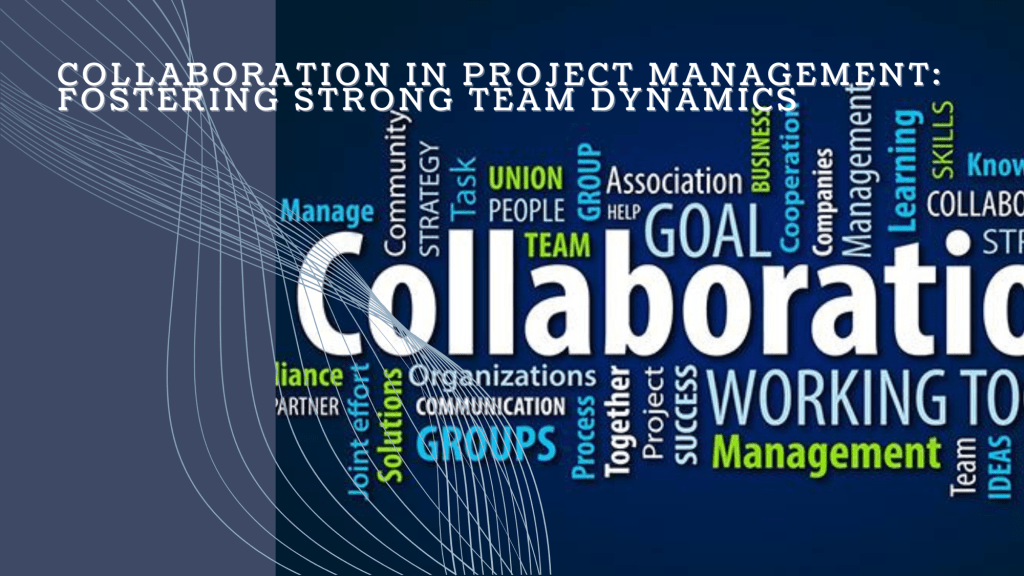
  • Collaboration in Project Management: Fostering Strong Team Dynamics

    Collaboration in Project Management: Fostering Strong Team Dynamics

    In today’s fast-paced and interconnected business world, collaboration is no longer a luxury but a necessity for project success. Whether you’re leading a small team or managing a large-scale initiative, fostering strong team dynamics is the key to achieving great results. Yet, collaboration doesn’t just happen—it’s something that project managers need to actively encourage and cultivate. In this article, we’ll explore why collaboration is vital, offer practical tips to enhance teamwork, and share strategies for continuous improvement to ensure your team is always working in harmony.

    What Does Collaboration Really Mean in Project Management?

    At its core, collaboration is the process where team members work together, sharing knowledge, skills, and ideas to achieve a common goal. But here’s the key: it’s not simply dividing tasks and working in isolation. True collaboration involves constant communication, mutual support, and a collective problem-solving mindset.

    For project managers, fostering collaboration goes beyond just bringing people together—it’s about cultivating an environment where everyone feels comfortable contributing, knowing that their voice is heard and valued. Strong team dynamics don’t just lead to smoother workflows; they create a culture where creativity and innovation can thrive.

    The Benefits of Strong Collaboration

    Why should you invest time in fostering collaboration? The answer is simple: the benefits are immense.

    1. Enhanced Communication: When collaboration is prioritized, communication naturally improves. Misunderstandings decrease, expectations are clarified, and feedback becomes more constructive. Instead of last-minute panic over missed deadlines, teams stay on the same page.
    2. Faster Problem-Solving: No one person has all the answers, but collectively, your team might. When people collaborate effectively, they can pool their knowledge, address challenges from different angles, and find faster, more creative solutions.
    3. Higher Engagement: When team members are part of the decision-making process, they feel more invested in the project’s success. This increased sense of ownership leads to greater motivation, and when people feel their contributions matter, they work with more passion and focus.
    4. Shared Accountability: Collaboration fosters a sense of shared responsibility. Success is celebrated as a team effort, and when mistakes happen, they are treated as learning opportunities rather than sources of blame.
    Tips for Encouraging Collaboration and Teamwork in Projects

    So how do you encourage collaboration? It starts with creating the right environment and equipping your team with the tools and mindset for success. Here are some tried-and-tested tips to help you foster strong team dynamics:

    1. Create a Safe Environment for Open Dialogue
      Psychological safety is one of the most critical elements of successful collaboration. If your team members feel they can’t speak up or share ideas without fear of being judged, collaboration won’t happen. As a project manager, it’s important to lead by example. Encourage openness by asking for input during meetings and using phrases like, “What do you think about this?” or “I’d love to hear your thoughts.” Let everyone know that all contributions are valued, and no idea is “too small.”
    2. Leverage Individual Strengths
      One of the most powerful aspects of teamwork is that each person brings a unique set of skills to the table. Rather than expecting everyone to be good at everything, recognize the individual strengths within your team. Assign roles and tasks that align with each person’s expertise. Not only will this make the project more efficient, but it also gives team members the confidence to excel in their respective areas.
    3. Utilize Collaboration Tools
      Project management tools like Trello, Asana, or Microsoft Teams aren’t just for organizing tasks—they’re powerful platforms for communication and collaboration. They provide transparency into the project’s progress, allowing team members to see the bigger picture, share updates, and tackle problems together in real-time. Make sure your team is using these tools to their full potential, and regularly check that everyone is comfortable with them.
    4. Encourage Cross-Functional Communication
      It’s easy for teams to fall into silos, especially in larger organizations where different departments have distinct priorities. But the best collaboration often happens when these silos are broken down. Encourage cross-functional communication by setting up regular check-ins between departments. This helps surface potential bottlenecks early and ensures that everyone is aligned on goals and timelines.
    5. Celebrate Wins and Acknowledge Contributions
      One of the simplest but most overlooked ways to foster collaboration is by celebrating team wins. Recognizing both group achievements and individual contributions helps build a positive culture where everyone feels appreciated. This creates momentum for future projects and encourages ongoing participation.
    Overcoming Collaboration Challenges

    Even the most collaborative teams face obstacles. Here’s how to overcome some of the common challenges that can arise when fostering teamwork:

    1. Handling Conflict
      Conflict is inevitable in any group dynamic, but when managed well, it can actually strengthen collaboration. Encourage team members to voice concerns early, and teach them how to resolve conflicts constructively. Active listening, empathy, and finding common ground are essential skills here.
    2. Managing Remote or Hybrid Teams
      With the rise of remote work, collaboration can feel trickier than ever. Ensure your remote teams are equipped with the right tools and have regular face-to-face time, whether through video calls or in-person meetings. Virtual team-building exercises can also help foster connection and collaboration despite the physical distance.
    3. Combatting Groupthink
      In a highly collaborative environment, there’s always the risk of groupthink—the tendency for teams to conform to the easiest or most widely accepted idea without questioning it. As a project manager, it’s your job to encourage healthy debate. Create an environment where differing opinions are not just tolerated but welcomed.
    Fostering Continuous Learning and Improvement

    Collaboration is not static—it’s something that needs continuous nurturing. Here’s how you can ensure that your team keeps evolving and improving their collaboration skills:

    1. Establish Feedback Loops
      Regular feedback is essential for growth. Conduct team retrospectives after project milestones to assess how well collaboration worked and what could be improved. Open the floor to honest feedback, and use those insights to refine your approach.
    2. Invest in Training and Development
      Continuous learning is critical for any team that wants to maintain a competitive edge. Provide training on communication skills, conflict resolution, and new collaboration tools. Workshops, webinars, or even informal lunch-and-learn sessions can keep your team sharp.
    3. Encourage Self-Reflection
      Encourage each team member to reflect on their contribution to the team dynamic. This self-awareness can help them improve how they collaborate with others. After major projects, ask individuals to think about what went well and what could be done differently in future collaborations.
    4. Experiment with New Collaboration Techniques
      Just as teams grow and evolve, so should your methods. Regularly experiment with new collaboration techniques like brainstorming sessions, peer reviews, or Agile retrospectives. Keep things fresh and dynamic to prevent stagnation.
    Conclusion

    Fostering strong team dynamics is one of the most valuable skills a project manager can develop. Collaboration not only makes projects more efficient, but it also leads to better ideas, more engagement, and a stronger sense of accountability across the board. By creating an environment where collaboration can thrive, you’ll empower your team to perform at their best and continue improving with every project.

    So, where will you start? Begin by creating a safe space for open dialogue, leveraging the strengths of your team members, and utilizing the right tools. Keep a finger on the pulse of team dynamics, and don’t be afraid to adjust your approach as needed. Collaboration is an ongoing journey, but the rewards are worth the effort.

  • Top 10 Project Management Tools to Streamline Your Workflow

    Top 10 Project Management Tools to Streamline Your Workflow

    In today’s fast-paced work environment, effective project management is more important than ever. The right tools not only streamline workflow but also empower teams to be more productive and organized. With countless options available, finding the right tool can be overwhelming. Here’s a rundown of the top 10 project management tools and how they can help you stay on top of your projects.

    1. Trello
    Pros:
    • Visual task management through an intuitive board system.
    • Great for collaboration across small to mid-sized teams.
    • Simple to use with drag-and-drop functionality.
    Cons:
    • Lacks advanced project management features.
    • Limited reporting and tracking capabilities compared to other tools.
    Best Use Case:

    Trello is ideal for teams that need a visual overview of tasks. Using a Kanban system, you can easily track work progress from “To Do” to “Done.” Pairing Trello with automation (via Power-Ups) can eliminate repetitive tasks, making your workflow more efficient.

    2. Asana
    Pros:
    • Customizable workflows and task automation.
    • Timelines, task dependencies, and reporting tools.
    • Easy to manage complex projects and assign tasks.
    Cons:
    • Can be overwhelming for beginners due to its feature richness.
    • Limited offline functionality.
    Best Use Case:

    For teams looking to manage multiple projects simultaneously, Asana’s automation features help streamline repetitive tasks. Use timelines and task dependencies to ensure that everyone is on the same page and that deadlines are met.

    3. Jira
    Pros:
    • Ideal for software development teams working in Agile.
    • Excellent for tracking issues, bugs, and tasks.
    • Comprehensive reporting for sprints, backlogs, and workflows.
    Cons:
    • Not beginner-friendly.
    • Overwhelming for non-technical teams.
    Best Use Case:

    Jira is perfect for teams using Scrum or Kanban methodologies. You can create custom workflows for software development, from sprint planning to issue tracking. Jira’s integration with GitHub or Bitbucket makes it a favorite among developers.

    4. Monday.com
    Pros:
    • Custom workflows and task tracking.
    • Visual and user-friendly interface.
    • Seamless integration with tools like Slack, Google Drive, and more.
    Cons:
    • Can get expensive for large teams.
    • Limited advanced reporting features.
    Best Use Case:

    For teams that want visual project tracking with the flexibility to customize workflows. Monday.com’s integrations and automations allow you to track project progress in real-time and ensure no tasks slip through the cracks.

    5. Smartsheet
    Pros:
    • Combines spreadsheet capabilities with project management.
    • Excellent for managing large datasets and generating detailed reports.
    • Powerful automation features and real-time dashboards.
    Cons:
    • Less intuitive for non-spreadsheet users.
    • Requires some technical knowledge to maximize its potential.
    Best Use Case:

    Trello is ideal for teams that need a visual overview of tasks. Using a Kanban system, you can easily track work progress from “To Do” to “Done.” Pairing Trello with automation (via Power-Ups) can eliminate repetitive tasks, making your workflow more efficient.

    1. Trello
    Pros:
    • Visual task management through an intuitive board system.
    • Great for collaboration across small to mid-sized teams.
    • Simple to use with drag-and-drop functionality.
    Cons:
    • Lacks advanced project management features.
    • Limited reporting and tracking capabilities compared to other tools.
    Best Use Case:

    Smartsheet is a perfect fit for teams that rely heavily on data and spreadsheets. Its automation and reporting features allow you to track progress and generate reports easily, especially for larger, data-driven projects.

    6. ClickUp
    Pros:
    • Customizable with a broad range of features (task management, document collaboration, and goal tracking).
    • Provides time tracking, timelines, and resource management.
    • All-in-one platform that reduces the need for multiple tools.
    Cons:
    • Learning curve due to its feature-heavy interface.
    • Some users may find it cluttered.
    Best Use Case:

    ClickUp works for teams that need a customizable project management tool that combines task management, documentation, and goals into one platform. ClickUp’s flexibility can be tailored to any team’s workflow.

    7. Wrike
    Pros:
    • Real-time project updates, task tracking, and collaboration.
    • Detailed reporting, including resource and budget tracking.
    • Easy team communication with file-sharing and messaging.
    Cons:
    • Limited customization options.
    • May become expensive for large teams.
    Best Use Case:

    Wrike is excellent for teams juggling multiple projects at once. Use its real-time dashboard and task-tracking features to ensure projects stay on track and deadlines are met.

    8. Microsoft Project
    Pros:
    • Powerful for planning and scheduling projects.
    • Advanced resource management and budgeting features.
    • Can handle complex dependencies and timelines.
    Cons:
    • Complex interface that requires training.
    • Expensive, particularly for smaller teams.
    Best Use Case:

    Best for teams working on large, complex projects with many moving parts. Microsoft Project’s advanced planning and scheduling tools ensure that resources are allocated efficiently and deadlines are met.

    9. Notion
    Pros:
    • Flexible platform combining note-taking, databases, and task management.
    • Great for knowledge sharing and collaborative project planning.
    • Clean, minimalistic interface.
    Cons:
    • Can be challenging for teams managing complex projects.
    • Limited task automation.
    Best Use Case:

    Notion is best for creative teams that need a flexible space for brainstorming, note-taking, and organizing project tasks. It’s also excellent for knowledge sharing and documentation.

    10. Basecamp
    Pros:
    • Simple interface with task lists, file sharing, and messaging.
    • Ideal for teams needing basic project tracking and communication.
    • Affordable pricing for small businesses.
    Cons:
    • Lacks advanced project management features.
    • No built-in time tracking or advanced reporting.
    Best Use Case:

    Basecamp is ideal for small to mid-sized teams that need a simple, easy-to-use project management tool. Its communication features (such as message boards) help teams stay connected without over-complicating the workflow.

    Maximizing the Benefit from Any Tool

    Regardless of the tool you choose, here are some systems you can apply across all platforms for maximum benefit:

    1. Automation: Many tools, like Asana, Monday.com, and Smartsheet, offer automation for recurring tasks. Use this to reduce repetitive tasks and save time.
    2. Task Dependencies: Tools like Microsoft Project, ClickUp, and Asana allow you to set task dependencies, ensuring that teams work on the right tasks at the right time.
    3. Dashboards and Reporting: Real-time dashboards in Wrike, Smartsheet, or ClickUp help you monitor project progress in one glance, while reporting tools keep stakeholders updated.
    4. Communication Integration: Integrating your project management tools with communication platforms like Slack (available in Monday.com and Trello) keeps team collaboration smooth.
    A Way Forward: Combining Tools for Maximum Efficiency

    If you’re managing multiple complex projects, you might need more than one tool to meet all your needs. Here are some combinations worth considering:

    • Trello + Slack: For small teams that thrive on collaboration and visual task tracking, combining Trello with Slack creates an efficient, communicative workspace.
    • Jira + Confluence: For software development teams, Jira’s task tracking paired with Confluence’s documentation features offers a comprehensive project management suite.
    • Asana + Google Workspace: For teams that need file sharing and seamless document collaboration, Asana combined with Google Drive ensures smooth integration.
    • ClickUp + Zoom: If you run remote teams, ClickUp’s task management combined with Zoom for communication ensures tasks are on track while keeping teams connected.
    Conclusion

    Choosing the right project management tool can revolutionize how your team operates. Whether you’re a small startup using Trello for task tracking or a large enterprise using Microsoft Project for managing multiple project timelines, understanding the pros and cons of each tool will help you make the best decision. Start with your team’s specific needs, and don’t be afraid to combine tools to create the perfect workflow for your projects.

  • How AI Might Be Revolutionizing Project Management

    How AI Might Be Revolutionizing Project Management

    We’re living in an age where the buzzwords of yesterday are quickly becoming the business tools of today. Artificial Intelligence (AI) is no longer the realm of sci-fi; it’s rapidly embedding itself into the fabric of how we work, particularly in project management. For project managers, staying ahead of deadlines, managing resources, and navigating unexpected curveballs are all part of the job. But what if AI could turn these challenges into opportunities, offering smarter ways to predict risks, optimize schedules, and enhance decision-making?

    The Rise of AI-Powered Tools in Project Management

    Imagine starting your day, not with an overwhelming task list, but with a smart assistant that has already analyzed your team’s workload, anticipated bottlenecks, and provided optimized solutions. Sounds like magic, right? Well, welcome to the age of AI in project management.

    AI-powered tools are transforming the way projects are planned and executed by automating tedious processes and offering insights that would take a human brain hours, if not days, to generate.

    1. Predicting Risks Before They Become Problems

    One of the most powerful capabilities of AI in project management is risk prediction. Through machine learning algorithms, AI can scan historical data from previous projects, identify patterns, and predict potential risks before they happen. Whether it’s budget overruns, team burnout, or supplier delays, AI tools can flag issues early on and even suggest mitigation strategies. This enables project managers to not only react faster but, in many cases, avoid crises altogether.

    In essence, AI helps project managers move from firefighting mode to a proactive stance, ensuring smoother operations and happier teams.

    2. Optimizing Schedules Like Never Before

    Who hasn’t had the headache of adjusting timelines when a project starts veering off course? Traditional scheduling tools are static and often feel like they’re working against you when changes occur. Enter AI scheduling optimizers—these dynamic tools don’t just plan a project based on input; they continuously learn and adapt.

    AI-powered schedulers factor in every imaginable variable—resource availability, task dependencies, weather conditions (in some cases), and even team member efficiency. These tools dynamically adjust schedules in real time, providing the project manager with the most efficient path forward. You’ll spend less time adjusting timelines and more time focusing on high-impact decisions.

    3. Enhanced Decision-Making With Data-Driven Insights

    AI doesn’t just help automate tasks; it supercharges decision-making by offering data-backed insights that help project managers make smarter choices. Have you ever been stuck choosing between two suppliers or debating which team member is best suited for a task? AI can assess numerous factors—from past performance to project-specific needs—and recommend the best course of action.

    By processing massive amounts of data that no human could possibly analyze on their own, AI helps cut through the noise and provides actionable, informed advice. Think of it as having a project mentor that’s always available, always learning, and always improving.

    The Human Touch: AI as Your Co-Pilot, Not Your Replacement

    Before we start imagining a future where robots run our projects, let’s clear one thing up — AI is not here to replace project managers. Far from it. In fact, AI’s greatest strength lies in enhancing the human element. By automating mundane tasks, predicting problems, and providing data-driven insights, AI frees up project managers to focus on what truly matters: leading, inspiring, and making judgment calls that only a human can make.

    At its core, AI is a co-pilot, guiding you through complex project landscapes, allowing you to work smarter, not harder.

    Practical AI Tools for Project Managers Today

    So, how can you harness this revolution today? Thankfully, you don’t need to be a tech guru to integrate AI into your daily workflow. Here’s a checklist to get started:

    AI Checklist for Project Managers:
    1. Risk Prediction Tools: Start using platforms like Oracle Primavera or RiskLens that leverage AI to predict project risks and suggest mitigation strategies.
    2. AI-Driven Scheduling: Explore tools like Monday.com or ClickUp with AI scheduling assistants that adapt your timelines based on real-time project updates.
    3. Resource Management: Implement tools like Toggl Plan or Resource Guru, which use AI to optimize resource allocation and ensure teams aren’t overburdened.
    4. Automated Reporting: Tools like Wrike or Zoho Projects can generate AI-based reports that highlight key insights and trends, helping you make faster decisions.
    5. Chatbots for Collaboration: Integrate AI chatbots (like Trello Bots or Slack’s Workbot) to manage tasks, set reminders, and facilitate smoother communication within your team.
    6. AI-Enhanced Decision Support: Consider tools like GiniMachine for data-backed decision-making, providing recommendations based on previous project data.
    7. AI-Driven Analytics: Use AI-based analytics platforms like Smartsheet or Microsoft Project to visualize project performance and make data-driven adjustments.
    In Conclusion

    AI is no longer just a futuristic concept — it’s here, and it’s changing the way projects are managed. By embracing AI-powered tools, project managers can predict risks before they happen, optimize their schedules, and make better, faster decisions. Best of all, AI helps you focus on what really matters: leading your team to success.

    The future of project management is bright — and it’s AI-powered.

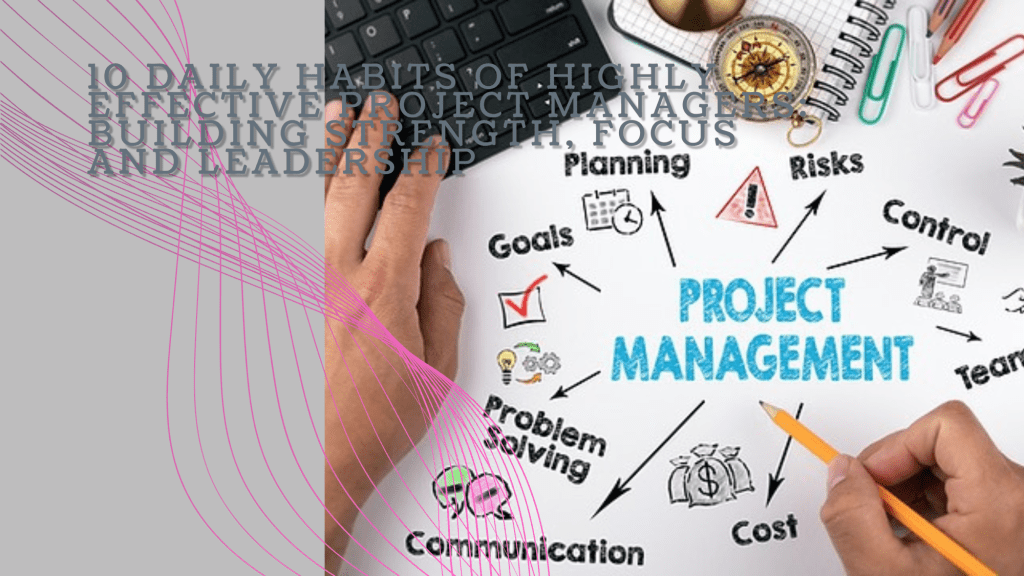
  • 10 Daily Habits of Highly Effective Project Managers: Building Strength, Focus, and Leadership

    10 Daily Habits of Highly Effective Project Managers: Building Strength, Focus, and Leadership

    Imagine this: it’s 5:30 AM, and Mark, a seasoned project manager, is already awake, gearing up for another intense day. His mornings start in the gym—lifting weights, pushing his body to its limits. Mark knows that the mental strength required to manage complex projects starts with physical discipline. Every rep he completes sharpens his focus for the day ahead. But there’s more to Mark’s success than his early morning workout routine. Over time, he’s developed a set of habits that boost his productivity and strengthen his leadership skills.

    Years ago, Sarah, another project manager, found herself constantly overwhelmed. Her days felt like a never-ending scramble, filled with back-to-back meetings and unplanned crises. But like Mark, she discovered the power of daily habits, ones that help her stay organized, calm, and in control. Today, Sarah manages projects with precision, delivering results with confidence. Let’s explore the 10 habits that have helped both Mark and Sarah thrive in their roles.

    1. Start with Physical Strength Training

    Mark’s day begins with physical training. Every morning, he heads to the gym for strength training. This ritual not only keeps him physically fit but also clears his mind. Lifting weights and pushing his body forces him to focus, which translates into sharper decision-making and stress management at work. He knows that a strong body builds a strong mind.

    Sarah, on the other hand, might not lift weights, but she starts her day with yoga and meditation. This calm, mindful practice helps her center herself before diving into the whirlwind of project management. The mental clarity it provides allows her to tackle the day’s challenges with grace and focus. Whether through strength training or yoga, both Mark and Sarah find that starting the day with physical exercise sharpens their mental resilience.

    2. Plan the Night Before

    Sarah’s evenings are just as intentional as her mornings. Before she wraps up her workday, she sets aside time to review her to-do list and plan for tomorrow. By the time she finishes, her mind is clear, and she knows exactly what to tackle first thing in the morning. This habit gives her peace of mind and prevents the morning scramble.

    Similarly, Mark has a habit of laying out his next day’s game plan the night before. He prioritizes key tasks and prepares his workspace, making sure nothing catches him off guard. When he wakes up, he feels in control, knowing that the day’s agenda is set. For both Mark and Sarah, this nightly routine keeps them organized and ready to hit the ground running each day.

    3. Embrace the Two-Minute Rule

    Mark lives by the Two-Minute Rule. If a task can be completed in less than two minutes—whether it’s responding to a quick email or approving a document—he handles it immediately. This habit stops minor tasks from piling up, keeping his workload light and manageable.

    Sarah, too, knows the value of handling quick tasks on the spot. Early in her career, she often felt bogged down by small, unfinished tasks that interrupted her flow. Now, by quickly addressing these minor issues as they arise, she frees up her time and energy for more important, strategic work. Both Mark and Sarah understand that small actions taken immediately prevent future distractions.

    4. Prioritize Deep Work

    Sarah carves out time every day for what she calls her “deep work” sessions. During these hours, she immerses herself in complex tasks that require her full attention—whether it’s strategic planning, reviewing critical reports, or brainstorming solutions. She blocks out distractions, turns off notifications, and focuses entirely on the work that truly matters.

    Mark follows the same principle. His deep work sessions are his most productive times of the day, allowing him to dive into key aspects of his projects without interruptions. He knows that staying in the zone during these moments leads to real progress. For both of them, deep work is where they solve the toughest problems and make the biggest strides.

    5. Leverage the Power of Delegation

    Early in her career, Sarah tried to do everything herself, thinking that being a strong leader meant handling every detail. But as she grew into her role, she learned that effective leadership is about empowering others. Now, she trusts her team to take ownership of their tasks, giving her more time to focus on the bigger picture.

    Mark had a similar realization. Once a hands-on manager who couldn’t let go of control, he now excels at delegating to his team. By trusting them with important responsibilities, he not only lightens his load but also helps his team grow and develop. Both Mark and Sarah have learned that great leaders don’t do it all—they build teams that can.

    6. Communicate with Purpose

    Mark understands the power of clear communication. He’s direct and concise, ensuring that every meeting and conversation serves a purpose. By communicating efficiently, he keeps his team aligned and on track, minimizing misunderstandings and ensuring everyone knows what’s expected.

    Sarah takes a similar approach. Instead of getting bogged down in long, unproductive meetings, she keeps her communication focused and intentional. Whether she’s sending a quick update or leading a strategy session, Sarah makes sure that her words are clear and impactful. Both Mark and Sarah know that effective communication is the key to keeping projects moving smoothly.

    7. Set Aside Time for Reflection

    At the end of each day, Sarah takes a few moments to reflect on her successes and challenges. She asks herself what went well, what could have been done better, and what she learned. This daily reflection helps her continuously improve, making subtle adjustments to her leadership style and project management techniques.

    Mark is no different. He’s made it a habit to end each day by reflecting on his performance. Whether it’s during his drive home or while unwinding after dinner, he considers what worked, where he faced difficulties, and how he can improve tomorrow. For both Sarah and Mark, these moments of reflection provide the self-awareness needed to grow as leaders.

    8. Adopt a Growth Mindset

    Sarah believes that challenges are opportunities to grow. Instead of fearing mistakes, she embraces them as part of the learning process. She’s constantly seeking out new knowledge, attending workshops, reading books, and staying curious. This growth mindset allows her to adapt quickly and stay ahead in a fast-changing environment.

    Mark shares this philosophy. He’s not afraid to push boundaries, experiment with new project management techniques, or ask for feedback. Like Sarah, he understands that continuous learning is the key to staying effective. Both of them know that a growth mindset is essential for long-term success in project management.

    9. Master Time Blocking

    Mark is disciplined about time blocking. He breaks his day into focused chunks—one for meetings, another for deep work, and yet another for handling administrative tasks. This structured approach helps him maximize productivity and prevent his day from being consumed by distractions.

    Sarah also uses time blocking to stay organized. She schedules specific time slots for focused work, meetings, and even personal breaks. By assigning each task its own dedicated block of time, she keeps her day structured and efficient. For both Mark and Sarah, time blocking ensures that their most important work gets the attention it deserves.

    10. End the Day with Gratitude

    At the end of the day, Sarah takes a moment to celebrate her wins. Whether it’s completing a project milestone or simply navigating a challenging conversation, she ends her day by recognizing the progress she and her team have made. This habit keeps her motivated and reminds her of the positive impact she’s having.

    Mark also ends his day on a note of gratitude. He reflects on what went well and appreciates the efforts of his team. Gratitude, he’s found, helps him stay grounded and focused on the bigger picture. Both Mark and Sarah believe that ending the day with appreciation fuels the energy and optimism needed for success.

    Conclusion: A Blueprint for Success

    Mark and Sarah have different approaches, but their success comes from the same core principle: consistent daily habits. These small but powerful routines shape their leadership, boost their productivity, and help them manage projects with confidence and clarity. From physical training to daily reflection, their habits create a strong foundation for growth.

    By adopting these habits, you too can elevate your project management skills and lead with purpose. Success doesn’t happen overnight—it’s built one habit at a time. Like Mark and Sarah, you can create the systems that allow you to thrive, delivering exceptional results in every project you lead.