
Tag: efficiency

  • Streamlining Decision-Making with Minimalism – Making Smart Choices Effortlessly

    Streamlining Decision-Making with Minimalism – Making Smart Choices Effortlessly

    Imagine waking up, reaching for the first outfit in your closet, and knowing it looks great without a second thought. Breakfast is already planned, your calendar is set, and the day flows effortlessly. No frantic last-minute choices, no mental fatigue before 9 AM—just clarity, focus, and ease.

    Sounds ideal, right? Yet for many professionals, daily decision-making feels more like running an endless obstacle course. What should I wear? What should I eat? Which email should I respond to first? By noon, decision fatigue creeps in, leaving us mentally drained before tackling the real challenges of the day.

    Minimalism offers a way out. By reducing unnecessary choices, we can free up mental energy, sharpen our focus, and make smarter decisions—effortlessly. Let’s explore how.


    The Weight of Too Many Choices: Why Decision Fatigue is Holding You Back

    Steve Jobs wore the same black turtleneck daily. Barack Obama kept his wardrobe limited to gray or navy suits. Mark Zuckerberg? Hoodies and T-shirts. These high achievers didn’t lack style; they understood that every small decision chips away at our cognitive resources.

    This phenomenon, known as decision fatigue, means that the more choices we make, the less capable we are of making good ones. Studies show that by the afternoon, judges grant fewer paroles, shoppers abandon online carts, and professionals procrastinate on important tasks. The mental bandwidth needed to sift through endless options gets depleted, leaving us vulnerable to impulsive, lazy, or outright bad decisions.

    So how do we avoid this trap? By removing unnecessary decisions altogether.


    Minimalism as a Mental Clarity Tool: Simplify to Amplify

    Minimalism isn’t about owning fewer things—it’s about making room for what truly matters. The same applies to decision-making. By simplifying our routines, commitments, and priorities, we reduce mental clutter and make better choices with ease.

    Think of your mind like a high-powered processor. If too many applications are running in the background, performance slows down. Closing unnecessary tabs—like debating what to wear or what to eat—keeps your mental CPU running smoothly for high-value tasks.

    How to Apply This in Everyday Life:

    • Streamline your morning routine – A pre-set wardrobe, a fixed breakfast menu, and a clear schedule eliminate guesswork.
    • Automate recurring decisions – Use meal planning, auto-bill payments, and pre-scheduled workouts to reduce daily choices.
    • Say “no” more often – Declutter your commitments, focus only on high-impact tasks, and avoid distractions disguised as opportunities.

    The goal? More energy for deep work, strategic thinking, and the decisions that truly move the needle.


    Effortless Strategies for Smarter Decisions

    Once we strip away the nonessential, decision-making becomes smoother, faster, and more intuitive. Here are four minimalist strategies to make smart choices almost automatically:

    1. The Capsule Wardrobe: One Less Choice Every Morning

    A well-curated wardrobe saves time, mental energy, and unnecessary stress. When every item pairs effortlessly with the rest, dressing well becomes instinctive. Invest in versatile, high-quality essentials, and eliminate the daily “What should I wear?” dilemma.

    2. Pre-Planned Meals: Eat Well Without Overthinking

    Every meal you cook from scratch is a decision. Multiply that by three meals a day, seven days a week, and that’s over 1,000 food choices a year. Instead, rotate a handful of simple, nutritious meals. Meal prepping on Sundays? Even better. It’s one less thing to think about.

    3. Structured Workflows: Prioritizing Like a Pro

    Use frameworks like the Eisenhower Matrix to separate urgent tasks from important ones. Eliminate low-value tasks, delegate what you can, and focus only on what truly matters. The result? A workday that feels effortless, not overwhelming.

    4. The Two-Minute Rule: Beat Procrastination Instantly

    If a task takes less than two minutes, do it immediately. No overthinking, no mental buildup. This simple habit eliminates minor decisions that would otherwise pile up and drain your focus.


    The Power of Fewer, Better Choices

    At its core, minimalism is about removing friction. The fewer unnecessary choices we face, the more energy we have for decisions that truly count—whether it’s a career-defining strategy, a life-changing opportunity, or simply being fully present with family.

    By simplifying the mundane, we gain clarity for the meaningful. When our mental space isn’t cluttered with trivial decisions, we can act with confidence, efficiency, and ease.

    So, what’s one unnecessary decision you can eliminate today? Start small, simplify, and watch as effortlessness becomes second nature.
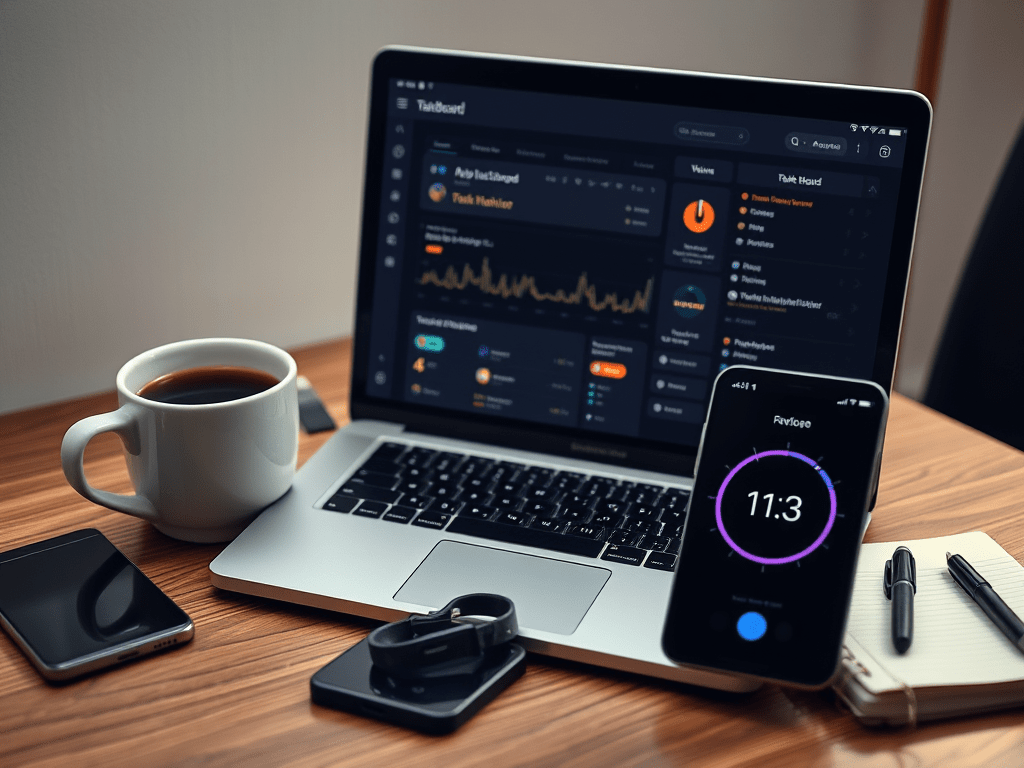
    Less clutter, fewer choices—smarter decisions.

  • From Planning to Execution: Productivity Tools That Made an Impact in 2024

    From Planning to Execution: Productivity Tools That Made an Impact in 2024

    As someone balancing the demanding role of a project manager in telecommunications with the joys and responsibilities of family life, I’ve spent 2024 experimenting with productivity tools that could help me stay on top of everything. This year, I found five tools that not only streamlined my workflow but also gave me back precious time for what truly matters. Here’s a personal look at how these tools impacted my productivity and why they might work for you too.


    1. Why Productivity Tools Matter More Than Ever

    2024 brought a new wave of challenges in managing work and personal commitments. Hybrid work models are more common, projects are increasingly complex, and finding time for meaningful focus can feel like an uphill battle. These productivity tools didn’t just save me time—they helped me work smarter, stay organized, and reduce the stress that comes with a packed schedule.

    Let’s dive into the five tools that made the biggest difference for me this year.


    2. Tool Reviews
    Notion: My Digital Brain
    • Overview: Notion is my go-to for managing projects, ideas, and personal notes. It’s where everything starts and ends. I’ve used it to build dashboards for project tracking, manage my blog content, and even organize family logistics.
    • What’s New in 2024: This year, Notion’s AI updates became game-changers. Breaking down complex tasks or generating quick outlines for reports is now effortless. It’s like having an extra team member ready to brainstorm or tidy up your workflow.
    • How I Use It: I’ve created templates for recurring tasks like meeting agendas and project summaries. One feature I particularly love is the database automation—it keeps everything connected, so I’m never scrambling for missing details.
    RescueTime: A Reality Check on Time Usage
    • Overview: RescueTime has been my silent accountability partner. It tracks how I spend my hours across devices and gives me insights that are both humbling and motivating.
    • What’s New in 2024: The new AI-powered focus mode is brilliant. It analyzes my work patterns and suggests the best times for uninterrupted deep work. Plus, the alerts for screen time have helped me cut down on unnecessary distractions.
    • How I Use It: At first, I was shocked by how much time I lost to small distractions. But now, RescueTime helps me prioritize by showing me exactly where I can reclaim hours. I schedule my most critical tasks during my identified “focus zones.”
    Grammarly: My Writing Wingman
    • Overview: Whether it’s sending a concise email or drafting a detailed project update, Grammarly has been my secret weapon for clear and professional communication.
    • What’s New in 2024: The tone-suggestion feature has been particularly useful this year. It helps me strike the right balance in emails—whether I need to sound collaborative, authoritative, or empathetic.
    • How I Use It: I’ve integrated Grammarly into every writing platform I use, from emails to blog drafts. It saves me from unnecessary edits and lets me focus on getting the message right the first time.
    Clockwise: Protecting My Focus Time
    • Overview: Clockwise has been a lifesaver for managing my calendar. It doesn’t just help me find meeting slots; it actively protects blocks of time for focused work.
    • What’s New in 2024: The AI-driven scheduling has improved dramatically this year. It syncs beautifully with Slack and Zoom, meaning I don’t have to manually adjust schedules after last-minute changes.
    • How I Use It: I’ve set it to automatically block “focus time” during my peak productivity hours in the morning. Having that dedicated, uninterrupted time has been a game-changer for tackling deep work.
    Todoist: Taming the Task List
    • Overview: Todoist has been my task manager of choice for years, but in 2024, it cemented its place as an irreplaceable tool in my workflow.
    • What’s New in 2024: The collaborative features and smart task suggestions made working with my team easier than ever. It’s also great for personal life—I use it to keep track of errands and even family activities.
    • How I Use It: I rely on Todoist’s “Today” view every morning to organize priorities. Its labels and deadlines help me stay focused, and sharing tasks with team members means everyone is always on the same page.

    3. How These Tools Work Together

    One of the biggest lessons I’ve learned this year is that no single tool can do it all, but together, they create a seamless system. Here’s how I combine them:

    • Planning: I list and prioritize tasks in Todoist.
    • Focus: Clockwise blocks my calendar so I can work on those tasks without interruptions.
    • Analysis: I use RescueTime to ensure I’m staying on track and to adjust my schedule if needed.
    • Polishing: Grammarly makes sure my communications and reports are clear and effective.
    • Organization: Everything else—notes, brainstorming, and project tracking—lives in Notion.

    This setup has made me feel more in control of my time than ever before. I’m not juggling multiple apps aimlessly; they’re all working together toward the same goal.


    4. Final Thoughts

    2024 has been the year of refining how I work, and these tools have played a huge role in making that happen. They’ve allowed me to streamline my processes, focus on what matters, and even carve out more time for my family.

    If you’ve been feeling overwhelmed or like you’re constantly chasing deadlines, I can’t recommend these tools enough. Try them out, experiment with how they fit into your routine, and watch how they transform the way you work.

    What about you? Have you discovered any tools that changed the game for your productivity this year? Let me know in the comments — I’d love to hear your experiences!

  • Top 10 Features Every Project Management Tool Needs in 2025: Streamline Task Tracking, Reporting, and Collaboration

    Top 10 Features Every Project Management Tool Needs in 2025: Streamline Task Tracking, Reporting, and Collaboration

    The world of project management moves fast—and so does technology. In 2025, project management tools aren’t just about keeping everyone on the same page; they’re about enabling seamless collaboration, boosting productivity, and making your job as a project manager a whole lot easier.

    So, what features should you look for in a project management tool this year? Let’s dive into the 10 must-haves that will help you lead your team like a pro.

    1. User-Friendly Interface

    Let’s start with the basics: your tool has to be easy to use. If it takes a PhD to figure out how to assign a task, your team won’t stick around long enough to see the benefits. Look for intuitive designs that reduce the learning curve and ensure everyone—from tech-savvy developers to less-than-techie stakeholders—can use it effortlessly.

    Pro Tip: Tools with drag-and-drop functionality are game-changers.

    2. Advanced Task Tracking

    Task tracking is the bread and butter of project management tools. In 2025, you want features that go beyond basic checklists. Think real-time updates, dependencies, and prioritization tools that ensure no task gets lost in the shuffle.

    Pro Tip: Kanban boards are still king, but having options like Gantt charts doesn’t hurt.

    3. Seamless Collaboration Tools

    Gone are the days when collaboration meant endless email threads. Your tool should have integrated chat, file sharing, and video conferencing—basically a one-stop shop for all team communication. The less your team has to juggle multiple platforms, the better.

    Pro Tip: Look for tools that let you tag teammates and link conversations directly to tasks.

    4. Customizable Dashboards

    Project managers love dashboards—and for good reason. A great dashboard gives you a snapshot of your project’s health at a glance. Customizable options mean you can tailor the view to what matters most, whether it’s budget tracking, team workload, or milestone progress.

    Pro Tip: Widgets make dashboards way more fun and functional.

    5. Robust Reporting and Analytics

    Reports aren’t just for your boss—they’re for you too. A tool with robust reporting lets you spot bottlenecks, measure team performance, and plan smarter. Bonus points for customizable templates that make generating reports a breeze.

    Pro Tip: Heatmaps and visual data representations make numbers way less intimidating.

    6. Cross-Platform Accessibility

    In a world where remote work is here to stay, your project management tool must work wherever you do. Cloud-based solutions with apps for desktop, mobile, and tablet are a must. And don’t forget offline mode for those pesky internet outages.

    Pro Tip: Test mobile versions for functionality before committing.

    7. Integration with Popular Tools

    Your project management tool should play well with others. Look for integrations with apps your team already uses, like Slack, Microsoft Teams, and Google Workspace. API support is a nice bonus for those who need custom setups.

    Pro Tip: The fewer times your team has to copy-paste between tools, the happier they’ll be.

    8. Automated Workflows and Reminders

    Repetitive tasks are the enemy of productivity. A great tool automates workflows, sends reminders for deadlines, and even handles approvals. This way, you can focus on leading your team instead of micromanaging.

    Pro Tip: Recurring task options are a lifesaver for long-term projects.

    9. Scalability and Flexibility

    Your team may be small now, but what about next year? Choose a tool that grows with you. Scalability ensures it works for small teams and large enterprises alike. Flexible templates tailored to your industry also save you time.

    Pro Tip: Check if the pricing model supports scaling without breaking the bank.

    10. Strong Security and Compliance

    Finally, don’t overlook security. Your tool needs to protect sensitive data with encryption and comply with regulations like GDPR or HIPAA. After all, trust isn’t just for team members—it’s for the software you use too.

    Pro Tip: Multi-factor authentication is a must-have for 2025.

    Wrapping It Up

    The right project management tool can transform how your team works, from streamlining task management to fostering collaboration and ensuring security. As you evaluate your options in 2025, keep these 10 features in mind. Trust us, your future self will thank you when your projects run smoother than ever.

    Now, go out there and find the tool that fits your team’s needs—and make the hard things in life look effortless.

  • How to Set and Achieve SMART Goals: The Ultimate Guide to Boosting Productivity for Busy Professionals

    How to Set and Achieve SMART Goals: The Ultimate Guide to Boosting Productivity for Busy Professionals

    As a busy professional, you’re constantly juggling multiple tasks, managing teams, and keeping up with corporate processes. Whether you’re a project manager or a knowledge worker, your schedule is packed, and there’s little time for wasted effort. That’s where goal-setting comes in. But not just any goals—SMART goals.

    Setting SMART goals isn’t just a productivity hack. It’s a proven method for staying focused, driving progress, and achieving results. So, let’s dive into how you can set SMART goals that will skyrocket your productivity.

    What Are SMART Goals?

    Before you start setting goals, it’s important to understand what SMART goals actually are. SMART stands for:

    • Specific: Your goal should be clear and unambiguous. What exactly do you want to achieve?
    • Measurable: Ensure you can track progress. How will you know when you’ve achieved your goal?
    • Achievable: Your goal should be realistic. Do you have the resources to meet it?
    • Relevant: Your goal should align with your larger objectives, both personal and professional.
    • Time-bound: There should be a clear deadline to create urgency and prevent procrastination.

    Why are SMART goals so effective for busy professionals? Because they force you to think through the details, clarify your intentions, and avoid vague, overwhelming objectives that leave you directionless.

    How to Set SMART Goals for Maximum Productivity

    Ready to create goals that will help you achieve more with less effort? Follow these steps to set SMART goals that drive productivity:

    1. Clarify the Goal’s Specific Outcome
      • Focus on what you want to achieve. Instead of “Improve team communication,” a specific goal could be “Increase weekly team meetings from 30 to 60 minutes to improve project updates.”
    2. Define How Success Will Be Measured
      • Break down the key performance indicators (KPIs). In the example above, you might measure success by tracking whether meetings happen on time and whether they lead to more efficient project updates.
    3. Assess Feasibility and Resources
      • Ask yourself, “Do I have the necessary time, tools, and support to achieve this goal?” If not, adjust your goal or timeline.
    4. Ensure the Goal is Aligned with Broader Objectives
      • Your goals should support your overall professional objectives. For instance, if improving communication helps with project efficiency, that aligns with your team’s core business goals.
    5. Set a Deadline
      • Without a deadline, goals can drift. Create urgency by committing to a realistic yet challenging timeline. Aim for a set date, like “Increase meeting time by 30 minutes within the next four weeks.”

    Take Action Now: Grab a notebook or open your task manager, and start crafting your first SMART goal for the week. Write it down! You’ll remember it better and stay more committed.

    Integrating SMART Goals into Corporate Processes and Projects

    Setting SMART goals isn’t just for individual productivity—it can be a game-changer at the team or organizational level. Here’s how to integrate SMART goals into corporate processes:

    • Align with Company Objectives: Ensure that your goals contribute to the bigger picture. If your company is focused on increasing productivity, set SMART goals that support this—whether it’s improving team processes or reducing inefficiencies.
    • Collaborate with Your Team: When your personal goals align with team objectives, it helps build a cohesive approach. Discuss SMART goals with your team and ensure they understand how they contribute to project success.
    • Fit SMART Goals into Project Management Frameworks: Whether you’re using Agile, Scrum, or traditional project management, SMART goals can be tailored to fit the framework. Break down large project goals into smaller, SMART goals for each phase.

    Engage with Your Team: Start a meeting with a discussion on how each team member’s SMART goals align with the overall project objectives. This encourages collaboration and focus.

    Tracking and Measuring Progress Towards SMART Goals

    Setting goals is only the first step—tracking progress is just as important. Without consistent monitoring, you’ll never know if you’re on track to achieve your goals.

    Here are a few ways to track progress effectively:

    • Use Project Management Tools: Tools like Trello, Asana, or Monday.com are perfect for setting and tracking SMART goals on both an individual and team level. Set up milestones and deadlines within these tools for easy tracking.
    • Daily or Weekly Check-ins: Stay accountable by reviewing your goals daily or weekly. Assess what you’ve achieved, what’s on track, and what needs adjustment. If you find yourself off-track, reset your focus and identify the necessary actions.
    • Celebrate Small Wins: As you meet milestones, take time to celebrate. Small victories keep you motivated and maintain momentum.

    Pro Tip: Use a simple spreadsheet or digital checklist to visualize your progress. Seeing your tasks ticked off is highly motivating.

    The Impact of SMART Goals on Individual and Team Productivity

    SMART goals don’t just help individuals—they drive team-wide productivity. Here’s how:

    • Individual Productivity: Having a clear, focused goal reduces distractions and enhances concentration. Instead of feeling overwhelmed by a large project, you have a clear task to focus on, which boosts efficiency.
    • Team Collaboration: When everyone has clear, aligned goals, teams work more efficiently. There’s less duplication of effort, better communication, and stronger accountability, which drives results.
    • Project Success: A project driven by SMART goals has clear deliverables, timelines, and measurable results. This leads to higher chances of success and faster project completion.

    Take a Moment to Reflect: Think about one major project you’re currently working on. How could breaking it down into SMART goals improve its success rate?

    Overcoming Common Challenges in Goal Setting and Execution

    While SMART goals are powerful, you may encounter challenges along the way:

    • Avoiding Overwhelm: It’s easy to feel overwhelmed when managing multiple SMART goals. Focus on one goal at a time, and break larger goals into smaller, bite-sized steps.
    • Staying Adaptable: Be ready to adjust goals as circumstances change. For example, if a key team member leaves or a resource becomes unavailable, you may need to tweak your goals to reflect the new reality.
    • Dealing with Distractions: With so many competing demands, staying focused can be tough. Prioritize your goals and set boundaries around your time to avoid interruptions.

    Challenge Yourself: Review your current goals—do they align with your SMART framework? If not, refine them today.


    Achieving Success Through SMART Goals

    SMART goals are the cornerstone of productivity for busy professionals. They provide clarity, focus, and a sense of direction amidst a hectic schedule. By setting, tracking, and achieving SMART goals, you can drive personal and team success in a structured, manageable way.

    Remember: It’s not about setting as many goals as possible, but setting the right ones and staying committed to achieving them. Start with one SMART goal this week, and watch how it transforms your productivity and focus.

    Ready to Take Action? Go ahead and set your first SMART goal for the week. Write it down, break it down into actionable steps, and track your progress. You’ve got this!

  • 7 Productivity Hacks to Stay Focused While Working from Home

    7 Productivity Hacks to Stay Focused While Working from Home

    Working from home can feel like the ultimate setup—no more long commutes, the freedom to dress casually, and the comfort of your own space. But if you’re a project manager or team leader juggling multiple priorities, the challenge of staying productive amid distractions becomes real fast. From household chores to family interruptions and the temptation to check your phone, it’s easy to lose focus.

    The good news? With the right strategies, you can turn your home environment into a productivity powerhouse. Below, we’ll explore seven actionable hacks to help you maintain focus, lead your team effectively, and meet your deadlines—all while enjoying the benefits of remote work.

    1. Set Boundaries (Both Physical and Mental)

    Your home may be your sanctuary, but to maximize productivity, you need to create a mental and physical separation between “work” and “home.”

    Create a Dedicated Workspace: Even if you don’t have a full home office, carve out a specific corner or desk where you only work. This helps create a mental switch when you sit down at your “office.” It could be a table in the living room or even a part of your kitchen counter—just make sure it’s clear of non-work items and feels like your professional zone.

    Establish Work Hours: Just because you’re working from home doesn’t mean your schedule should be loose. Set specific work hours as if you were still commuting to an office. This creates a structured routine and helps you mentally commit to “being at work.” When your hours are over, close your laptop and step away—this will prevent burnout.

    Communicate with Family or Housemates: If you have a partner, kids, or housemates, set clear expectations about your work time. Let them know when you need quiet and establish visual cues—like closing a door, wearing headphones, or even using a sign—so they know not to disturb you.

    2. Structure Your Day with Time Blocks

    One of the easiest ways to lose focus when working from home is to let your day blur together. Without office structure, tasks can blend and distractions sneak in. That’s where time blocking comes in.

    Time Blocking for Efficiency: Schedule your day in blocks of time for specific tasks. For example, dedicate 9:00–10:00 AM to checking emails, 10:00–12:00 PM for project work, and so on. This limits multitasking and helps you stay on track.

    The Pomodoro Technique: This technique breaks your work into 25-minute focused periods followed by a 5-minute break. After four cycles, take a longer 15–30-minute break. It’s a simple, effective way to maintain energy throughout the day without burnout.

    Prioritize Your Biggest Tasks: Knock out your most critical tasks first thing in the morning. The earlier you complete them, the more focused you’ll feel for the rest of the day. Plus, early productivity builds momentum.

    3. Leverage Technology to Minimize Distractions

    In a world filled with pings, alerts, and distractions, technology can either be your best friend or your worst enemy when working from home. The key is to use it wisely.

    Focus Apps: Tools like Focus@Will, Freedom, or StayFocusd help block distracting websites or apps during work hours. These apps act like digital gatekeepers, keeping you focused on important tasks instead of scrolling through social media or checking irrelevant notifications.

    Turn Off Notifications: Set your phone to “Do Not Disturb” during work blocks, and mute non-work notifications on your computer. You can designate certain times during the day to check messages and updates, but during focused work sessions, silence everything unnecessary.

    Use Task Management Tools: Tools like Asana, Trello, or Microsoft Teams are perfect for managing tasks, collaborating with your team, and staying organized. These tools allow you to track progress and ensure nothing falls through the cracks, which is especially critical when you’re not physically in the same space as your colleagues.

    4. Incorporate Movement and Breaks

    Remote work often means sitting at your desk for long hours without much movement, which can drain your energy and make it harder to focus. Incorporating movement into your day will refresh your mind and body.

    Microbreaks: Set a timer to take a short stretch or movement break every 30–45 minutes. Even a quick walk around the room or a few deep stretches can increase blood flow and keep you energized.

    Active Breaks: During longer breaks, do something physical. It could be a 10-minute walk, a set of jumping jacks, or even yoga. Exercise is proven to boost mental clarity and can help reset your focus when you’re feeling sluggish.

    5. Build a Morning Routine that Triggers Focus

    How you start your day sets the tone for everything that follows. Having a structured morning routine creates a mental shift from “home mode” to “work mode,” helping you start the day with focus and intention.

    Morning Rituals: Develop a consistent routine to signal to your brain that it’s time to work. This could involve a quick workout, meditation, or even just changing out of your pajamas. Taking a shower and dressing as if you’re going to the office can create a sense of professionalism, which may boost your productivity.

    Plan the Day Ahead: Before jumping into your inbox, take five minutes to list your top three priorities for the day. When you have a clear plan, you’re more likely to stay focused and get more done.

    6. Foster Accountability with Your Team

    When you’re managing a team remotely, maintaining productivity is not just about your own focus—it’s about keeping the whole team aligned and accountable. Here’s how to keep everyone on track:

    Daily Check-ins: Start the day with a quick 10–15-minute team check-in. These meetings set the tone, clarify priorities, and create a sense of accountability. Make sure to focus on progress, roadblocks, and key deliverables for the day.

    Transparent Communication: Use tools like Slack or Microsoft Teams for ongoing communication throughout the day. Encourage your team to share progress updates, which builds a sense of shared responsibility and keeps everyone in the loop.

    Set Clear Expectations: Ensure your team knows exactly what success looks like for each task or project. Clear guidelines will prevent misunderstandings and ensure everyone is working towards the same goals, even from different locations.

    7. End Your Day with a Shutdown Routine

    Just as a morning routine helps kickstart your day, an end-of-day routine will help you unwind and create a clear boundary between work and personal time.

    Create a Closing Ritual: Take the last 15 minutes of your workday to tidy up your workspace, review what you’ve accomplished, and jot down priorities for the next day. This creates a sense of closure and allows you to switch off from work mode.

    Transition to Personal Time: Once you’ve closed out your day, disconnect from work notifications and shift your focus to personal or family time. This boundary is crucial to avoid burnout and maintain work-life balance.

    The Path to Productive Remote Work

    Staying productive while working from home requires a combination of structure, discipline, and balance. By setting boundaries, organizing your time, and using the right tools, you can create a focused environment that keeps you and your team on track. Incorporate these productivity hacks into your daily routine and watch as you take control of your workday, leading with confidence and achieving more—right from the comfort of home.

    Now it’s time to implement these strategies and make remote work not only effective but enjoyable. Let the distractions fall away, and watch your productivity soar!