Tag: efficiency

  • Mastering Project Timelines: A Step-by-Step Guide to Creating Accurate and Achievable Schedules

    Mastering Project Timelines: A Step-by-Step Guide to Creating Accurate and Achievable Schedules

    Introduction

    In the thrilling arena of project management, timelines are not just mere schedules; they are the very heartbeat of success. Picture this: two project managers, Alex and Jamie, stand at the helm of their respective ships, ready to navigate the turbulent waters of a software launch. While one sets sail without a map, the other meticulously charts her course. Join us as we embark on a journey through their experiences, revealing the art and science of creating an efficient project timeline.

    Meet Alex and Jamie

    Alex, with a twinkle of ambition in his eye, is known for his “let’s dive in and figure it out” mentality. He believes that spontaneity breeds creativity. But, as he prepares to launch his cutting-edge software product, he quickly realizes that his enthusiasm alone won’t carry him through the storm.

    On the other side of the harbor, we have Jamie. Armed with a robust plan and a hint of nerves, she approaches her project with the precision of a skilled captain. While Alex struggles against the waves of confusion, Jamie sails smoothly towards her destination, thanks to her well-structured timeline. Let’s explore the key steps Jamie takes that make all the difference, contrasted with Alex’s chaotic voyage.

    Step 1: Define Project Scope and Objectives

    Imagine Alex on deck, shouting vague commands to his crew. “Let’s make something amazing!” Unfortunately, without clarity, his team flounders, unsure of what “amazing” really means. Miscommunication leads to tasks spiraling out of control, and soon, frustration mounts like storm clouds on the horizon.

    Meanwhile, Jamie crafts a detailed project charter, painting a vivid picture of the journey ahead. She lays out clear objectives, deliverables, and stakeholders. Her team, inspired by this clarity, rallies around a shared vision, setting their sights on the horizon with renewed purpose.

    Step 2: Identify Key Milestones

    As the days pass, Alex’s ship begins to drift. He neglects to establish key milestones, and before long, his crew is lost at sea. Missed deadlines accumulate like barnacles on the hull, threatening to sink the project before it even launches.

    In contrast, Jamie identifies crucial milestones—like completing the prototype and initiating beta testing—as shining beacons guiding her ship. Each milestone becomes a reason to celebrate, fostering camaraderie among her crew. With every achievement, they reinforce their commitment, buoyed by the thrill of progress.

    Step 3: Break Down Tasks and Activities

    Alex tries to hoist the sails all at once, leading to chaos on deck. His team grapples with overlapping responsibilities, and critical tasks slip through the cracks. Exhausted and overwhelmed, they watch as the winds of opportunity pass them by.

    Meanwhile, Jamie takes a different tack. She employs a Work Breakdown Structure (WBS) to dissect her project into manageable tasks. This approach illuminates dependencies, clarifying who is responsible for what. With a clear division of labor, her crew works in harmony, each member confident in their role as they steer towards success.

    Step 4: Estimate Time for Each Task

    As the deadline approaches, Alex’s quick and optimistic time estimates come back to haunt him. “We can definitely finish this in a week!” he declares, only to find his team scrambling at the last minute, overwhelmed and underprepared.

    Jamie, however, knows the value of realistic estimation. She consults her crew, leveraging their expertise and historical data. By using the three-point estimation technique, she builds in time buffers, preparing for potential storms ahead. With a well-thought-out timeline, she navigates smoothly, avoiding last-minute panic.

    Step 5: Assign Resources

    Resource allocation often feels like juggling flaming torches, and Alex struggles to keep them all in the air. Ignoring team members’ strengths and workloads, he creates an environment of burnout and inefficiency. Morale dips as the crew grows weary under the pressure.

    In contrast, Jamie assesses her crew’s skills and availability with the eye of a seasoned captain. She balances workloads and fosters a supportive environment, where each member feels valued and empowered. As a result, her team is energized and productive, ready to face any challenge that arises.

    Step 6: Create the Timeline

    When it comes to visualizing the timeline, Alex relies on cluttered spreadsheets, creating confusion and frustration among his team. They struggle to see the big picture, each member lost in their individual tasks.

    Jamie, however, embraces technology, utilizing project management software that offers stunning Gantt charts and interactive Kanban boards. The clear visual representation of her timeline allows her crew to see how their tasks interconnect. They remain focused, organized, and motivated, steering towards their destination with confidence.

    Step 7: Review and Adjust the Timeline

    Flexibility is crucial in the unpredictable seas of project management. Alex, hesitant to adapt, clings stubbornly to his original timeline, even as storm clouds gather. As setbacks arise, his project lags, and frustration mounts.

    Conversely, Jamie understands the importance of regular check-ins. She schedules stakeholder reviews, eagerly inviting feedback. When challenges arise, she adjusts her timeline with agility, ensuring her ship stays on course. This proactive approach keeps her team engaged and motivated, ready to tackle whatever comes their way.

    Conclusion

    The contrasting journeys of Alex and Jamie reveal a vital truth: building an efficient project timeline can transform chaos into clarity. By defining project scope, identifying milestones, breaking down tasks, estimating time accurately, assigning resources wisely, creating a clear timeline, and remaining adaptable, Jamie navigates her project to a triumphant launch.

    As you chart your course through project management, remember Jamie’s approach. With a well-structured timeline as your compass, you too can master the art of scheduling, ensuring smoother sails and successful outcomes.

    Call to Action

    Have you faced the challenges of project scheduling? Share your stories and tips in the comments below! Let’s learn from one another and refine our project management skills together, ensuring that every project is a journey worth taking.

  • Top 10 Project Management Tools to Streamline Your Workflow

    Top 10 Project Management Tools to Streamline Your Workflow

    In today’s fast-paced work environment, effective project management is more important than ever. The right tools not only streamline workflow but also empower teams to be more productive and organized. With countless options available, finding the right tool can be overwhelming. Here’s a rundown of the top 10 project management tools and how they can help you stay on top of your projects.

    1. Trello
    Pros:
    • Visual task management through an intuitive board system.
    • Great for collaboration across small to mid-sized teams.
    • Simple to use with drag-and-drop functionality.
    Cons:
    • Lacks advanced project management features.
    • Limited reporting and tracking capabilities compared to other tools.
    Best Use Case:

    Trello is ideal for teams that need a visual overview of tasks. Using a Kanban system, you can easily track work progress from “To Do” to “Done.” Pairing Trello with automation (via Power-Ups) can eliminate repetitive tasks, making your workflow more efficient.

    2. Asana
    Pros:
    • Customizable workflows and task automation.
    • Timelines, task dependencies, and reporting tools.
    • Easy to manage complex projects and assign tasks.
    Cons:
    • Can be overwhelming for beginners due to its feature richness.
    • Limited offline functionality.
    Best Use Case:

    For teams looking to manage multiple projects simultaneously, Asana’s automation features help streamline repetitive tasks. Use timelines and task dependencies to ensure that everyone is on the same page and that deadlines are met.

    3. Jira
    Pros:
    • Ideal for software development teams working in Agile.
    • Excellent for tracking issues, bugs, and tasks.
    • Comprehensive reporting for sprints, backlogs, and workflows.
    Cons:
    • Not beginner-friendly.
    • Overwhelming for non-technical teams.
    Best Use Case:

    Jira is perfect for teams using Scrum or Kanban methodologies. You can create custom workflows for software development, from sprint planning to issue tracking. Jira’s integration with GitHub or Bitbucket makes it a favorite among developers.

    4. Monday.com
    Pros:
    • Custom workflows and task tracking.
    • Visual and user-friendly interface.
    • Seamless integration with tools like Slack, Google Drive, and more.
    Cons:
    • Can get expensive for large teams.
    • Limited advanced reporting features.
    Best Use Case:

    For teams that want visual project tracking with the flexibility to customize workflows. Monday.com’s integrations and automations allow you to track project progress in real-time and ensure no tasks slip through the cracks.

    5. Smartsheet
    Pros:
    • Combines spreadsheet capabilities with project management.
    • Excellent for managing large datasets and generating detailed reports.
    • Powerful automation features and real-time dashboards.
    Cons:
    • Less intuitive for non-spreadsheet users.
    • Requires some technical knowledge to maximize its potential.
    Best Use Case:

    Trello is ideal for teams that need a visual overview of tasks. Using a Kanban system, you can easily track work progress from “To Do” to “Done.” Pairing Trello with automation (via Power-Ups) can eliminate repetitive tasks, making your workflow more efficient.

    1. Trello
    Pros:
    • Visual task management through an intuitive board system.
    • Great for collaboration across small to mid-sized teams.
    • Simple to use with drag-and-drop functionality.
    Cons:
    • Lacks advanced project management features.
    • Limited reporting and tracking capabilities compared to other tools.
    Best Use Case:

    Smartsheet is a perfect fit for teams that rely heavily on data and spreadsheets. Its automation and reporting features allow you to track progress and generate reports easily, especially for larger, data-driven projects.

    6. ClickUp
    Pros:
    • Customizable with a broad range of features (task management, document collaboration, and goal tracking).
    • Provides time tracking, timelines, and resource management.
    • All-in-one platform that reduces the need for multiple tools.
    Cons:
    • Learning curve due to its feature-heavy interface.
    • Some users may find it cluttered.
    Best Use Case:

    ClickUp works for teams that need a customizable project management tool that combines task management, documentation, and goals into one platform. ClickUp’s flexibility can be tailored to any team’s workflow.

    7. Wrike
    Pros:
    • Real-time project updates, task tracking, and collaboration.
    • Detailed reporting, including resource and budget tracking.
    • Easy team communication with file-sharing and messaging.
    Cons:
    • Limited customization options.
    • May become expensive for large teams.
    Best Use Case:

    Wrike is excellent for teams juggling multiple projects at once. Use its real-time dashboard and task-tracking features to ensure projects stay on track and deadlines are met.

    8. Microsoft Project
    Pros:
    • Powerful for planning and scheduling projects.
    • Advanced resource management and budgeting features.
    • Can handle complex dependencies and timelines.
    Cons:
    • Complex interface that requires training.
    • Expensive, particularly for smaller teams.
    Best Use Case:

    Best for teams working on large, complex projects with many moving parts. Microsoft Project’s advanced planning and scheduling tools ensure that resources are allocated efficiently and deadlines are met.

    9. Notion
    Pros:
    • Flexible platform combining note-taking, databases, and task management.
    • Great for knowledge sharing and collaborative project planning.
    • Clean, minimalistic interface.
    Cons:
    • Can be challenging for teams managing complex projects.
    • Limited task automation.
    Best Use Case:

    Notion is best for creative teams that need a flexible space for brainstorming, note-taking, and organizing project tasks. It’s also excellent for knowledge sharing and documentation.

    10. Basecamp
    Pros:
    • Simple interface with task lists, file sharing, and messaging.
    • Ideal for teams needing basic project tracking and communication.
    • Affordable pricing for small businesses.
    Cons:
    • Lacks advanced project management features.
    • No built-in time tracking or advanced reporting.
    Best Use Case:

    Basecamp is ideal for small to mid-sized teams that need a simple, easy-to-use project management tool. Its communication features (such as message boards) help teams stay connected without over-complicating the workflow.

    Maximizing the Benefit from Any Tool

    Regardless of the tool you choose, here are some systems you can apply across all platforms for maximum benefit:

    1. Automation: Many tools, like Asana, Monday.com, and Smartsheet, offer automation for recurring tasks. Use this to reduce repetitive tasks and save time.
    2. Task Dependencies: Tools like Microsoft Project, ClickUp, and Asana allow you to set task dependencies, ensuring that teams work on the right tasks at the right time.
    3. Dashboards and Reporting: Real-time dashboards in Wrike, Smartsheet, or ClickUp help you monitor project progress in one glance, while reporting tools keep stakeholders updated.
    4. Communication Integration: Integrating your project management tools with communication platforms like Slack (available in Monday.com and Trello) keeps team collaboration smooth.
    A Way Forward: Combining Tools for Maximum Efficiency

    If you’re managing multiple complex projects, you might need more than one tool to meet all your needs. Here are some combinations worth considering:

    • Trello + Slack: For small teams that thrive on collaboration and visual task tracking, combining Trello with Slack creates an efficient, communicative workspace.
    • Jira + Confluence: For software development teams, Jira’s task tracking paired with Confluence’s documentation features offers a comprehensive project management suite.
    • Asana + Google Workspace: For teams that need file sharing and seamless document collaboration, Asana combined with Google Drive ensures smooth integration.
    • ClickUp + Zoom: If you run remote teams, ClickUp’s task management combined with Zoom for communication ensures tasks are on track while keeping teams connected.
    Conclusion

    Choosing the right project management tool can revolutionize how your team operates. Whether you’re a small startup using Trello for task tracking or a large enterprise using Microsoft Project for managing multiple project timelines, understanding the pros and cons of each tool will help you make the best decision. Start with your team’s specific needs, and don’t be afraid to combine tools to create the perfect workflow for your projects.

  • The Gamification of Work: Boosting Productivity, Happiness, and Reducing Burnout

    The Gamification of Work: Boosting Productivity, Happiness, and Reducing Burnout

    In the relentless pursuit of high performance, many of us find ourselves trapped in a cycle of stress, burnout, and diminishing returns. The modern work environment, with its ceaseless demands and relentless pace, can often feel more like a marathon without a finish line than a fulfilling journey. But what if we could reframe our daily grind into something more engaging, enjoyable, and ultimately more productive? Enter gamification—a powerful tool that can transform the way we approach our work, increase our productivity, and make our professional lives more rewarding.

    What is Gamification?

    Gamification is the process of integrating game-like elements into non-game contexts to motivate and engage people. This concept is rooted in the psychology of reward systems, where incentives like points, badges, leaderboards, and challenges drive behavior by tapping into our intrinsic desire for achievement, recognition, and mastery.

    In the context of work, gamification can make mundane tasks more engaging, help teams stay motivated, and provide a sense of progress and achievement. It’s not about turning work into a game but rather applying the principles that make games enjoyable — such as clear goals, instant feedback, and a sense of progression—to the workplace.

    Why Gamification Works

    The effectiveness of gamification is underpinned by several psychological principles:

    1. Dopamine Response: Completing a challenge or hitting a milestone triggers a dopamine release, the brain’s “feel-good” neurotransmitter. This response reinforces the behavior, making us more likely to continue the activity.
    2. Progressive Mastery: Games often involve leveling up—incremental steps toward mastering a skill or completing a goal. This concept of progressive mastery can be applied to work tasks, breaking down large projects into smaller, manageable chunks with regular rewards.
    3. Social Connectivity: Leaderboards, team challenges, and shared goals tap into our social instincts. Friendly competition and collaboration can boost motivation and create a sense of camaraderie.
    4. Purpose and Autonomy: Gamification can help individuals find a greater sense of purpose in their work by aligning tasks with personal goals and giving them more control over how they achieve these goals.
    Implementing Gamification Across Different Roles

    Let’s explore how knowledge workers, engineers, salespeople, and managers can apply gamification to their daily tasks to improve productivity, find more meaning in their work, boost happiness, and reduce stress.

    1. Project Managers
      Project managers can utilize gamification to enhance team dynamics, streamline project execution, and drive higher levels of engagement and productivity. Here’s how:
      • Milestone Badges and Progress Bars: Implementing visual indicators like milestone badges and progress bars can transform how a team perceives its progress. These elements break down complex projects into tangible, achievable goals, making large tasks feel less overwhelming. As each milestone is reached, the team experiences a sense of accomplishment, which boosts morale and motivates them to continue pushing toward the next goal. This continuous feedback loop helps maintain momentum, reduces the risk of burnout, and keeps everyone aligned with the project’s overall objectives.
      • Points System for Task Completion: A points system that rewards timely task completion and effective problem-solving can significantly enhance team productivity. By earning points for completing tasks on time or resolving issues efficiently, team members are motivated to stay focused and proactive. This system not only helps in meeting deadlines but also encourages employees to take ownership of their responsibilities. The competitive yet collaborative environment fosters a culture of accountability and continuous improvement, ultimately leading to more efficient project delivery and higher-quality outcomes.
      • Friendly Team Challenges: Introducing friendly challenges between different teams or departments can elevate team spirit and drive performance. For example, setting up a competition to see which team can complete their deliverables ahead of schedule or exceed quality standards can inject energy and enthusiasm into the work environment. These challenges promote healthy competition, which can lead to increased collaboration as team members work together to achieve common goals. The sense of camaraderie that develops from these activities not only strengthens team bonds but also enhances overall job satisfaction and loyalty to the project and the organization.
      • Recognition for Effective Management: Recognizing and rewarding effective management practices within the team can be a powerful motivator. By acknowledging team members who excel in leadership roles—such as successfully coordinating a complex task, resolving conflicts, or leading a productive meeting—project managers can encourage the development of leadership skills across the team. This not only empowers individuals but also builds a stronger, more resilient team capable of handling challenges autonomously. Furthermore, this recognition reinforces positive behavior and sets a standard for others to aspire to, contributing to a culture of excellence and continuous development.
    2. Knowledge Workers
      Knowledge workers, such as writers, analysts, and designers, often face the challenge of staying motivated during long, solitary tasks. Here’s how they can gamify their work:
      • Time-Tracking Challenges: Knowledge work often requires sustained focus, but maintaining that focus can be difficult. By using time-tracking tools like Toggl or Clockify, knowledge workers can create personal challenges—such as earning points for every 30-minute block of uninterrupted deep work. These points can be redeemed for small rewards, providing a clear incentive to maintain focus and manage time effectively. This not only boosts productivity but also helps in avoiding distractions and managing work-related stress.
      • Task Completion Badges: Tools like Trello or Asana can be used to assign badges for completing tasks. For example, completing a report might earn you a “Research Master” badge. These badges serve as tangible recognition of progress and achievement, which can be particularly motivating in roles where the end results of one’s work are not immediately visible. Sharing these achievements with a team can also foster a sense of pride and mutual encouragement.
      • Creative Streaks: For creative professionals like writers or designers, maintaining a consistent output can be challenging. Setting up creative streaks, where points are earned for consecutive days of content creation, can create a sense of urgency and motivation to maintain consistency. This not only boosts output but also fosters a habit of regular creativity, which can lead to higher quality work and greater satisfaction in the creative process.
    3. Engineers
      Engineers, particularly those in software development, often work on complex projects that require sustained focus and problem-solving. Gamification can make this process more engaging:
      • Code Challenges and Hackathons: Engineers thrive on problem-solving, and gamification can make this process even more rewarding. Participating in or creating internal hackathons or code challenges where engineers earn points or badges for solving complex problems, debugging efficiently, or contributing to open-source projects can turn routine tasks into exciting challenges. This not only enhances skills but also fosters a culture of continuous learning and innovation.
      • Leveling Up Skills: Platforms like LeetCode, HackerRank, or Codewars allow engineers to practice coding challenges and earn points that help them “level up” in specific skills. This structured progression mirrors the game-like experience of mastering a skill and provides a clear, rewarding path for professional development. It encourages engineers to continuously improve their abilities, which can lead to higher job satisfaction and better performance.
      • Peer Review Leaderboards: Implementing a leaderboard system for peer reviews can encourage thorough and timely feedback. Engineers can earn points based on the number of reviews they complete and the quality of their feedback. This not only motivates engineers to engage more deeply in the review process but also improves the overall quality of code, leading to more efficient and successful projects.
    4. Salespeople
      Sales roles are inherently competitive, making them ideal for gamification. However, the key is to ensure that gamification doesn’t promote unhealthy competition but rather motivates individuals to achieve their best:
      • Quota Quests: Sales quotas can often feel overwhelming, but turning them into quests with multiple stages can make them more manageable and motivating. For example, reaching 50% of a monthly target could unlock a new level, with rewards at each stage. This approach breaks down large goals into more manageable milestones, reducing stress and making progress more visible and satisfying.
      • Leaderboard Dynamics: While traditional sales leaderboards focus solely on sales figures, incorporating additional metrics like client satisfaction or lead generation can provide a more holistic view of performance. This ensures that the competition isn’t just about closing deals but also about building long-term customer relationships, which are crucial for sustained success in sales.
      • Daily Spin Challenges: Introducing a daily challenge or “spin the wheel” game that salespeople can participate in each morning adds an element of surprise and fun to the workday. This could determine the focus of the day, such as upselling to existing clients or closing a deal with a new prospect. Completing the challenge earns them points or rewards, which can add excitement and variety to their routine, making daily tasks more engaging.
    5. Managers
      Managers can use gamification to improve team performance, boost morale, and streamline processes:
      • Team Achievement Badges: Managers can create badges for team achievements, such as completing a project ahead of schedule or exceeding quarterly goals. Displaying these badges in a public space (physical or digital) boosts team pride and motivation, fostering a positive and high-achieving team culture. This not only recognizes and rewards collective effort but also encourages a sense of shared purpose and commitment.
      • Performance Dashboards: Using dashboards to visualize team performance metrics allows managers to gamify goals and track progress in real-time. Setting targets for the team and rewarding them when they meet or exceed these targets can drive higher performance. The key is to focus on metrics that drive long-term success, not just short-term wins. This approach helps align team efforts with strategic goals, ensuring sustained progress and achievement.
      • Feedback and Recognition Systems: Implementing a system where team members can give each other points or badges for collaboration, innovation, or support fosters a culture of peer recognition. This can be a powerful motivator, as it encourages positive behavior, teamwork, and mutual respect. Over time, this can lead to a more cohesive and supportive work environment, which is essential for long-term team success and individual job satisfaction.
    A Quick-Start Guide to Gamifying Your Work

    Ready to gamify your workday? Here’s a step-by-step guide to get you started:

    1. Identify Key Tasks and Goals
      • List out the tasks that you find most challenging or monotonous.
      • Identify your primary goals—whether they’re related to productivity, skill development, or team collaboration.
    2. Choose the Right Tools
      • Select tools that support gamification elements, such as Trello for task management, Asana for project tracking, or specific platforms like LeetCode for skill-based challenges.
      • Consider tools like Habitica, which turns task management into an RPG-style game.
    3. Set Up Your Reward System
      • Define what rewards matter to you or your team. This could be anything from a coffee break, extra time off, or recognition at a team meeting.
      • Ensure that the rewards are meaningful and aligned with your goals.
    4. Create Challenges and Milestones
      • Break down large projects into smaller tasks or milestones.
      • Set up daily or weekly challenges, such as “complete X number of tasks” or “spend Y hours in deep work.”
    5. Track and Reflect
      • Regularly track your progress and adjust the gamification elements as needed. This might involve tweaking the difficulty of challenges or updating the reward system.
      • Reflect on how gamification is impacting your productivity and happiness. Make adjustments to keep the system engaging and effective.
    6. Scale Up
      • Once you’ve successfully implemented gamification in your personal workflow, consider expanding it to your team or department.
      • Share your experiences and tools with colleagues, and encourage them to gamify their work.
      • Periodically review and evolve your gamification strategies to ensure they remain effective as your goals and work environment change.
    Conclusion

    Gamification offers a powerful way to transform the work experience, making it more engaging, motivating, and enjoyable. By integrating game-like elements into our daily tasks, we can boost productivity, find greater satisfaction in our work, and reduce the risk of burnout. Whether you’re a knowledge worker, engineer, salesperson, or manager, the principles of gamification can be tailored to fit your role and goals, helping you to not only perform at a high level but also to enjoy the journey along the way.

    Start small, experiment with different strategies, and scale up as you find what works best for you. The key is to make work more than just a series of tasks—turn it into a game that you’re excited to play every day.

  • The Concept of Efficiency: A Double-Edged Sword

    The Concept of Efficiency: A Double-Edged Sword

    Introduction to Efficiency

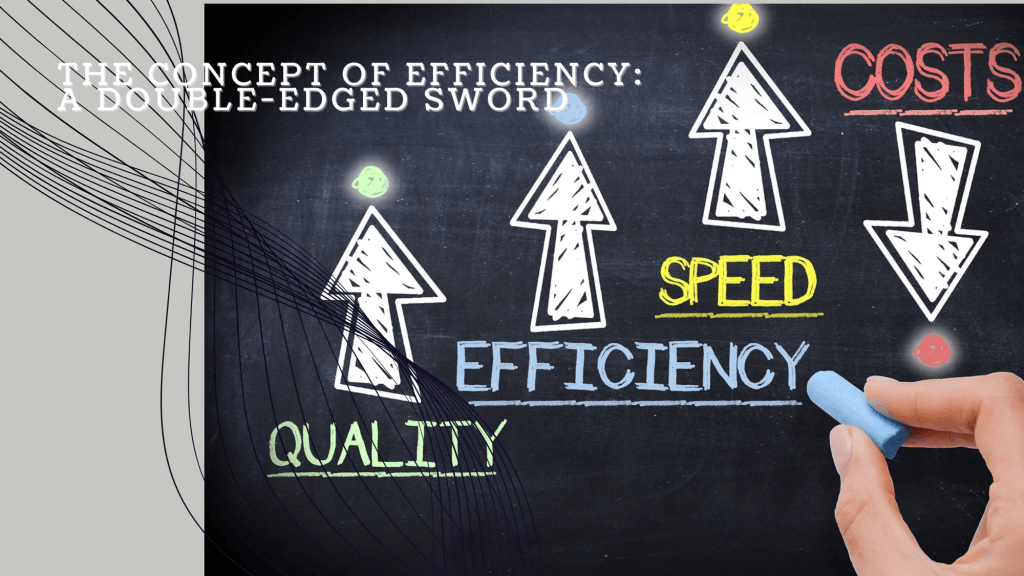
    Efficiency, at its core, is the ability to achieve a desired outcome with the least amount of wasted time, effort, or resources. It is a measure of how well inputs are converted into outputs, often expressed as a ratio of output to input. In a highly efficient system, more is produced with less, leading to faster, cheaper, or more sustainable results. This concept permeates various aspects of life, from personal time management to the operations of complex organizations and even entire economies.

    The allure of efficiency is clear: it promises increased productivity, reduced costs, and the ability to do more with less. However, as with many powerful concepts, the pursuit of efficiency is not without its drawbacks. A closer examination reveals that while efficiency can yield significant benefits, an overemphasis on it can lead to unintended consequences, particularly when systems become too streamlined and lose their resilience to external and internal disruptions.

    High and Low Efficiency: Examples in Practice

    High efficiency can be seen in industries that have successfully optimized their processes to reduce waste and maximize output. For instance, Toyota’s production system is a classic example of high efficiency. The company’s adoption of Just-In-Time (JIT) manufacturing, which produces goods only as they are needed, significantly reduced inventory costs and increased production speed. This approach allowed Toyota to dominate the automotive industry by offering reliable, affordable vehicles with minimal production waste.

    On the other end of the spectrum, consider a traditional, artisanal approach to manufacturing, such as handmade furniture production. While the quality and uniqueness of each piece may be high, the process is inherently inefficient by modern standards. Each piece requires significant time, skilled labor, and materials, which results in higher costs and longer production times. Although this low-efficiency process might produce superior craftsmanship, it is not scalable or sustainable in a mass-market economy.

    Society’s Obsession with Optimizing Efficiency

    The relentless drive for efficiency has become a defining feature of modern society. This obsession can be traced back to the Industrial Revolution, which introduced the idea that human labor and material resources should be optimized to produce more goods at lower costs. Over time, this notion has permeated every facet of society, from business practices to personal productivity.

    One reason for this obsession is the economic principle of competitive advantage. Companies that can produce goods or deliver services more efficiently than their competitors can offer lower prices, capture larger market shares, and generate higher profits. In the global economy, where competition is fierce, efficiency is often the key to survival.

    Technological advancements have further fueled the drive for efficiency. Automation, artificial intelligence, and data analytics have provided tools to streamline processes and eliminate inefficiencies at unprecedented scales. The result is a society where faster, cheaper, and more efficient are often synonymous with better.

    However, this relentless pursuit is not without its downsides. The drive for efficiency often leads to the elimination of redundancies, which, while seemingly wasteful, can serve as critical safety nets when systems face unexpected disruptions.

    Upsides of Increased Efficiency

    The benefits of increased efficiency are undeniable. In manufacturing, higher efficiency leads to lower production costs, which can translate to lower prices for consumers. The ability to produce more with less also conserves resources, which is crucial in a world with finite natural resources.

    In the energy sector, for example, increasing the efficiency of power plants and appliances can significantly reduce energy consumption and greenhouse gas emissions. A more efficient power grid can deliver electricity more reliably and at lower costs, contributing to both economic and environmental goals.

    Efficiency also plays a vital role in healthcare. Streamlined hospital operations can reduce patient wait times, lower healthcare costs, and improve patient outcomes. The adoption of electronic health records (EHRs) has enhanced the efficiency of medical information management, allowing for quicker and more accurate diagnoses and treatment plans.

    In transportation, efficiency improvements have led to the development of fuel-efficient vehicles, reducing fuel costs and emissions. Public transportation systems that operate efficiently can reduce traffic congestion, lower pollution levels, and provide affordable transportation options to the public.

    The Fragility of Over-Efficient Systems

    While efficiency brings numerous benefits, systems that are overly optimized can become dangerously fragile. The elimination of redundancies and buffers, which are often seen as wasteful, can leave systems vulnerable to disruptions.

    The 2008 financial crisis serves as a stark example of this fragility. The global financial system had become highly efficient, with complex financial products and high levels of leverage maximizing returns. However, this efficiency came at the cost of stability. When the housing market collapsed, the lack of adequate safeguards led to a cascading failure that nearly brought down the entire financial system.

    Similarly, Just-In-Time manufacturing, while highly efficient under normal circumstances, can be extremely vulnerable to supply chain disruptions. The COVID-19 pandemic exposed these vulnerabilities when global supply chains ground to a halt, leading to shortages of essential goods, from medical supplies to semiconductors.

    In nature, too, we see the consequences of over-efficiency. Monoculture farming, which involves planting large expanses of a single crop, is highly efficient in terms of production. However, it is also highly vulnerable to pests and diseases, which can wipe out entire crops due to the lack of biodiversity. In contrast, traditional farming methods that incorporate a variety of crops may be less efficient but are far more resilient to such threats.

    The Fine Line Between Efficiency and Resilience

    The pursuit of efficiency is a double-edged sword. While it can lead to significant benefits, there is a fine line beyond which additional efficiency gains result in diminishing returns and increased risks. Systems that are too efficient often lack the flexibility and resilience needed to adapt to unforeseen challenges.

    The key to balancing efficiency with resilience lies in understanding that some level of redundancy and slack is not just acceptable but necessary. Redundancies act as shock absorbers, allowing systems to withstand and recover from disruptions. This concept is well understood in engineering, where systems are designed with safety margins to prevent catastrophic failure.

    In business, too, there is a growing recognition of the importance of resilience. Companies are increasingly investing in risk management and contingency planning, recognizing that the short-term gains of extreme efficiency are often outweighed by the long-term risks.

    In personal productivity, this balance is also critical. While it is tempting to maximize every minute of the day, this can lead to burnout and decreased effectiveness over time. Allowing for downtime, reflection, and unstructured time can enhance creativity and overall well-being, leading to more sustainable productivity.

    Conclusion

    Efficiency is a powerful concept that has driven much of the progress in modern society. It has led to remarkable advancements in technology, industry, and quality of life. However, the pursuit of efficiency must be tempered with an understanding of its limitations. Overly efficient systems, while highly productive, can become fragile and vulnerable to disruption.

    The challenge lies in finding the right balance between efficiency and resilience. While it is important to eliminate waste and streamline processes, it is equally important to maintain flexibility, redundancy, and the ability to adapt to change. In the end, the most successful systems are those that achieve a harmonious balance, maximizing efficiency while safeguarding against the inherent risks of over-optimization.

  • Boost Your Productivity and Reduce Stress: The Magic of the Eisenhower Matrix

    Boost Your Productivity and Reduce Stress: The Magic of the Eisenhower Matrix

    In the world of productivity hacks and time management tools, the Eisenhower Matrix stands out as a timeless and powerful method for making better decisions faster. Whether you’re a busy professional juggling multiple projects or a team leader aiming to optimize your team’s efficiency, this simple yet effective tool can transform the way you work. But where did it come from, and how can you apply it to your daily tasks? Let’s dive into the origins, usage, and benefits of the Eisenhower Matrix.

    The Origins of the Eisenhower Matrix

    The Eisenhower Matrix, also known as the Urgent-Important Matrix, is named after Dwight D. Eisenhower, the 34th President of the United States. Eisenhower, who was known for his incredible productivity, is often quoted as saying, “What is important is seldom urgent, and what is urgent is seldom important.” This philosophy guided him through a career that included being a five-star general in the U.S. Army during World War II and serving two terms as President.

    The matrix itself was popularized by Stephen Covey in his book “The 7 Habits of Highly Effective People,” where he introduced it as a key tool for time management.

    How the Eisenhower Matrix Works

    The Eisenhower Matrix helps you categorize tasks into four distinct quadrants based on their urgency and importance:

    1. Quadrant 1: Urgent and Important (Do First)
      • These tasks require immediate attention and have significant consequences if not completed. Examples include:
        • Handling a project deadline
        • Addressing a critical issue in a project
        • Resolving urgent customer complaints
    2. Quadrant 2: Important but Not Urgent (Schedule)
      • Tasks that are important for long-term success but do not need immediate action. Examples include:
        • Strategic planning for an upcoming project
        • Personal development activities like training
        • Building relationships with key stakeholders
    3. Quadrant 3: Urgent but Not Important (Delegate)
      • Tasks that require immediate attention but can be delegated to others. Examples include:
        • Routine administrative tasks
        • Scheduling meetings
        • Answering some emails
    4. Quadrant 4: Neither Urgent nor Important (Eliminate)
      • Tasks that do not contribute to your goals and can be eliminated or minimized. Examples include:
        • Excessive social media browsing
        • Attending non-essential meetings
        • Engaging in trivial activities
    Applying the Eisenhower Matrix: A Practical Example

    Imagine you’re managing a project to launch a new product. Here’s how you might use the Eisenhower Matrix:

    • Quadrant 1: Finalizing the product design (urgent and important), fixing a critical bug found in testing (urgent and important).
    • Quadrant 2: Developing a marketing strategy (important but not urgent), conducting team training sessions (important but not urgent).
    • Quadrant 3: Organizing team-building activities (urgent but not important), handling routine customer service queries (urgent but not important).
    • Quadrant 4: Attending a meeting about a different, unrelated project (neither urgent nor important), checking social media during work hours (neither urgent nor important).
    Speeding Up Decision Making with the Eisenhower Matrix

    Using the Eisenhower Matrix accelerates decision making by providing a clear framework for prioritization. Here’s how:

    • Clarity and Focus: The matrix helps you quickly identify what tasks need your immediate attention and which can be scheduled, delegated, or eliminated. This clarity reduces the time spent deliberating on what to tackle next.
    • Reduced Procrastination: By breaking down tasks into these categories, you can tackle high-priority tasks head-on, reducing the tendency to procrastinate.
    • Efficient Delegation: Recognizing tasks that can be delegated frees up your time to focus on more critical activities, enhancing overall productivity.
    Positive Effects on Knowledge Workers and Project Teams

    For knowledge workers and project teams, the benefits of using the Eisenhower Matrix are substantial:

    • Enhanced Productivity: Focusing on important tasks that add real value leads to better outcomes and faster project completion.
    • Improved Time Management: Efficiently allocating time based on task priority ensures that deadlines are met without last-minute rushes.
    • Reduced Stress: With a clear plan of action, the overwhelming feeling of having too much to do diminishes, leading to a more manageable workload.
    • Better Collaboration: Teams can align on what tasks are most critical, ensuring everyone is working towards the same goals with clear priorities.
    Conclusion

    The Eisenhower Matrix is more than just a time management tool; it’s a strategy for transforming how you approach your work. By categorizing tasks based on urgency and importance, you can make better decisions, work more efficiently, and reduce stress. Whether you’re an individual looking to boost your productivity or a team leader striving to optimize your team’s performance, the Eisenhower Matrix is a game-changer.

    So, why wait? Start using the Eisenhower Matrix today and watch your productivity soar while stress takes a back seat.