Tag: EfficiencyMatters

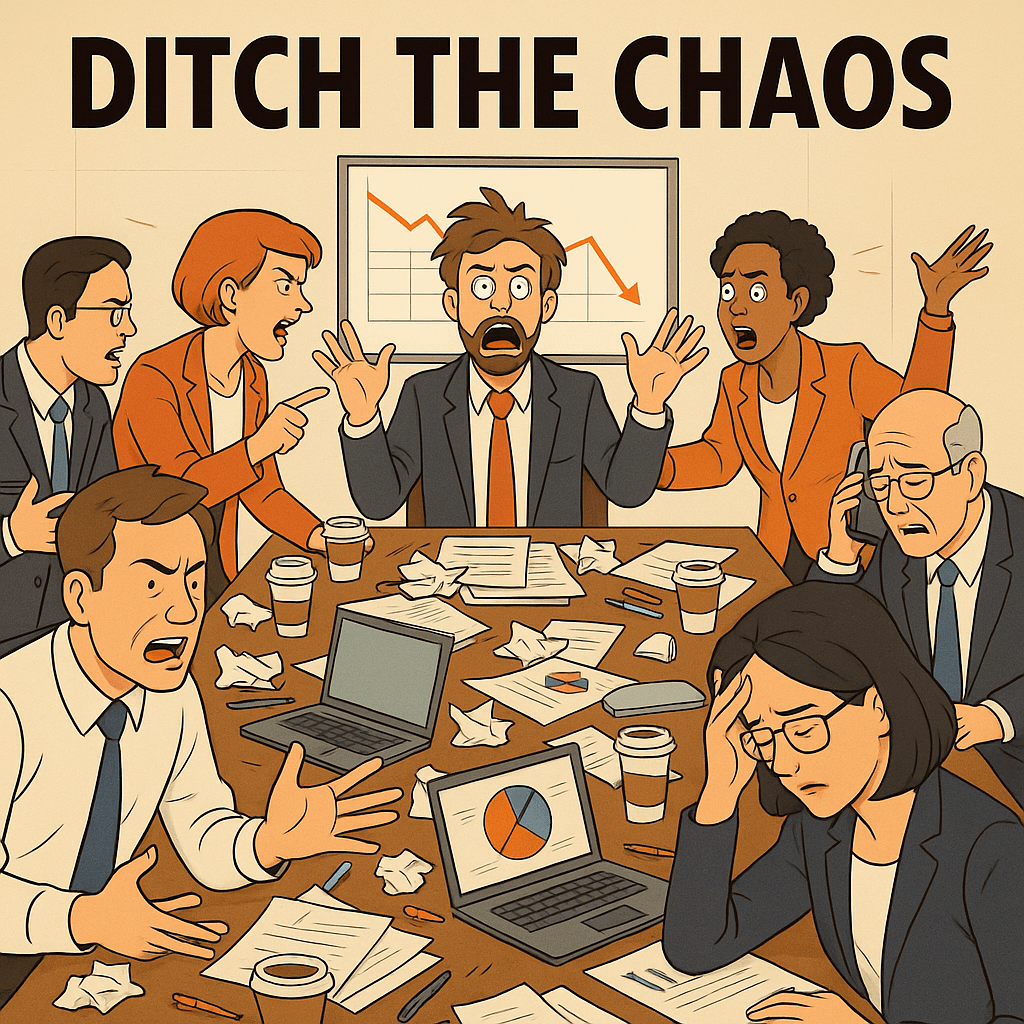
  • Ditch the Chaos: Run Lean, Productive Meetings with Minimalist Principles

    Ditch the Chaos: Run Lean, Productive Meetings with Minimalist Principles

    In the modern workplace, meetings have become synonymous with wasted time, vague outcomes, and bloated invite lists. But it doesn’t have to be this way. If we apply minimalist thinking to how we meet, we can transform meetings from chaotic time sinks into focused tools for progress.

    Minimalism is about cutting what’s unnecessary to make space for what truly matters. This principle—so effective in decluttering homes and calendars—can just as powerfully streamline our meetings.

    1. Only Meet When Necessary

    🧭 Minimalist Principle: Eliminate the unnecessary.

    Ask yourself:

    “Could this be solved with a clear message or short update?”

    If yes, cancel the meeting. Meet only when real-time discussion or decisions are essential.

    2. One Purpose. One Agenda.

    🎯 Minimalist Principle: Focus on what matters most.

    Define the meeting’s goal in one sentence. Keep the agenda tight—fewer items mean deeper focus. Side conversations? Park them for later.

    3. Fewer People = More Progress

    👥 Minimalist Principle: Less is more.

    Invite only the key decision-makers and stakeholders. Smaller groups lead to sharper discussions and quicker outcomes.

    4. Respect Time Like a Resource

    ⏱️ Minimalist Principle: Value time and space.

    Set a time limit—15 or 30 minutes works for most meetings.

    Start on time. End on time. Stay on track.

    Time-box topics to prevent drift and maximize focus.

    5. Use Simple, Streamlined Tools

    🛠️ Minimalist Principle: Use what works, remove what doesn’t.

    Ditch long slideshows and clunky tools.

    Use a shared doc or whiteboard. Tools like Notion or Google Docs keep collaboration visible and flexible—without the fluff.

    6. Always End with Action

    ✅ Minimalist Principle: Clear is better than more.

    Close each meeting with clarity:

    What decisions were made? Who’s doing what? What’s the deadline?

    Document and share this. Make follow-up automatic, not an afterthought.

    7. Reflect. Simplify. Repeat.

    🔄 Minimalist Principle: Continual simplification.

    Audit your recurring meetings:

    Which ones are actually productive? Which ones just feel necessary?

    Cancel or redesign anything that doesn’t serve a clear, current purpose.

    🧘‍♂️ The Minimalist Meeting Mantra:

    “Meet less. Talk less. Decide more.”

    By stripping meetings down to their essentials, we unlock what matters: focus, clarity, and execution. It’s not about doing more—it’s about doing what matters, better.

  • Creating a Minimalist Work Environment for Maximum Efficiency

    Creating a Minimalist Work Environment for Maximum Efficiency

    The Chaos We Call a Workspace

    Ever feel like your desk is more of a battlefield than a workspace? Scattered papers, random cables, half-empty coffee cups, and sticky notes that lost their stick days ago? We’ve all been there. But here’s the real question: is your cluttered workspace secretly sabotaging your productivity?

    Science says yes. Studies reveal that physical and digital clutter overloads our brains, leading to stress, distraction, and wasted time. In contrast, a clean, intentional workspace fosters focus, creativity, and efficiency. Enter minimalism: a streamlined approach to work that helps eliminate distractions and allows you to perform at your peak.

    If you’re ready to reclaim your workspace, boost efficiency, and reduce mental load, let’s dive into the principles of a minimalist work environment and how you can implement them today.

    The Hidden Costs of a Cluttered Workspace

    You might think your messy desk is just a minor inconvenience, but clutter has real consequences.

    • Mental Overload & Decision Fatigue – Every unnecessary object in your field of vision competes for your brain’s attention. When you have to constantly decide where to place things, what to keep, and what to ignore, it drains your mental energy.
    • Distractions & Wasted Time – A cluttered desk means constantly searching for items. A cluttered computer means wasting time sifting through files. A cluttered to-do list means never knowing what to tackle next.
    • Decreased Creativity & Productivity – Research from Princeton University shows that a cluttered environment restricts your brain’s ability to focus. In contrast, a minimalist workspace encourages clarity, allowing you to enter a state of deep work.

    The solution? A workspace that works for you, not against you — one that is streamlined, distraction-free, and built for efficiency.

    The Core Principles of a Minimalist Work Environment

    Minimalism isn’t about stripping everything away — it’s about keeping only what serves a purpose. Here’s what defines an efficient workspace:

    • Intentional Design: Every item in your workspace should have a purpose. No random piles, no “just in case” junk.
    • Decluttering Ruthlessly: Keep only what you use regularly and adds value to your workflow.
    • Digital Minimalism: A cluttered desktop and overflowing inbox are just as distracting as a messy desk. Organizing your digital life is crucial.
    • Mindful Consumption: Stop hoarding office supplies, unnecessary apps, and redundant tech. If it doesn’t enhance your work, it doesn’t belong.

    Practical Steps to Create a Minimalist Work Environment

    A) Decluttering Your Physical Workspace

    Remove Everything: Take everything off your desk. Only put back what you actually use on a daily basis.

    Keep Only Essentials: A laptop, a notebook, a good pen, and maybe a plant for a touch of calm — that’s all you really need.

    One-Touch Rule: Everything should have a designated spot. When you’re done using something, put it back immediately.

    Invest in a Clean Setup: A simple ergonomic desk and chair, proper lighting, and a monitor stand can make a huge difference.

    B) Digital Decluttering

    Clean Your Desktop: Keep only five or fewer icons. A clean screen = a clear mind.

    Organize Files: Create three core folders — Active, Archive, and Trash—to manage your files efficiently.

    Tame Your Inbox: Unsubscribe from unnecessary emails, batch-check your inbox, and use folders to organize important messages.

    Reduce App Overload: If you have 10+ apps open at once, you’re overcomplicating things. Stick to a minimal set of essential tools.

    C) Creating a Distraction-Free Zone

    No-Phone Zone: Keep your phone out of reach while working or put it on Do Not Disturb mode.

    Noise Management: Use noise-canceling headphones or play low-level background sounds to maintain focus.

    Minimize Visual Clutter: A clean, distraction-free workspace helps your brain focus on the task at hand.

    D) Streamlining Workflows for Efficiency

    Use a Kanban Board: A simple board with To-Do, In Progress, and Done sections keeps your tasks visible and organized.

    The Rule of Three: Start your day by setting three top priorities—focus on finishing those before anything else.

    Short, Purposeful Meetings: If a meeting can’t be done in 15-30 minutes, it’s probably too long.

    Sustaining Minimalism Long-Term

    Decluttering once isn’t enough. You need to maintain your minimalist work environment to prevent falling back into chaos. Here’s how:

    • Weekly Decluttering Habit: Spend 10 minutes every Friday resetting your workspace.
    • The “One In, One Out” Rule: If you bring in a new item, remove an old one.
    • Digital Detox Routine: Set limits on screen time, social media, and unnecessary notifications.
    • Audit Productivity Tools: Every month, check if your apps, software, and methods still serve you — eliminate what doesn’t.

    The Minimalist Mindset Beyond the Desk

    A minimalist workspace is just the start. Applying minimalism to how you work and live creates even bigger efficiency gains:

    Simplify Your Decision-Making: Reduce choices to avoid decision fatigue. ✅ Streamline Your Task List: Cut out unnecessary work that doesn’t contribute to your key goals.
    Prioritize Work-Life Balance: A simplified work routine allows for better mental clarity and personal fulfillment.

    Closing Thoughts: Take the First Step Today

    Minimalism at work isn’t about owning less — it’s about removing distractions so you can focus on what truly matters. The result? A workspace that promotes clarity, efficiency, and less stress.

    Challenge: Take five minutes right now to remove ONE unnecessary item from your desk. Just one. Experience how it feels to create space for better work.

    Your workspace is a reflection of your mindset. The cleaner it is, the clearer you think.

    What’s the biggest source of clutter in your workspace? Drop a comment and let’s talk!

  • Minimalist Meetings: How to Cut Time While Improving Results

    Minimalist Meetings: How to Cut Time While Improving Results

    Meetings often feel like a necessary evil.
    As a project manager, you’ve likely sat through countless hours of discussions that felt longer than they needed to be.
    But what if you could cut meeting time in half—and still get better results?

    The answer lies in minimalist meetings.
    Strip away what’s unnecessary, focus on essentials, and watch productivity soar.

    Why Do Meetings Drag On?

    Before fixing the problem, you need to understand where it comes from:

    • No clear agenda: People talk in circles without direction.
    • Too many participants: Decision-makers get lost in a crowd.
    • Lack of defined outcomes: Meetings end without concrete next steps.
    • Repetition and status updates: Valuable time wasted on information better shared via email.

    Ask yourself:
    How many meetings in your calendar suffer from one—or all—of these?

    The Minimalist Meeting Framework

    Minimalism is about doing less, but better.
    Here’s how you can apply it to your meetings:

    1. Set a Single, Clear Objective

    Every meeting should have one goal.
    Not three.
    Not five.

    Example:
    Instead of calling a meeting to “discuss project updates and potential risks,” focus only on “identifying top 3 risks blocking project progress.”

    Ask yourself before scheduling:
    What decision or action do I want from this meeting?

    If you can’t answer clearly, you probably don’t need the meeting.

    2. Keep Attendees Lean

    Only invite people who directly contribute to the meeting’s objective.

    • Decision-makers
    • Key stakeholders
    • Subject matter experts

    Exclude “just-in-case” participants.
    If someone needs to be informed, send them a summary afterward.

    I once cut a 12-person weekly status call down to 4 people.
    Result?
    Discussions became sharper, decisions faster, and nobody complained about missing an unnecessary hour.

    3. Limit Duration Strictly

    Most meetings expand to fill the scheduled time.
    Challenge this by:

    • Defaulting to 15-minute slots for check-ins.
    • Capping decision-making sessions at 30 minutes max.
    • Ending immediately when the objective is achieved—don’t fill remaining time.

    Try timing your meetings for one week.
    You’ll notice how much fat can be trimmed.

    4. Use Pre-Reads for Context

    Stop using meetings to read slides or share basic updates.

    Instead:

    • Prepare short pre-reads (1-2 pages max).
    • Distribute them at least 24 hours in advance.
    • State clearly: “We won’t review this in the meeting. Please read beforehand.”

    This forces people to show up informed and ready to contribute—not passively listen.

    5. Assign a Timekeeper

    Meetings often derail because nobody’s responsible for keeping things on track.

    Assign one person (not necessarily you) to:

    • Watch the clock.
    • Cut off tangents politely.
    • Remind everyone of the objective.

    Even rotating the role among team members keeps engagement high and prevents drift.

    6. End with Concrete Actions

    A meeting without clear outcomes is wasted time.

    At the end, quickly summarize:

    • Decisions made
    • Action items with owners
    • Deadlines

    Send this summary immediately.
    You can use a simple format like:

    Decision/ActionOwnerDue Date
    Approve final project timelineAnnaFriday
    Confirm vendor availabilityMarkusWednesday

    Don’t assume people will “remember” next steps.
    Spell them out.

    Replace Meetings with Asynchronous Tools

    Many meetings exist just to share information.

    Ask yourself:

    • Can this update be sent via email?
    • Can I post this in a project management tool?
    • Would a short Loom video or voice message suffice?

    Asynchronous communication saves everyone time.
    Use meetings only when real-time discussion is absolutely necessary.

    Ask: Do We Even Need This Meeting?

    Before sending out invites, pause.

    Consider:

    • What’s the cost of this meeting in total man-hours?
    • What happens if I cancel it?
    • Can we achieve the same goal in writing?

    Be ruthless.
    Cancel standing meetings if they no longer serve a purpose.

    How Minimalist Meetings Benefit Project Managers

    When you cut down meeting clutter, here’s what you gain:

    • Faster decisions: Clear objectives and lean attendance accelerate outcomes.
    • Higher engagement: Shorter, focused meetings keep participants alert.
    • More time for deep work: Less time spent in back-to-back calls.
    • Improved accountability: Clear action items prevent confusion post-meeting.

    In one project I managed, we reduced standing meetings by 40%.
    Team satisfaction rose, and we completed milestones ahead of schedule.

    Ready to Simplify?

    Look at your calendar right now.

    Which meetings can you:

    • Cancel?
    • Shorten?
    • Restructure with clear objectives and lean participants?

    Try minimalist meetings for one month.
    Measure the impact—not only on your project’s progress but also on your team’s energy and focus.

    What’s stopping you from making your meetings more efficient today?