
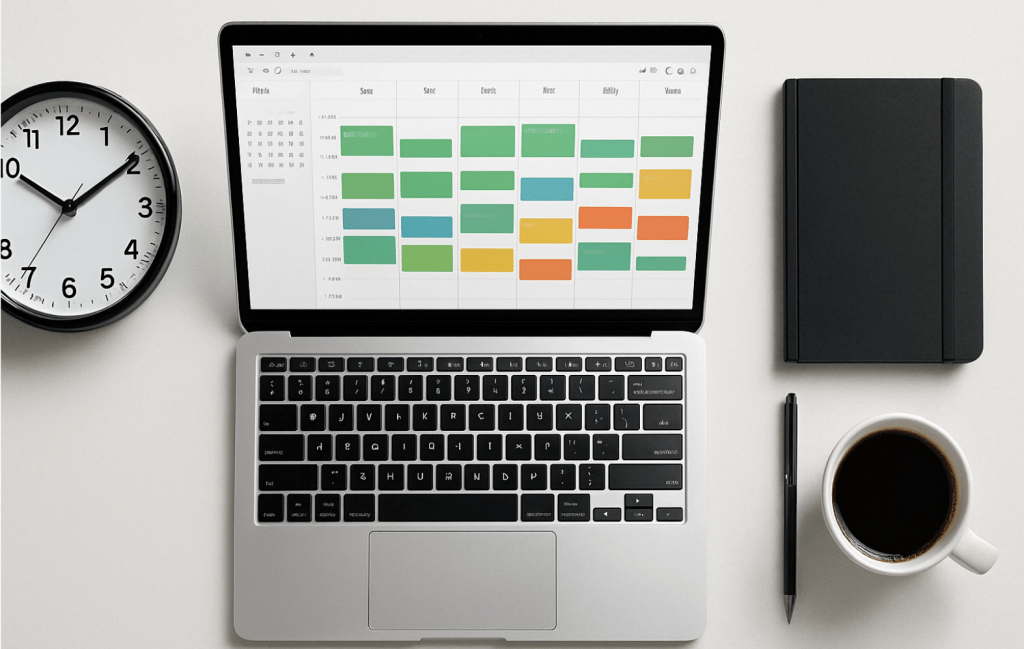
In an age where notifications pop up faster than thoughts, and multitasking is worn like a badge of honor, many professionals feel like they’re always working — but rarely making meaningful progress. The secret to cutting through this noise? It’s not a new app or an extra shot of espresso. It’s time blocking.
Time blocking is a deceptively simple yet powerful method for managing your schedule and directing your focus where it matters most. Think of it as giving every hour of your day a job. Let’s dive in and turn your scattered to-dos into structured victories.
What Is Time Blocking?
Time blocking is the practice of dividing your day into discrete chunks of time, each dedicated to a specific task or category of work. Instead of keeping an open-ended to-do list that gets endlessly carried over, you assign specific tasks to specific time slots.
For example, 9:00–11:00 AM might be for writing a report, 11:00–11:30 AM for email triage, and 1:00–2:00 PM for meetings. The beauty lies in the simplicity: focus on one thing at a time, without guilt about everything else.
Unlike multitasking, which splits your focus and burns mental fuel fast, time blocking fosters deep work—intense concentration on one meaningful task at a time.
Why Time Blocking Works (Backed by Psychology)
Ever notice how a task expands to fill the time you give it? That’s Parkinson’s Law in action. Time blocking flips this law on its head. By putting boundaries around a task, you force yourself to work smarter and with more urgency.
Plus, time blocking reduces decision fatigue. Instead of deciding in the moment what to do next (and risking a doom scroll instead), you follow your pre-decided plan like a GPS for your day.
Types of Time Blocks You Can Use
To make time blocking practical, think of your schedule like a Lego set. Here are the main block types you’ll use:
- Deep Work Blocks – Reserved for focused, high-impact work like writing, strategic thinking, or coding. No emails, no Slack, no phone.
- Admin Blocks – Knock out repetitive tasks like responding to emails, filing documents, or updating spreadsheets.
- Buffer Blocks – Leave room for the unexpected: overflows, quick calls, or simply breathing room between intense sessions.
- Personal Blocks – Don’t forget lunch, movement, or school runs. Life outside of work deserves structure too.
- Theme Days – Dedicate entire days to one type of task, like “Meeting Monday” or “Content Friday.” Great for freelancers or team leads.
How to Set Up a Time Blocking System That Works
You don’t need to be a Type-A planner with color-coded markers to start time blocking. Here’s a simple roadmap:
- Audit Your Time
For one day, track how you actually spend your time. You might be shocked how often “quick email checks” turn into Instagram detours. - Define Priorities
Identify your high-leverage tasks—the 20% that brings 80% of your results. Block time for these first. - Choose Your Tools
Start with Google Calendar, Notion, or a good old-fashioned planner. The best tool is the one you’ll actually use. - Design Your Ideal Week
Use recurring blocks where possible. Add deep work in the morning if that’s your peak energy time. - Test and Adjust
Life isn’t static. Treat your calendar like a working draft, not a prison sentence. Adjust weekly.
Tools & Templates for Better Blocking
A few tools that make time blocking ridiculously easy:
- Google Calendar: Set recurring events, color-code blocks, and sync across devices.
- Sunsama or Motion: Productivity apps that integrate task lists with time blocking.
- Notion: Great for pairing your weekly planning with notes, goals, and project tracking.
Bonus Tip: Create a printable weekly template to plan blocks every Sunday evening. Think of it as a ritual to prime your week for success.
Avoid These Common Pitfalls
Even a brilliant method like time blocking can backfire if you fall into these traps:
- Overblocking: Packing every hour from 8 to 8 leaves no room for flexibility—and invites burnout.
- Unrealistic Time Estimates: Always overestimate how long things take. Tasks expand. Life happens.
- Skipping Breaks: You’re not a robot. Schedule short resets to boost your focus.
- Ignoring Energy Levels: Match tough tasks with peak energy. Don’t schedule brainstorming after lunch if that’s your nap zone.
Real-Life Example: A Day in a Time-Blocked Life
Let’s look at an example for a working professional:
Tuesday
- 7:00–8:00 AM: Morning routine & family breakfast
- 8:00–10:00 AM: Deep Work – Presentation prep
- 10:00–10:30 AM: Break & walk
- 10:30–12:00 PM: Client meetings
- 12:00–1:00 PM: Lunch & recharge
- 1:00–2:30 PM: Admin & follow-ups
- 2:30–4:00 PM: Project planning
- 4:00–4:30 PM: Buffer block
- 5:00 PM onward: Workout, dinner, downtime
Suddenly, your day has rhythm. You move with intention, not reaction.
Level Up: Advanced Time Blocking Techniques
- Time Boxing: Add a deadline to each block. “I’ll spend 45 minutes on this task—then I’m done.”
- Batching: Group similar tasks to minimize context switching.
- Weekly Reviews: Reflect on what worked, what didn’t, and adjust next week’s blocks.
- Theme Days: Apply a broad theme to each day of your week. Helpful for solopreneurs or creators.
Final Thoughts: Time Blocking Is Self-Respect in Action
Time blocking isn’t about being rigid. It’s about being intentional. It’s a tool that helps you say yes to what matters and no to distractions.
When you assign your hours with purpose, you move from scattered to strategic. From overwhelmed to in control.
So, here’s your challenge: block just tomorrow. No need to over-engineer it. Choose your top three tasks and give them each a home on your calendar. Then show up.
Because productivity isn’t about doing more — it’s about doing what matters, on purpose.
 Sebastian Strobl