
Tag: productivity

  • How to Maintain Work-Life Balance as a Project Manager: Strategies for Setting Boundaries and Avoiding Burnout

    How to Maintain Work-Life Balance as a Project Manager: Strategies for Setting Boundaries and Avoiding Burnout

    As a project manager, you likely wear many hats: overseeing tasks, managing teams, meeting deadlines, and keeping stakeholders happy. It’s a role that often demands attention 24/7, leaving little room for personal time or rest. You may have found yourself checking emails late at night, taking client calls during family dinners, or getting caught up in tasks even on weekends.

    The pressure is real. But, as a project manager, maintaining a healthy work-life balance is essential, not only for your personal well-being but for your professional success too. In this article, we’ll explore strategies to set boundaries, stay productive, and avoid burnout, all while maintaining the balance that is so crucial to long-term success.


    1. The Challenges of Project Management and Work-Life Balance

    Project management is inherently demanding. With tight deadlines, constant communication, and shifting priorities, it’s easy for work to spill into personal time. Whether you’re leading large teams, managing complex deliverables, or juggling multiple clients, the challenges seem never-ending.

    However, this pressure often comes at a cost: burnout. Project managers are especially prone to stress due to the responsibility of overseeing projects from start to finish. This role, while rewarding, can leave you feeling overwhelmed and drained if boundaries aren’t set.

    The early signs of burnout can be subtle—fatigue, irritability, and a decline in productivity. Over time, these signs build up, and the impact can spill over into your personal life. So, how can you regain control and maintain balance? Let’s dive into some strategies.


    2. Strategy #1: Define and Communicate Clear Boundaries

    The first step in maintaining balance is knowing when to switch off. As a project manager, it’s tempting to be always “on,” checking emails at all hours, or responding to requests immediately. However, this lack of boundaries only increases stress.

    Work Hours: Establish clear working hours. It’s essential to set specific times when you’re available and stick to them. Once your workday ends, unplug. Not only will this help reduce stress, but it will also allow you to recharge, ensuring you’re ready for the next day.

    Tech Boundaries: In today’s digital age, it’s easy for work to intrude on personal time. Set limits on when and how you’ll check emails, messages, or project management platforms after work hours. Consider turning off email notifications outside your defined work hours.

    Communicate Effectively: Let your team and clients know your boundaries. Being proactive in communicating when you’re available shows that you respect your time and theirs. This might mean saying, “I’ll get back to you tomorrow” or “I’m offline after 6 p.m.” It’s about setting expectations upfront.

    By defining and communicating clear boundaries, you create a structured environment where work doesn’t intrude on your personal time, and you protect your well-being.


    3. Strategy #2: Prioritize Tasks and Delegate

    You don’t have to do everything yourself. In fact, trying to manage everything on your own will only lead to exhaustion and burnout.

    The Power of Delegation: Delegating tasks is a crucial skill for any project manager. Recognize that you can’t (and shouldn’t) handle every task. Trust your team and assign tasks based on their strengths. This not only helps lighten your load but also empowers your team, fostering a more collaborative environment.

    Use Project Management Tools: Tools like Asana, Trello, and Jira can help you prioritize tasks effectively. These platforms allow you to manage your time better by organizing tasks, setting deadlines, and tracking progress. You can easily identify urgent tasks versus long-term goals and tackle them systematically.

    SMART Goals: When setting goals, use the SMART framework—Specific, Measurable, Achievable, Relevant, and Time-bound. This ensures that you are focused on what truly matters and helps you avoid taking on too many projects at once. Setting realistic goals will also make it easier to delegate tasks and avoid overwhelming yourself.

    By prioritizing and delegating, you free up time to focus on high-level tasks that require your expertise and leadership, while still keeping everything on track.


    4. Strategy #3: Learn to Say “No” (and How to Do It Gracefully)

    One of the hardest things to do as a project manager is to say no. Whether it’s a client request, an urgent task, or additional responsibilities, the temptation to take it all on can be overwhelming. However, saying yes to everything leads to burnout and undermines your ability to prioritize.

    Tactical “No”: Saying no doesn’t mean you’re refusing to be helpful—it means you’re being realistic about what you can manage. Saying no can also be framed positively, like, “I’m unable to take on that task right now, but let’s discuss how we can prioritize it for the future.”

    Managing Client Expectations: Clients may occasionally push for unrealistic timelines or additional features. Don’t be afraid to push back. Politely but firmly explain that you need to respect your team’s capacity to deliver high-quality work without compromising timelines. Having a clear rationale for saying no will help clients understand your reasoning.

    Sample Script: “I’d love to help with this request, but my current workload means I won’t be able to give it the attention it deserves. Let’s find a way to address it in the coming days.”

    Learning to say no helps you protect your time and energy, ensuring that you’re not stretched too thin.


    5. Strategy #4: Embrace Flexibility with Remote Work and Time Management

    While project management often involves being on-site or in meetings, embracing flexibility can lead to a better work-life integration.

    Hybrid Work Benefits: If your company allows it, explore the benefits of hybrid work or remote days. A day at home can help reduce commute time, provide a quieter environment for focused work, and allow for a better work-life balance overall.

    Time Blocks & Focus: Time-blocking is a highly effective time management method. Set aside blocks of uninterrupted time to work on specific tasks. For instance, dedicate one hour in the morning for deep work on project plans and another in the afternoon for team meetings or emails.

    Tools for Focus: Use focus tools like the Pomodoro Technique or task timers to stay on track. These tools can help you concentrate on one task at a time, reducing distractions and increasing productivity.

    Flexibility in your work setup and time management allows you to balance both professional and personal commitments with ease.


    6. Strategy #5: Invest in Self-Care and Wellness

    Physical and mental health should always be a priority. If you’re constantly running on empty, it’s impossible to lead effectively or maintain balance in your life.

    Physical Health: Make time for regular exercise, sleep, and nutrition. A healthy body leads to a clearer mind and more energy. Even short 15-minute workouts or stretching during breaks can help alleviate physical tension, especially if you’re dealing with the aches and pains of desk work.

    Mental Health: Mental well-being is just as important. Practices like mindfulness, meditation, or simply taking a break to breathe can reduce stress and increase focus.

    Quick Wins: Even on the busiest days, find small ways to practice self-care. Take a five-minute walk outside, hydrate regularly, or listen to a calming podcast during your commute. These moments help recharge your energy and improve your focus throughout the day.

    By investing in yourself, you increase your capacity to perform at your best while keeping burnout at bay.


    7. Strategy #6: Build a Support System

    You don’t have to navigate the challenges of project management alone. Having a strong support system, both at work and in your personal life, makes all the difference.

    Work Support: Build a network of mentors, colleagues, and friends within your company. Having someone to share your experiences with or seek advice from can provide both emotional support and practical solutions.

    Personal Support: Your family and friends play a crucial role in helping you disconnect from work. Make time to connect with loved ones, share experiences, and unwind together.

    Networking and Peer Groups: Join project management groups or online communities. Networking with peers who understand the unique challenges you face can offer valuable insights and coping strategies.

    A strong support system makes it easier to navigate the ups and downs of project management while maintaining a healthy work-life balance.


    Conclusion

    Maintaining a work-life balance as a project manager is no small feat, but it’s essential for both your personal well-being and professional success. By defining boundaries, prioritizing tasks, saying no when necessary, embracing flexibility, investing in self-care, and building a strong support system, you can avoid burnout and lead with clarity and energy.

    Now that you’ve learned these strategies, what’s one step you can take today to start setting boundaries or preventing burnout in your own life? Let’s hear your best work-life balance tips or challenges in the comments below!
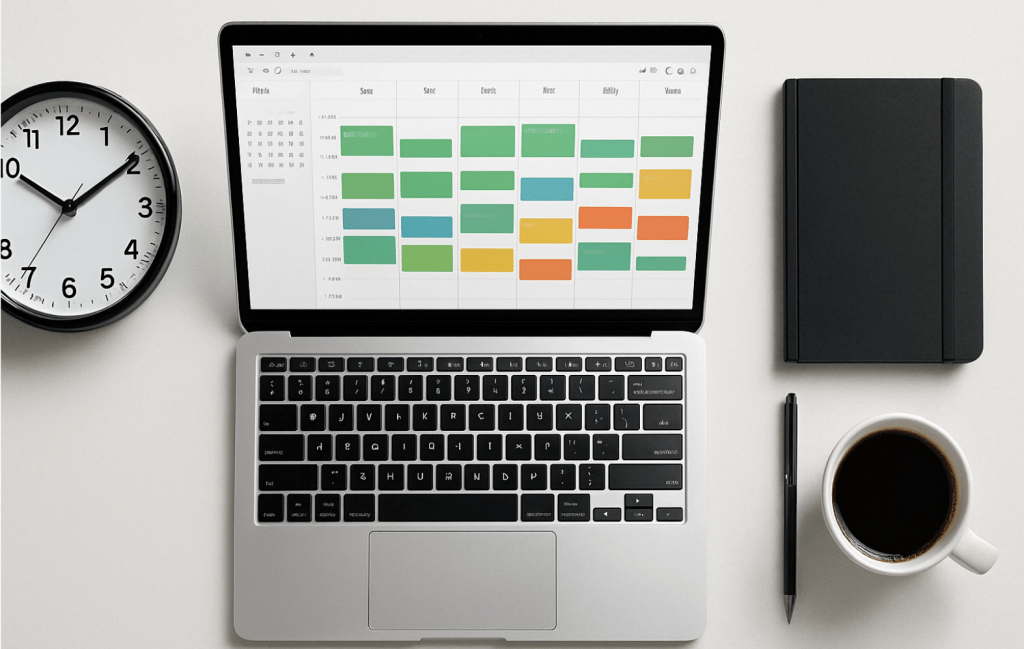
  • Master Time Blocking: The Proven Strategy to Take Control of Your Schedule and Boost Productivity

    Master Time Blocking: The Proven Strategy to Take Control of Your Schedule and Boost Productivity

    In an age where notifications pop up faster than thoughts, and multitasking is worn like a badge of honor, many professionals feel like they’re always working — but rarely making meaningful progress. The secret to cutting through this noise? It’s not a new app or an extra shot of espresso. It’s time blocking.

    Time blocking is a deceptively simple yet powerful method for managing your schedule and directing your focus where it matters most. Think of it as giving every hour of your day a job. Let’s dive in and turn your scattered to-dos into structured victories.


    What Is Time Blocking?

    Time blocking is the practice of dividing your day into discrete chunks of time, each dedicated to a specific task or category of work. Instead of keeping an open-ended to-do list that gets endlessly carried over, you assign specific tasks to specific time slots.

    For example, 9:00–11:00 AM might be for writing a report, 11:00–11:30 AM for email triage, and 1:00–2:00 PM for meetings. The beauty lies in the simplicity: focus on one thing at a time, without guilt about everything else.

    Unlike multitasking, which splits your focus and burns mental fuel fast, time blocking fosters deep work—intense concentration on one meaningful task at a time.


    Why Time Blocking Works (Backed by Psychology)

    Ever notice how a task expands to fill the time you give it? That’s Parkinson’s Law in action. Time blocking flips this law on its head. By putting boundaries around a task, you force yourself to work smarter and with more urgency.

    Plus, time blocking reduces decision fatigue. Instead of deciding in the moment what to do next (and risking a doom scroll instead), you follow your pre-decided plan like a GPS for your day.


    Types of Time Blocks You Can Use

    To make time blocking practical, think of your schedule like a Lego set. Here are the main block types you’ll use:

    • Deep Work Blocks – Reserved for focused, high-impact work like writing, strategic thinking, or coding. No emails, no Slack, no phone.
    • Admin Blocks – Knock out repetitive tasks like responding to emails, filing documents, or updating spreadsheets.
    • Buffer Blocks – Leave room for the unexpected: overflows, quick calls, or simply breathing room between intense sessions.
    • Personal Blocks – Don’t forget lunch, movement, or school runs. Life outside of work deserves structure too.
    • Theme Days – Dedicate entire days to one type of task, like “Meeting Monday” or “Content Friday.” Great for freelancers or team leads.

    How to Set Up a Time Blocking System That Works

    You don’t need to be a Type-A planner with color-coded markers to start time blocking. Here’s a simple roadmap:

    1. Audit Your Time
      For one day, track how you actually spend your time. You might be shocked how often “quick email checks” turn into Instagram detours.
    2. Define Priorities
      Identify your high-leverage tasks—the 20% that brings 80% of your results. Block time for these first.
    3. Choose Your Tools
      Start with Google Calendar, Notion, or a good old-fashioned planner. The best tool is the one you’ll actually use.
    4. Design Your Ideal Week
      Use recurring blocks where possible. Add deep work in the morning if that’s your peak energy time.
    5. Test and Adjust
      Life isn’t static. Treat your calendar like a working draft, not a prison sentence. Adjust weekly.

    Tools & Templates for Better Blocking

    A few tools that make time blocking ridiculously easy:

    • Google Calendar: Set recurring events, color-code blocks, and sync across devices.
    • Sunsama or Motion: Productivity apps that integrate task lists with time blocking.
    • Notion: Great for pairing your weekly planning with notes, goals, and project tracking.

    Bonus Tip: Create a printable weekly template to plan blocks every Sunday evening. Think of it as a ritual to prime your week for success.


    Avoid These Common Pitfalls

    Even a brilliant method like time blocking can backfire if you fall into these traps:

    • Overblocking: Packing every hour from 8 to 8 leaves no room for flexibility—and invites burnout.
    • Unrealistic Time Estimates: Always overestimate how long things take. Tasks expand. Life happens.
    • Skipping Breaks: You’re not a robot. Schedule short resets to boost your focus.
    • Ignoring Energy Levels: Match tough tasks with peak energy. Don’t schedule brainstorming after lunch if that’s your nap zone.

    Real-Life Example: A Day in a Time-Blocked Life

    Let’s look at an example for a working professional:

    Tuesday

    • 7:00–8:00 AM: Morning routine & family breakfast
    • 8:00–10:00 AM: Deep Work – Presentation prep
    • 10:00–10:30 AM: Break & walk
    • 10:30–12:00 PM: Client meetings
    • 12:00–1:00 PM: Lunch & recharge
    • 1:00–2:30 PM: Admin & follow-ups
    • 2:30–4:00 PM: Project planning
    • 4:00–4:30 PM: Buffer block
    • 5:00 PM onward: Workout, dinner, downtime

    Suddenly, your day has rhythm. You move with intention, not reaction.


    Level Up: Advanced Time Blocking Techniques

    • Time Boxing: Add a deadline to each block. “I’ll spend 45 minutes on this task—then I’m done.”
    • Batching: Group similar tasks to minimize context switching.
    • Weekly Reviews: Reflect on what worked, what didn’t, and adjust next week’s blocks.
    • Theme Days: Apply a broad theme to each day of your week. Helpful for solopreneurs or creators.

    Final Thoughts: Time Blocking Is Self-Respect in Action

    Time blocking isn’t about being rigid. It’s about being intentional. It’s a tool that helps you say yes to what matters and no to distractions.

    When you assign your hours with purpose, you move from scattered to strategic. From overwhelmed to in control.

    So, here’s your challenge: block just tomorrow. No need to over-engineer it. Choose your top three tasks and give them each a home on your calendar. Then show up.

    Because productivity isn’t about doing more — it’s about doing what matters, on purpose.

  • Minimalist Meetings: Save Time, Boost Productivity, and Achieve More

    Minimalist Meetings: Save Time, Boost Productivity, and Achieve More

    Introduction: Why Most Meetings Are a Waste of Time

    Let’s be honest — most meetings suck. They start late, meander through irrelevant discussions, and leave attendees wondering why they were invited in the first place. Meanwhile, your actual work piles up.

    Consider this: The average professional spends 31 hours per month in unproductive meetings. That’s nearly four full workdays lost to discussions that could have been emails, Slack updates, or — better yet — completely unnecessary.

    Minimalism isn’t just for decluttering closets or simplifying wardrobes. It’s a powerful principle that can transform how we work, starting with meetings. A minimalist meeting is lean, efficient, and focused. It gets straight to the point, respects everyone’s time, and delivers tangible outcomes.

    Let’s break down how to run minimalist meetings that cut time while improving results.


    The Cost of Inefficient Meetings

    Before we get into the solution, let’s address the problem.

    Bad meetings cost more than just time — they hurt productivity, morale, and even revenue. Here’s how:

    Time Drain: In a year, companies lose over $37 billion due to unproductive meetings. That’s a lot of coffee-fueled discussions going nowhere.

    Meeting Fatigue: Employees forced into endless calls and discussions suffer from decision fatigue — the brain’s version of exhaustion from too much thinking.

    Lack of Clarity: Many meetings lack a clear purpose, leading to circular conversations and no concrete action.

    Lost Work Hours: Every hour spent in an unnecessary meeting is an hour not spent on actual work. Multiply that across teams, and the impact is massive.

    So, what’s the fix? Let’s apply minimalism to meetings.


    The Core Principles of Minimalist Meetings

    Minimalist meetings follow a less but better approach. They strip away everything unnecessary while focusing on impact. Here are five core principles to adopt:

    1. Necessity First: Should This Meeting Even Happen?

    Before scheduling a meeting, ask: “Can this be resolved without a meeting?”
    If a quick email, Slack update, or Loom video can do the job, cancel the meeting and let everyone get back to work.

    2. Clear Objectives: What’s the Goal?

    Every meeting should answer:
    ✅ What are we deciding, solving, or clarifying?
    ✅ What should attendees do after this meeting?
    If there’s no clear answer, the meeting shouldn’t exist.

    3. Lean Attendance: Who Actually Needs to Be Here?

    Ever sat through a meeting thinking, Why am I even here?
    Keep the invite list strictly necessary. Anyone who doesn’t contribute or gain something actionable should be left out (and can receive a summary later).

    4. Time Constraints: Keep It Short & Focused

    The default meeting length should be 15 to 30 minutes, max.
    If a topic takes longer, it probably needs:

    • Better preparation
    • A document or asynchronous discussion
    • A decision already made
    5. Action-Oriented: No Meeting Without a Takeaway

    A meeting is only valuable if it results in action. Every meeting should end with:
    ✅ Decisions made
    ✅ Next steps assigned
    ✅ Owners for each task
    ✅ A deadline for follow-ups

    If none of this happens? That meeting was a waste of time.


    How to Plan a Minimalist Meeting

    1. Set a Simple Agenda (and Stick to It)

    A minimalist meeting lives or dies by its agenda. Here’s a template:

    📝 Subject: Decision on [specific issue]
    Time limit: [15-30 min]
    🎯 Goal: Decide [X] and assign actions
    👥 Who’s attending: Only [essential people]
    📌 Agenda:

    • [Problem] (5 min)
    • [Discussion] (10 min)
    • [Decision & Action Steps] (5 min)

    If someone tries to go off-track, politely bring it back:
    “That’s an important discussion — let’s take it offline after the meeting.”

    2. Assign Roles to Avoid Chaos

    Facilitator: Keeps things on track.
    Timekeeper: Ensures it ends on time.
    Note-Taker: Captures decisions and action items.
    Decision-Maker: If the team is stuck, this person makes the call.


    Conducting a Minimalist Meeting

    Even a well-planned meeting can derail if not executed properly. Here’s how to run it effectively.

    Start on Time, End on Time
    • If a meeting is scheduled for 10:00 AM, start at 10:00 AM sharp—not 10:05, not when everyone “settles in.”
    • End exactly when planned. The last five minutes should be for action items.
    Stick to the Agenda (No Side Conversations)

    If someone derails the discussion:
    🚀 “Great point! Let’s note that for later and get back to the agenda.”

    Use the ‘Two-Minute Rule’

    If a topic takes more than two minutes to resolve, move it to an offline discussion.

    Decide & Assign Next Steps

    Before the meeting ends, ensure:
    Decisions are made (no “we’ll think about it” nonsense).
    Each task has an owner (no “we’ll all do it” vagueness).
    A deadline is set (or the task won’t happen).


    Tools & Techniques to Enhance Minimalist Meetings

    1. Use Async Communication Instead

    Consider replacing meetings with:
    Slack updates for quick decisions
    Loom videos for explanations
    Notion or Confluence pages for documentation

    2. Leverage AI and Automation

    🔹 Otter.ai or Fireflies – AI transcribes and summarizes meetings.
    🔹 Calendly – Schedule shorter, time-boxed meetings.
    🔹 Asana, Trello, or Monday.com – Manage tasks without meetings.

    3. Try Stand-Up Meetings

    Stand-up meetings (max 10-15 minutes) force brevity and efficiency.

    4. Implement the “No-Meeting Days” Rule

    Companies like Shopify and Atlassian have No-Meeting Wednesdays to protect deep work time.


    The No-Meeting Culture: When to Skip Meetings Altogether

    🚫 Replace status update meetings with a shared document.
    🚫 Skip brainstorming meetings — use async tools like Miro.
    🚫 Cancel “weekly check-ins” if they add no new value.

    Before accepting any meeting invite, ask yourself:
    Will this move the needle?
    Is there a faster way to handle this?
    If not, decline it.


    Conclusion: Run Fewer, Better Meetings

    Meetings should serve a purpose, not be a default.
    By following minimalist meeting principles, you’ll:
    ✅ Cut down wasted time
    ✅ Boost team productivity
    ✅ Make faster, clearer decisions

    Your Next Steps:

    📌 Audit your current meetings – which can be eliminated?
    📌 Apply these principles – test them out for a week.
    📌 Download our Minimalist Meeting Checklist (PDF) [insert link]

    Your time is valuable — so spend it wisely.

    Now, go cancel that unnecessary meeting. You’ll thank me later. 😉

  • The One-Minimalist-Task Method: Boosting Productivity Without Overload

    The One-Minimalist-Task Method: Boosting Productivity Without Overload

    Introduction: The Productivity Paradox

    Picture this: You wake up, coffee in hand, staring at a to-do list that seems longer than a novel. You’ve read every productivity book, tried the latest apps, and still—somehow—your most important work keeps slipping through the cracks. Sound familiar?

    The modern approach to productivity is broken. We pile on tasks, chase endless efficiency hacks, and juggle multiple priorities, only to end up overwhelmed and exhausted. More work does not equal more results. In fact, it often leads to less focus, more stress, and diminished impact.

    Enter the One-Minimalist-Task Method—a counterintuitive yet powerful approach designed to cut through the noise, eliminate overwhelm, and make productivity effortless. The idea? Do one mission-critical task per day—intentionally, deeply, and without distraction.

    The Problem with Traditional Productivity Hacks

    Most productivity techniques focus on doing more—optimizing workflows, time-tracking, and squeezing every ounce of efficiency out of the day. The result?

    • Task overload: Endless to-do lists lead to decision fatigue and analysis paralysis.
    • Shallow work: Rapid task-switching prevents deep focus and creativity.
    • Burnout: Chasing high-output days without meaningful progress leads to exhaustion.

    Instead of piling on more, the One-Minimalist-Task Method removes the clutter and allows you to focus on what truly matters.

    What is the One-Minimalist-Task Method?

    At its core, this method is about ruthless prioritization. Instead of a never-ending to-do list, you focus on one high-impact task per day—the task that, if completed, moves the needle the most.

    Why does this work?

    • Eliminates decision fatigue: No more debating which task to start first.
    • Enhances deep work: Fewer distractions mean higher quality output.
    • Creates momentum: Finishing one significant task builds confidence and motivation.
    • Reduces stress: A clear focus prevents overwhelm and boosts mental clarity.

    The key difference between this method and traditional approaches is that it prioritizes depth over breadth. Instead of half-completing ten tasks, you fully complete one that truly matters.

    How to Implement the One-Minimalist-Task Method

    1. Identify Your Keystone Task

    Every day, ask yourself: What is the one task that will make everything else easier or unnecessary? This is your keystone task—the singular priority that aligns with your bigger goals.

    If you’re an entrepreneur, this might be a high-value sales call. If you’re a writer, it could be drafting a key chapter of your book. The goal is clarity—knowing exactly what needs your full attention.

    2. Time-Block Like a Pro

    Dedicate uninterrupted time to this task. Whether it’s 90 minutes in the morning or a focused block in the afternoon, treat it like an unmissable appointment.

    A well-planned time block ensures that your most important task isn’t squeezed between distractions but given the mental space it deserves.

    3. Eliminate Distractions Ruthlessly

    Distraction is the enemy of deep work. Before starting, do the following:

    • Turn off notifications on your phone and computer.
    • Close unnecessary tabs and applications.
    • Use a distraction blocker like Freedom or Cold Turkey.
    • Let others know you are unavailable during this time.

    The fewer interruptions, the higher your productivity.

    4. Say No to Everything Else (For Now)

    While other tasks may be important, they are not the priority. Defer, delegate, or delete anything that doesn’t contribute to your keystone task.

    Instead of feeling guilty about an unfinished to-do list, recognize that one task done well beats ten tasks half-done.

    5. Use the “Finisher’s High” to Build Momentum

    Completing one high-impact task triggers a sense of accomplishment, which fuels motivation for the rest of the day.

    If time allows, you can tackle secondary tasks with less cognitive resistance. But if your keystone task was completed, you’ve already won the day.

    The Science Behind Doing Less to Achieve More

    • Deep Work Beats Shallow Work: Research by Cal Newport shows that focused, undistracted work produces exponentially better results than multitasking.
    • The Zeigarnik Effect: Unfinished important tasks stay in our minds, keeping us engaged and motivated.
    • Cognitive Load Theory: Reducing unnecessary tasks conserves mental energy for meaningful work.

    A 2019 study from the University of California found that the average worker switches tasks every three minutes and five seconds, significantly reducing overall efficiency. Single-tasking is the antidote to this modern problem.

    Adapting the Method to Different Work Styles

    • For corporate professionals: Use this method alongside scheduled meetings and daily responsibilities by ensuring your keystone task aligns with key objectives.
    • For entrepreneurs/freelancers: Prioritize revenue-generating or business-growth tasks to drive sustainable success.
    • For busy parents: Apply this approach to personal productivity—whether it’s a workout, meal prep, or quality time with family.

    Even in a highly reactive job, you can apply this method by ensuring one block of time each day is reserved for your most important work.

    Common Objections and How to Overcome Them

    1. “What if I have more than one important task?” Prioritize. If everything is a priority, then nothing is. Rank your tasks and pick the most impactful one.

    2. “What if unexpected work comes up?” Life happens. But the key is to structure your day so that your keystone task gets attention before interruptions arise.

    3. “Won’t this slow me down?” No. In fact, it speeds you up because you spend less time context-switching and more time in deep focus.

    Conclusion: Productivity as a Mindset, Not a To-Do List

    True productivity isn’t about cramming more into your day—it’s about doing fewer things with greater impact. The One-Minimalist-Task Method helps you work smarter, not harder.

    By focusing on one high-impact task per day, you create more meaningful results with less stress.

    Challenge: Try this method for a week. Each day, choose one key task, execute it with full focus, and experience the difference. Productivity doesn’t have to be overwhelming—sometimes, less really is more.

  • Decluttering Your Leadership Style: How Clear Communication Makes You More Effective

    Decluttering Your Leadership Style: How Clear Communication Makes You More Effective

    Introduction: Leadership Doesn’t Have to Be Complicated

    Have you ever found yourself overwhelmed by the complexities of leadership? In today’s fast-paced work environment, it’s easy to fall into a pattern of over-communication—endless meetings, overflowing inboxes, and conversations that feel like they go in circles.

    At times, leadership may feel like a never-ending juggling act where each decision and directive adds another layer of complexity. But what if leadership wasn’t about doing more? What if it was about doing less—but doing it better?

    The most effective leaders aren’t the ones who work the hardest or micromanage every detail. They are the ones who communicate with clarity, set clear expectations, and eliminate unnecessary noise. When communication is streamlined, teams work with more confidence, decisions get made faster, and productivity soars.

    This article will explore how simplifying your communication can transform your leadership. By removing unnecessary clutter and focusing on clarity, you’ll empower your team, reduce misunderstandings, and lead with greater impact.

    The Problem: When Leadership Becomes Noise

    Leadership clutter often goes unnoticed, but it significantly impacts team performance. It can take many forms, including:

    • Unclear messaging – Your team isn’t sure what you actually want, leading to mistakes and inefficiency.

    • Too many meetings – Conversations keep happening, but decisions never get made.

    • Information overload – Important emails, Slack messages, and documents get buried under an avalanche of communication.

    • Vague expectations – Team members hesitate, second-guess themselves, or go off in the wrong direction.

    Imagine a leader who sends out an email with the subject line: “Let’s improve our client response times.” While this sounds like a reasonable goal, it lacks clarity and specificity. Team members will interpret it in different ways—one person might prioritize answering emails faster, while another focuses on reducing the time to resolve customer complaints. Without clear expectations, confusion sets in, leading to frustration and wasted effort.

    But here’s the good news: you don’t have to add complexity to be a great leader. The fix is simple—eliminate the unnecessary, focus on clarity, and make communication your strongest leadership tool.

    1. Say More with Less: Simplify Your Messaging

    Cut the Fluff, Keep the Meaning

    Great leaders don’t use 50 words when 10 will do. They communicate with precision, impact, and clarity. Before you send an email, lead a meeting, or provide feedback, ask yourself:

    ✔ What’s the one thing they need to know?

    ✔ Can I make this shorter and clearer?

    ✔ Am I avoiding jargon and filler words?

    Example:

    ❌ “Our objective in the upcoming quarter is to optimize cross-functional collaboration through enhanced synergy between departments.”

    ✅ “Next quarter, Sales and Product teams will meet weekly to stay aligned.”

    Notice how the clearer version immediately tells the team what’s happening and why.

    The ‘One-Minute Rule’

    If your message takes longer than a minute to read or explain, it’s probably too complicated. Edit it down to the essentials.

    Instead of:

    ❌ “Let’s work on improving our reporting system to ensure that we’re all on the same page with key metrics.”

    Say:

    ✅ “Starting next week, send a one-page summary of key metrics by Friday noon.”

    The clearer your messaging, the less room there is for misinterpretation.

    2. Streamline Meetings: Fewer, Faster, and More Effective

    Meetings should drive decisions, not just fill calendars. Yet, many teams find themselves stuck in endless meetings that lack focus or purpose.

    Before Scheduling a Meeting, Ask Yourself:

    ✅ Can this be solved with a quick email or update?

    ✅ Who really needs to be there?

    ✅ Is there a clear agenda?

    How to Declutter Your Meetings

    • Keep them short – Aim for 15-30 minutes max.

    • Stick to an agenda – No sidetracking, no unnecessary discussions.

    • Encourage async updates – A short written summary or recorded update can often replace a meeting.

    • End with clear takeaways – Who is doing what by when?

    Example of an Effective Meeting Agenda:

    Instead of:

    ❌ A 60-minute open-ended discussion with no clear objectives.

    Try:

    ✅ A 20-minute meeting with a defined agenda:

    1. Review last week’s performance (5 min)

    2. Decide on next steps for the project (10 min)

    3. Assign action items (5 min)

    The result? Fewer meetings, more action.

    3. Set Clear Expectations: Remove Ambiguity from Leadership

    One of the biggest leadership pitfalls is assuming that people just know what’s expected of them. They don’t.

    How to Set Clear Expectations:

    ✔ Be specific – Instead of “We need better customer service,” say, “Reply to customer emails within 24 hours.”

    ✔ Clarify priorities – Help your team understand what’s most important.

    ✔ Confirm understanding – Ask them to repeat key points in their own words.

    Example of Clarity in Action:

    ❌ “We need more engagement in meetings.”

    ✅ “In our next meeting, I want everyone to bring one idea for improvement. We’ll go around the room and share.”

    The clearer your instructions, the faster work gets done—without back-and-forth confusion.

    4. Use Asynchronous Communication Wisely

    Not every message needs an immediate response. Real-time communication (calls, meetings, instant messaging) can be disruptive.

    How to Use Async Communication Effectively:

    • Write clear, concise emails with key takeaways upfront.

    • Use voice or video recordings for complex updates instead of calling unnecessary meetings.

    • Establish response time expectations (e.g., “Replies within 24 hours” for non-urgent emails).

    This allows your team to process information on their own time—without constant interruptions.

    Case Study: How Clear Communication Transforms Leadership

    Jeff Weiner, former CEO of LinkedIn, built his leadership style around simplicity and directness. He kept meetings short, avoided unnecessary complexity, and ensured every communication had a purpose. The result? A more focused, efficient, and empowered team.

    The takeaway: The less cluttered your leadership communication, the smoother everything runs.

    Conclusion: Your Leadership Decluttering Challenge

    Leadership is about making the hard things look effortless. When you simplify your communication, everything becomes easier—faster decisions, less confusion, and a team that moves forward with confidence.

    Your Challenge This Week:

    ✅ Cut the fluff—Edit an email or message to make it more concise.

    ✅ Decline or shorten a meeting—Replace it with a written update if possible.

    ✅ Set crystal-clear expectations—Make sure there’s no ambiguity in what you ask.

    Watch what happens when you strip away the noise and focus on clarity.

    Ready to lead with less clutter and more impact? Start today.