Tag: productivity

  • Project Management Simplified: How Systems, Not Goals, Drive Success Every Time

    Project Management Simplified: How Systems, Not Goals, Drive Success Every Time

    Managing successful projects can often feel like an uphill battle. Tight deadlines, demanding stakeholders, and unforeseen obstacles can make even seasoned professionals feel overwhelmed. But what if you could make project management effortless? By shifting your focus from simply setting goals to building effective systems, you can deliver consistent results with ease.

    Inspired by James Clear’s best-selling book Atomic Habits, this article explores the transformative power of systems over goals and how to apply this framework to project management. It’s not about working harder — it’s about working smarter, creating structures that turn chaos into clarity and complexity into control.


    The Problem with Goals in Project Management

    Goals are an essential part of any project. They give teams direction and define success. Typical examples might include:

    • Launching a new product within six months.
    • Reducing operational costs by 20%.
    • Completing software development by a set deadline.

    While goals provide motivation and a sense of purpose, they often come with significant challenges:

    1. Overemphasis on Outcomes: Focusing solely on the final result can lead teams to neglect the daily actions required to achieve success.
    2. Inflexibility: When unexpected challenges arise, rigid goals can create stress, leading to burnout or poor-quality outcomes.
    3. Short-Term Thinking: Goals are often temporary and don’t guarantee sustainable systems for future success.

    This is where systems come into play, offering a more sustainable and consistent path to achieving project success.


    Systems: The Secret to Effortless Success

    James Clear’s key insight in Atomic Habits is that “you do not rise to the level of your goals; you fall to the level of your systems.” A system focuses on the processes and habits that enable success, rather than the result itself. In project management, systems could include:

    • A well-defined workflow for task execution.
    • Regular communication rhythms, such as daily stand-ups or weekly check-ins.
    • Tools to track progress, manage risks, and align the team on deliverables.

    When systems are in place, success becomes predictable, scalable, and, most importantly, repeatable. This approach takes the pressure off achieving a singular result and instead emphasizes the processes that create consistent outcomes.


    Applying Goals vs. Systems in Project Management
    1. Start with a Clear Goal

    Every project begins with a vision. Goals provide the “why” behind the work and set the destination. For example:

    • Develop and launch a mobile app by the end of Q3.
    • Reduce customer support response time to under 24 hours.

    However, the goal should only serve as a starting point. The real work lies in defining the systems that will lead to achieving it.

    2. Build Systems for Daily Progress

    Systems are the roadmap to success. To make project management more effective:

    • Break Down Large Goals: Use tools like Agile’s sprint planning to divide the project into manageable milestones.
    • Standardize Processes: Create templates and workflows for recurring tasks, such as risk assessments and progress updates.
    • Focus on Feedback Loops: Conduct regular reviews to identify inefficiencies and opportunities for improvement.

    For example, instead of aiming to “complete development in three months,” implement a system where the team delivers incremental updates every two weeks.

    3. Emphasize Consistency Over Intensity

    It’s tempting to push hard to meet tight deadlines, but overloading your team is rarely sustainable. Instead, focus on building consistent processes, such as:

    • Recurring team check-ins to track progress and address blockers.
    • Leveraging tools like Jira, Asana, or Trello for task delegation and visibility.
    • Using automated dashboards to monitor KPIs in real time.

    This consistency builds momentum, turning what once seemed daunting into manageable steps.

    4. Adapt and Improve Systems Over Time

    No system is perfect from the outset. Continuous improvement is key:

    • Conduct regular retrospectives to refine workflows.
    • Use data to identify and address bottlenecks.
    • Encourage team feedback to enhance collaboration.

    By committing to ongoing refinement, your systems evolve to meet the demands of future projects.


    Why Systems Make Project Management Effortless

    Shifting from goals to systems creates a foundation for long-term success. Here’s why this approach works:

    1. Predictability: Well-structured systems remove guesswork and reduce stress for the team.
    2. Proactive Problem-Solving: Systems identify issues early, making them easier to resolve before they escalate.
    3. Sustainable Success: Teams operating within effective systems can replicate success across projects without burnout.

    The result? Stakeholders notice the seamless execution, and your team feels empowered rather than overwhelmed.


    A Practical Example: Goals vs. Systems in Action

    Goal-Oriented Approach:

    Imagine your goal is to deliver a new product feature in three months. Without a clear system, you might:

    • Push the team to work overtime, leading to fatigue and errors.
    • Struggle with unclear task ownership, causing delays.
    • Face last-minute changes that derail progress.

    System-Oriented Approach:

    Instead, you build a system:

    • Hold weekly sprint meetings to break the feature into smaller, actionable tasks.
    • Use a Kanban board to track progress in real time.
    • Schedule bi-weekly stakeholder reviews to address changes early.

    The outcome? The team works steadily, delivers on time, and maintains high morale.


    Final Thoughts: Transforming Hard Work into Effortless Excellence

    By shifting from a goal-centric mindset to a system-driven approach, you can make even the most complex projects feel manageable. Systems create clarity, reduce chaos, and enable consistent results. They allow you to handle challenges with ease, making the hard things look effortless.

    What systems or strategies have you implemented to streamline your projects? Share your thoughts, experiences, and best practices in the comments below — I’d love to hear from you!

  • Mindfulness Hacks for Busy Professionals: Boost Focus, Beat Distractions, and Get More Done

    Mindfulness Hacks for Busy Professionals: Boost Focus, Beat Distractions, and Get More Done

    In the fast-paced world of knowledge work, where deadlines loom and inboxes overflow, many of us are stuck in a loop of constant multitasking and mental chaos. The irony? In trying to do everything, we accomplish less. Enter mindfulness — the not-so-secret weapon that can transform your productivity and make the hard things in life look effortless.

    Mindfulness isn’t about meditating for hours on a mountaintop. It’s about being fully present in the moment, especially when you’re drowning in tasks. Let’s explore how adopting mindfulness can sharpen your focus, banish distractions, and supercharge your efficiency.

    1. Mindfulness: Your Brain’s Productivity Upgrade

    Mindfulness is about paying attention to what you’re doing right now — without judgment or distraction. It’s not just a wellness buzzword; it’s a scientifically backed practice that strengthens your prefrontal cortex (the decision-making part of your brain).

    Why does this matter? Because when your brain is less scattered, you can process information faster, make better decisions, and actually enjoy what you’re doing. Think of it as upgrading your mental software for smoother multitasking-free operations.

    Takeaway: Mindfulness won’t slow you down — it will fine-tune your focus to get things done faster and with less stress.

    2. Stop Multitasking: Why Doing One Thing at a Time Wins Every Time

    Spoiler alert: multitasking is a productivity killer. Switching between tasks can reduce your efficiency by up to 40% (yes, forty). When you multitask, your brain uses extra energy to refocus each time you switch — like a computer running a dozen tabs at once.

    The fix? Single-tasking, aka doing one thing at a time with laser focus.

    • Start your day with priorities: Identify 1-3 must-do tasks and tackle them in order of importance.
    • Block distractions: Silence notifications, close unnecessary tabs, and set specific focus periods.
    • Give tasks your full attention: Whether it’s a report or a quick email, commit to seeing it through before moving on.

    Takeaway: Single-tasking is mindfulness in action — it helps you work smarter, not harder.

    3. Manage Emails and Messages Like a Pro

    Let’s face it: nothing kills your flow like the constant ding of emails and messages. Did you know the average person checks their inbox 96 times a day? That’s productivity suicide.

    Instead, embrace the art of communication windows: dedicated time slots to read and reply to emails and messages.

    • Morning: Check your inbox once after starting your top-priority task.
    • Midday: Use your lunch break to catch up.
    • End of day: Wrap up loose ends and log off.

    Set boundaries by informing colleagues of your availability. Apps like Spark and Superhuman can help prioritize emails so the urgent ones get handled first.

    Takeaway: Stop being a slave to your inbox. Own your schedule, and you’ll find extra hours in your day.

    4. Tech That Helps You Stay Mindful

    Mindfulness is easier when you have the right tools at your fingertips. Here are a few game-changers:

    • Meditation Apps: Start with 2-5 minutes of guided breathing using apps like Calm, Headspace, or Insight Timer.
    • Focus Apps: Try Forest (grow trees while you work!) or Freedom to block distracting websites and apps.
    • Pomodoro Timers: Apps like Focus Booster break work into 25-minute intervals, keeping you energized and mindful.

    Want to go deeper? Use wearable tech like the Muse Headband to monitor brain activity and improve focus over time.

    Takeaway: Leverage technology to train your mind to stay present and productive.

    5. Why Mindfulness Works for Knowledge Workers

    Mindfulness isn’t just trendy — it’s transformational. Here’s why:

    • Increased Focus: Staying present means less mental clutter and more precision in your work.
    • Improved Creativity: A clear mind is more open to innovative ideas and solutions.
    • Reduced Stress: Mindfulness lowers cortisol levels, making you calmer and more resilient.

    Plus, the benefits extend beyond work. Mindfulness helps you enjoy your downtime — whether it’s with family, hobbies, or simply decompressing after a long day.

    Takeaway: A mindful worker is a productive and happy worker.

    6. Easy Ways to Add Mindfulness to Your Day

    Ready to get started? You don’t need to overhaul your life—just a few tweaks will do:

    • Morning Kickstart: Begin your day with a 2-minute breathing exercise to set the tone.
    • Mindful Breaks: Take short, tech-free breaks to stretch or walk.
    • End-of-Day Reflection: Spend 5 minutes journaling what went well and what you learned.

    Pro tip: Use the Pomodoro Technique to mix focused work with intentional breaks, creating a rhythm that balances productivity and mindfulness.

    Takeaway: Small, consistent mindfulness habits can lead to big productivity wins over time.

    Conclusion

    Mindfulness isn’t just a nice-to-have; it’s a must-have for knowledge workers navigating the chaos of modern work life. By single-tasking, managing communication mindfully, and using focus-enhancing tools, you can reclaim your time, reduce stress, and make your workday not only more productive but also more enjoyable.

    So, take a deep breath, close those extra tabs, and commit to being fully present in your next task. Mindfulness won’t just make you more productive — it’ll make your life feel effortless.

    Are you ready to give it a try? Start small, stay consistent, and watch your focus and productivity soar.

  • From Planning to Execution: Productivity Tools That Made an Impact in 2024

    From Planning to Execution: Productivity Tools That Made an Impact in 2024

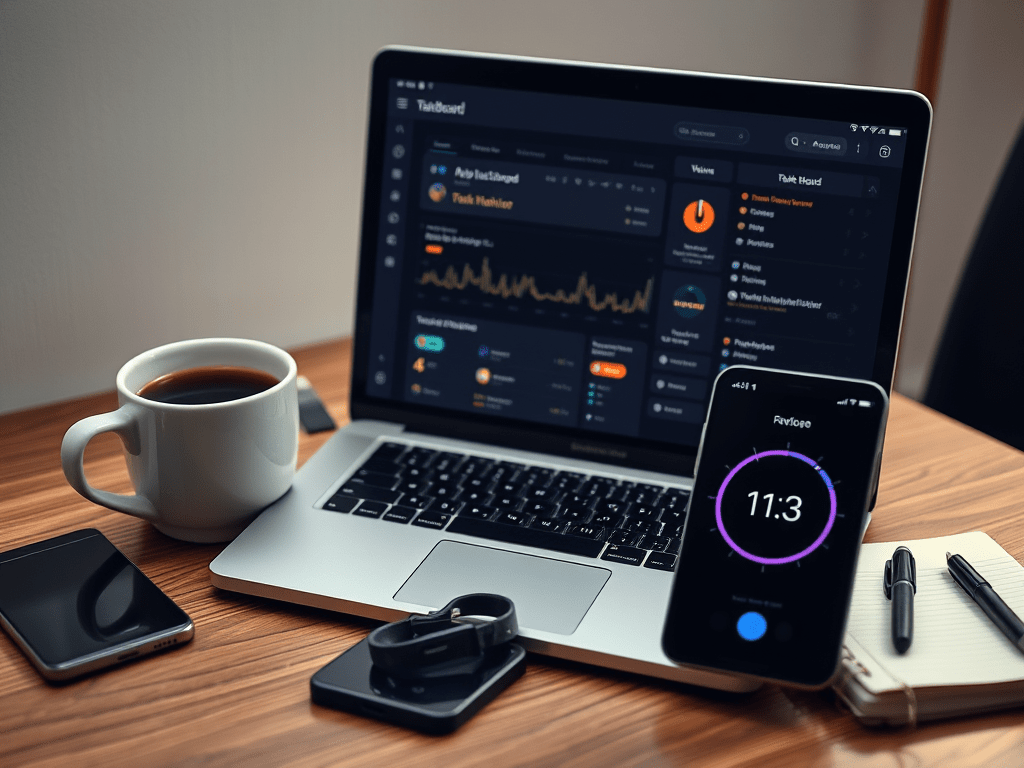
    As someone balancing the demanding role of a project manager in telecommunications with the joys and responsibilities of family life, I’ve spent 2024 experimenting with productivity tools that could help me stay on top of everything. This year, I found five tools that not only streamlined my workflow but also gave me back precious time for what truly matters. Here’s a personal look at how these tools impacted my productivity and why they might work for you too.


    1. Why Productivity Tools Matter More Than Ever

    2024 brought a new wave of challenges in managing work and personal commitments. Hybrid work models are more common, projects are increasingly complex, and finding time for meaningful focus can feel like an uphill battle. These productivity tools didn’t just save me time—they helped me work smarter, stay organized, and reduce the stress that comes with a packed schedule.

    Let’s dive into the five tools that made the biggest difference for me this year.


    2. Tool Reviews
    Notion: My Digital Brain
    • Overview: Notion is my go-to for managing projects, ideas, and personal notes. It’s where everything starts and ends. I’ve used it to build dashboards for project tracking, manage my blog content, and even organize family logistics.
    • What’s New in 2024: This year, Notion’s AI updates became game-changers. Breaking down complex tasks or generating quick outlines for reports is now effortless. It’s like having an extra team member ready to brainstorm or tidy up your workflow.
    • How I Use It: I’ve created templates for recurring tasks like meeting agendas and project summaries. One feature I particularly love is the database automation—it keeps everything connected, so I’m never scrambling for missing details.
    RescueTime: A Reality Check on Time Usage
    • Overview: RescueTime has been my silent accountability partner. It tracks how I spend my hours across devices and gives me insights that are both humbling and motivating.
    • What’s New in 2024: The new AI-powered focus mode is brilliant. It analyzes my work patterns and suggests the best times for uninterrupted deep work. Plus, the alerts for screen time have helped me cut down on unnecessary distractions.
    • How I Use It: At first, I was shocked by how much time I lost to small distractions. But now, RescueTime helps me prioritize by showing me exactly where I can reclaim hours. I schedule my most critical tasks during my identified “focus zones.”
    Grammarly: My Writing Wingman
    • Overview: Whether it’s sending a concise email or drafting a detailed project update, Grammarly has been my secret weapon for clear and professional communication.
    • What’s New in 2024: The tone-suggestion feature has been particularly useful this year. It helps me strike the right balance in emails—whether I need to sound collaborative, authoritative, or empathetic.
    • How I Use It: I’ve integrated Grammarly into every writing platform I use, from emails to blog drafts. It saves me from unnecessary edits and lets me focus on getting the message right the first time.
    Clockwise: Protecting My Focus Time
    • Overview: Clockwise has been a lifesaver for managing my calendar. It doesn’t just help me find meeting slots; it actively protects blocks of time for focused work.
    • What’s New in 2024: The AI-driven scheduling has improved dramatically this year. It syncs beautifully with Slack and Zoom, meaning I don’t have to manually adjust schedules after last-minute changes.
    • How I Use It: I’ve set it to automatically block “focus time” during my peak productivity hours in the morning. Having that dedicated, uninterrupted time has been a game-changer for tackling deep work.
    Todoist: Taming the Task List
    • Overview: Todoist has been my task manager of choice for years, but in 2024, it cemented its place as an irreplaceable tool in my workflow.
    • What’s New in 2024: The collaborative features and smart task suggestions made working with my team easier than ever. It’s also great for personal life—I use it to keep track of errands and even family activities.
    • How I Use It: I rely on Todoist’s “Today” view every morning to organize priorities. Its labels and deadlines help me stay focused, and sharing tasks with team members means everyone is always on the same page.

    3. How These Tools Work Together

    One of the biggest lessons I’ve learned this year is that no single tool can do it all, but together, they create a seamless system. Here’s how I combine them:

    • Planning: I list and prioritize tasks in Todoist.
    • Focus: Clockwise blocks my calendar so I can work on those tasks without interruptions.
    • Analysis: I use RescueTime to ensure I’m staying on track and to adjust my schedule if needed.
    • Polishing: Grammarly makes sure my communications and reports are clear and effective.
    • Organization: Everything else—notes, brainstorming, and project tracking—lives in Notion.

    This setup has made me feel more in control of my time than ever before. I’m not juggling multiple apps aimlessly; they’re all working together toward the same goal.


    4. Final Thoughts

    2024 has been the year of refining how I work, and these tools have played a huge role in making that happen. They’ve allowed me to streamline my processes, focus on what matters, and even carve out more time for my family.

    If you’ve been feeling overwhelmed or like you’re constantly chasing deadlines, I can’t recommend these tools enough. Try them out, experiment with how they fit into your routine, and watch how they transform the way you work.

    What about you? Have you discovered any tools that changed the game for your productivity this year? Let me know in the comments — I’d love to hear your experiences!

  • Balancing Work and Personal Life: Practical Productivity Strategies for Senior Professionals

    Balancing Work and Personal Life: Practical Productivity Strategies for Senior Professionals

    The Modern Professional’s Dilemma

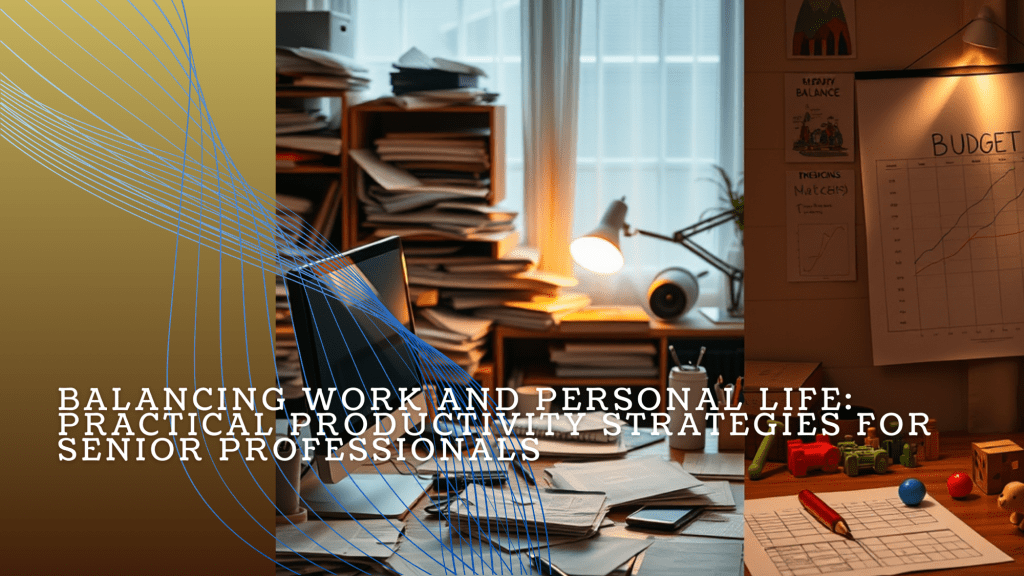
    It’s 7 PM, and you’re still at your desk, reviewing a report while your phone buzzes with reminders about a parent-teacher meeting and the family dog needing a walk. Meanwhile, your kid appears at the door with a masterpiece they’ve drawn—on your quarterly budget sheet. Welcome to the life of a senior professional balancing a demanding career and a lively household.

    We’ve all been there, and the key isn’t about doing more but about doing better. In this guide, we’ll share actionable strategies to boost productivity, protect your personal time, and laugh a little along the way.


    1. Setting the Foundation for Balance
    1.1. Define Priorities and Values

    Before we dive into fancy strategies, take a moment to ask yourself: What truly matters? Is it delivering stellar work or being present for family milestones? For most professionals, the answer is both—but achieving balance requires intentional effort.

    Start with a simple system like the Eisenhower Matrix:

    • Important + Urgent: Major deadlines, family emergencies.
    • Important + Not Urgent: Long-term goals like career growth or planning a family trip.
    • Not Important + Urgent: Delegate these (e.g., “urgent” emails about printer toner).
    • Not Important + Not Urgent: Just… don’t (hello, endless scrolling on social media).

    Funny enough, realizing what doesn’t matter is as liberating as finding a great babysitter.

    1.2. Establish Boundaries

    Let’s be honest: boundaries are hard when work demands attention, and family sees your home office as open season. But boundaries protect your sanity. Communicate your “do not disturb” times clearly at work and home.

    One of my friends taped a sign to his home office door: “Unless there’s blood, fire, or chocolate cake, please wait until 5 PM.” Surprisingly, it works. For both his kids and his colleagues.


    2. Mastering Time Management
    2.1. Time Blocking for Work and Family

    Ever feel like your day disappears in a blur of emails, meetings, and snack breaks for your kids? Enter time blocking. Dedicate specific times for deep work, meetings, family activities, and self-care.

    Example: Mornings for focused tasks, afternoons for collaboration, and evenings for family. Use apps like Google Calendar to color-code your schedule. Your life will go from chaos to organized chaos—progress!

    2.2. Embrace the 80/20 Rule

    The Pareto Principle—80% of results come from 20% of your efforts—is a lifesaver. For work, focus on high-impact tasks like client presentations or strategic planning. For personal life, skip elaborate birthday parties and prioritize meaningful moments (unless your kid insists on a unicorn theme).

    2.3. Create a Weekly Planning Ritual

    Set aside 30 minutes each week to map out work tasks, family events, and personal goals. Involve your partner if possible—it’s amazing how many double-bookings you can avoid with a quick sync. Bonus: Add buffer time for unexpected chaos (looking at you, last-minute science projects).


    3. Enhancing Productivity at Work
    3.1. Prioritize Deep Work

    Senior roles require focus, so carve out uninterrupted time for strategic tasks. Block off hours for “deep work” and protect them like your favorite coffee mug at the office.

    3.2. Delegate and Automate

    Not everything needs your touch. Delegate repetitive tasks and automate wherever possible—think scheduling tools, automated expense reports, or a meal delivery service that keeps your fridge stocked.

    3.3. Take Breaks to Recharge

    We’ve all hit that 3 PM slump where caffeine isn’t cutting it. Take regular breaks to recharge. A 10-minute walk or stretch can do wonders for your focus. And yes, stepping on a stray LEGO counts as cardio.


    4. Nurturing Personal Life and Well-Being
    4.1. Schedule Quality Family Time

    Make family time sacred. It doesn’t have to be elaborate—a weekly movie night or tech-free dinner works wonders. One colleague of mine swears by 15-minute “one-on-one” chats with each family member every day. (His dog got jealous, so now she gets her own walk-and-talk session.)

    4.2. Prioritize Self-Care

    Fitness, nutrition, and mental health aren’t optional—they’re survival tools. Even 20-minute workouts or a daily mindfulness practice can keep you sharp and energized. Pro tip: A quick workout beats a frustrated sigh at your inbox any day.

    4.3. Stay Present in the Moment

    Whether you’re on a Zoom call or building a LEGO castle, focus on that moment. Mindfulness techniques like deep breathing or gratitude journaling can help you stay grounded, even when chaos looms.


    5. Practical Tips for Senior Professionals
    5.1. Use Technology Wisely

    From shared family calendars to project management apps, technology can streamline both work and personal life. Just don’t let it dominate your day—turn off notifications after hours.

    5.2. Learn to Say No

    Overcommitment is the enemy of balance. Decline tasks that don’t align with your priorities. Remember, saying no to one thing means saying yes to something else—like family time or sleep.

    5.3. Build a Support System

    Lean on your network. Whether it’s a mentor, spouse, or friend, having someone to share the load with can make all the difference. And yes, hiring help (cleaners, tutors, or even a dog walker) is not cheating—it’s smart.


    Share Your Story

    Balancing work and personal life isn’t about perfection—it’s about progress. Small, intentional steps can lead to meaningful change. Whether it’s implementing boundaries, scheduling family dinners, or finally saying no to that endless email chain, you have the tools to thrive.

    Now it’s your turn: How do you juggle work and family? What’s one system or habit that’s been a game-changer for you? Share your stories in the comments—I’d love to hear what works for you and your family!

  • Top 10 Features Every Project Management Tool Needs in 2025: Streamline Task Tracking, Reporting, and Collaboration

    Top 10 Features Every Project Management Tool Needs in 2025: Streamline Task Tracking, Reporting, and Collaboration

    The world of project management moves fast—and so does technology. In 2025, project management tools aren’t just about keeping everyone on the same page; they’re about enabling seamless collaboration, boosting productivity, and making your job as a project manager a whole lot easier.

    So, what features should you look for in a project management tool this year? Let’s dive into the 10 must-haves that will help you lead your team like a pro.

    1. User-Friendly Interface

    Let’s start with the basics: your tool has to be easy to use. If it takes a PhD to figure out how to assign a task, your team won’t stick around long enough to see the benefits. Look for intuitive designs that reduce the learning curve and ensure everyone—from tech-savvy developers to less-than-techie stakeholders—can use it effortlessly.

    Pro Tip: Tools with drag-and-drop functionality are game-changers.

    2. Advanced Task Tracking

    Task tracking is the bread and butter of project management tools. In 2025, you want features that go beyond basic checklists. Think real-time updates, dependencies, and prioritization tools that ensure no task gets lost in the shuffle.

    Pro Tip: Kanban boards are still king, but having options like Gantt charts doesn’t hurt.

    3. Seamless Collaboration Tools

    Gone are the days when collaboration meant endless email threads. Your tool should have integrated chat, file sharing, and video conferencing—basically a one-stop shop for all team communication. The less your team has to juggle multiple platforms, the better.

    Pro Tip: Look for tools that let you tag teammates and link conversations directly to tasks.

    4. Customizable Dashboards

    Project managers love dashboards—and for good reason. A great dashboard gives you a snapshot of your project’s health at a glance. Customizable options mean you can tailor the view to what matters most, whether it’s budget tracking, team workload, or milestone progress.

    Pro Tip: Widgets make dashboards way more fun and functional.

    5. Robust Reporting and Analytics

    Reports aren’t just for your boss—they’re for you too. A tool with robust reporting lets you spot bottlenecks, measure team performance, and plan smarter. Bonus points for customizable templates that make generating reports a breeze.

    Pro Tip: Heatmaps and visual data representations make numbers way less intimidating.

    6. Cross-Platform Accessibility

    In a world where remote work is here to stay, your project management tool must work wherever you do. Cloud-based solutions with apps for desktop, mobile, and tablet are a must. And don’t forget offline mode for those pesky internet outages.

    Pro Tip: Test mobile versions for functionality before committing.

    7. Integration with Popular Tools

    Your project management tool should play well with others. Look for integrations with apps your team already uses, like Slack, Microsoft Teams, and Google Workspace. API support is a nice bonus for those who need custom setups.

    Pro Tip: The fewer times your team has to copy-paste between tools, the happier they’ll be.

    8. Automated Workflows and Reminders

    Repetitive tasks are the enemy of productivity. A great tool automates workflows, sends reminders for deadlines, and even handles approvals. This way, you can focus on leading your team instead of micromanaging.

    Pro Tip: Recurring task options are a lifesaver for long-term projects.

    9. Scalability and Flexibility

    Your team may be small now, but what about next year? Choose a tool that grows with you. Scalability ensures it works for small teams and large enterprises alike. Flexible templates tailored to your industry also save you time.

    Pro Tip: Check if the pricing model supports scaling without breaking the bank.

    10. Strong Security and Compliance

    Finally, don’t overlook security. Your tool needs to protect sensitive data with encryption and comply with regulations like GDPR or HIPAA. After all, trust isn’t just for team members—it’s for the software you use too.

    Pro Tip: Multi-factor authentication is a must-have for 2025.

    Wrapping It Up

    The right project management tool can transform how your team works, from streamlining task management to fostering collaboration and ensuring security. As you evaluate your options in 2025, keep these 10 features in mind. Trust us, your future self will thank you when your projects run smoother than ever.

    Now, go out there and find the tool that fits your team’s needs—and make the hard things in life look effortless.