Tag: productivity

  • Mastering Hybrid Leadership: 7 Proven Strategies to Lead Remote Teams with Ease

    Mastering Hybrid Leadership: 7 Proven Strategies to Lead Remote Teams with Ease


    The New Normal for Leaders

    The hybrid work model is no longer the new kid on the block—it’s the future of work. As companies find their footing post-pandemic, many are embracing hybrid strategies while nudging teams back into offices. Yet, remote work remains a critical part of today’s workplace dynamic. For leaders, the challenge now is to navigate a landscape where team members are spread across living rooms and cubicles, balancing autonomy with unity.

    Meet Sarah, a project manager at a large telecom company. A few years ago, Sarah’s role looked very different. Her team was mostly in-office, collaboration was spontaneous, and management came naturally through face-to-face interactions. But as the world shifted, so did her team’s work structure. Now, some of her employees are back in the office, while others work from home full-time.

    Sarah found herself needing to rethink her leadership approach—how could she maintain productivity, engagement, and a cohesive culture in such a mixed environment? Through trial, error, and adaptation, she discovered a set of strategies that now makes her leadership appear almost effortless.

    Here are Sarah’s seven go-to strategies for leading remote teams effectively in a hybrid world.


    1. Embrace Flexibility but Set Clear Expectations

    In a hybrid environment, flexibility is essential, and Sarah has learned that her team members work best when allowed to manage their own schedules. Some prefer the routine of office life, while others thrive on the freedom of remote work. Instead of mandating rigid rules, Sarah embraces this flexibility—but with one critical element: crystal-clear expectations.

    Sarah sets well-defined goals, deadlines, and performance metrics for each project. By doing so, her team knows exactly what’s expected of them, regardless of where they’re working from. With this structure in place, her team feels empowered to manage their own time and work style, while still delivering high-quality results.

    • Pro tip for leaders: Clearly outline deliverables, KPIs, and deadlines to ensure your team members can work autonomously but with a shared understanding of success. Flexibility should never mean sacrificing accountability.

    2. Prioritize Communication and Transparency

    In the early days of hybrid work, Sarah quickly realized that communication can be the Achilles’ heel of a dispersed team. Without frequent face-to-face interactions, small misunderstandings can snowball into larger problems. To combat this, Sarah implemented regular virtual check-ins to ensure that every team member—whether in the office or remote—has the same level of access to information.

    Using tools like Microsoft Teams and Zoom, Sarah makes her meetings inclusive and collaborative, ensuring that remote employees aren’t left in the dark. But beyond the scheduled meetings, Sarah also champions transparency. When decisions are made, she ensures they’re communicated clearly and made available for all to see, whether it’s through shared documents or team announcements.

    • Pro tip for leaders: Use communication platforms that facilitate both formal meetings and informal collaboration. Transparency is the foundation of trust, so keep your team in the loop with key decisions and developments.

    3. Build a Strong Team Culture Online

    One of Sarah’s initial concerns about remote work was the loss of team camaraderie. Would her team members still feel connected when they’re scattered across different locations? To combat this, Sarah actively works to foster a strong team culture, even when much of the interaction happens online.

    She schedules virtual team-building activities—anything from virtual escape rooms to casual coffee chats—and sets up informal chat channels where team members can share jokes, personal updates, or even photos of their pets. It might seem simple, but these small touchpoints help keep the team spirit alive.

    For Sarah, these efforts have paid off. Her team remains close-knit, with strong interpersonal bonds that extend beyond work tasks, ensuring that no one feels isolated, no matter where they’re working.

    • Pro tip for leaders: Make time for virtual bonding experiences, and encourage team members to engage in casual, non-work conversations. It’s these little moments of connection that reinforce a strong, supportive team culture.

    4. Leverage Technology to Streamline Collaboration

    Leading hybrid teams effectively requires more than just great communication—it requires the right tools to make collaboration seamless. Sarah knows that relying on the old ways of working simply won’t cut it in today’s hybrid environment. That’s why she relies heavily on project management tools like Asana and Trello, along with cloud-based platforms such as Google Workspace, to ensure that every team member can access the resources they need at any time.

    Automation is another game-changer for Sarah. Automating recurring tasks—like scheduling meetings or sending project status updates—frees up valuable time for her team to focus on more meaningful work. This use of technology not only keeps everyone organized, but it also prevents unnecessary delays or miscommunications.

    • Pro tip for leaders: Invest in collaboration software that fits your team’s needs. Automation tools can reduce administrative burden, allowing your team to focus on innovation and execution.

    5. Focus on Outcome-Based Leadership

    Sarah admits that in the early days of hybrid work, she struggled with the temptation to micromanage. Without the ability to “see” her team in action, she worried that productivity might slip. But she quickly realized that focusing on outcomes, rather than hours worked or how tasks were done, was the key to effective hybrid leadership.

    Now, Sarah’s leadership approach revolves around trust. She sets clear goals and outcomes for her team, then lets them determine the best way to achieve those results. She checks in regularly on progress but avoids hovering over day-to-day details. By focusing on results rather than activity, Sarah has empowered her team to own their work, fostering a sense of accountability and pride in their achievements.

    • Pro tip for leaders: Shift your focus from micromanaging daily tasks to leading based on outcomes. Empower your team to take ownership of their work, and measure success by the results they deliver, not the hours they clock.

    6. Be Empathetic and Supportive

    Remote work has its perks, but it can also come with challenges like isolation, distractions, and burnout. Sarah recognizes these difficulties and makes it a point to be empathetic and supportive of her team members. She checks in regularly—not just about work, but about how her team is feeling overall. Is anyone struggling with work-life balance? Does someone need additional flexibility for personal reasons?

    By being attentive and compassionate, Sarah has fostered a team culture where well-being is prioritized, and her team members know they can come to her with any concerns. This empathy has not only strengthened loyalty but also improved team morale and performance.

    • Pro tip for leaders: Understand the challenges your team may face, especially remote workers. Create an open-door policy for discussing mental health, personal challenges, and work-life balance.

    7. Encourage Continuous Feedback and Adaptation

    The hybrid work landscape is constantly evolving, and Sarah knows that static leadership won’t cut it. That’s why she encourages a culture of continuous feedback. She regularly checks in with her team to see what’s working and what isn’t, and she’s always open to tweaking her approach based on their input.

    This adaptive leadership style ensures that her team stays engaged, and that any potential roadblocks are addressed before they become bigger issues. By fostering this feedback loop, Sarah makes sure her team feels heard and that their unique needs are being met.

    • Pro tip for leaders: Cultivate a feedback-rich environment. Ask your team regularly what’s working and where improvements can be made. Flexibility and willingness to adapt make hybrid leadership more effective and responsive.

    The Future of Hybrid Leadership

    Sarah’s journey to mastering hybrid leadership shows that leading in today’s world is about more than just managing people. It’s about creating a flexible, supportive, and outcome-driven environment where both remote and in-office employees can thrive. The key to making hybrid leadership feel effortless is embracing adaptability, fostering strong communication, and leading with empathy.

    Hybrid work is here to stay. By adopting these strategies, leaders can not only keep up with the changing times but thrive in them, making the hard work of managing hybrid teams look effortless.


  • 7 Productivity Hacks to Stay Focused While Working from Home

    7 Productivity Hacks to Stay Focused While Working from Home

    Working from home can feel like the ultimate setup—no more long commutes, the freedom to dress casually, and the comfort of your own space. But if you’re a project manager or team leader juggling multiple priorities, the challenge of staying productive amid distractions becomes real fast. From household chores to family interruptions and the temptation to check your phone, it’s easy to lose focus.

    The good news? With the right strategies, you can turn your home environment into a productivity powerhouse. Below, we’ll explore seven actionable hacks to help you maintain focus, lead your team effectively, and meet your deadlines—all while enjoying the benefits of remote work.

    1. Set Boundaries (Both Physical and Mental)

    Your home may be your sanctuary, but to maximize productivity, you need to create a mental and physical separation between “work” and “home.”

    Create a Dedicated Workspace: Even if you don’t have a full home office, carve out a specific corner or desk where you only work. This helps create a mental switch when you sit down at your “office.” It could be a table in the living room or even a part of your kitchen counter—just make sure it’s clear of non-work items and feels like your professional zone.

    Establish Work Hours: Just because you’re working from home doesn’t mean your schedule should be loose. Set specific work hours as if you were still commuting to an office. This creates a structured routine and helps you mentally commit to “being at work.” When your hours are over, close your laptop and step away—this will prevent burnout.

    Communicate with Family or Housemates: If you have a partner, kids, or housemates, set clear expectations about your work time. Let them know when you need quiet and establish visual cues—like closing a door, wearing headphones, or even using a sign—so they know not to disturb you.

    2. Structure Your Day with Time Blocks

    One of the easiest ways to lose focus when working from home is to let your day blur together. Without office structure, tasks can blend and distractions sneak in. That’s where time blocking comes in.

    Time Blocking for Efficiency: Schedule your day in blocks of time for specific tasks. For example, dedicate 9:00–10:00 AM to checking emails, 10:00–12:00 PM for project work, and so on. This limits multitasking and helps you stay on track.

    The Pomodoro Technique: This technique breaks your work into 25-minute focused periods followed by a 5-minute break. After four cycles, take a longer 15–30-minute break. It’s a simple, effective way to maintain energy throughout the day without burnout.

    Prioritize Your Biggest Tasks: Knock out your most critical tasks first thing in the morning. The earlier you complete them, the more focused you’ll feel for the rest of the day. Plus, early productivity builds momentum.

    3. Leverage Technology to Minimize Distractions

    In a world filled with pings, alerts, and distractions, technology can either be your best friend or your worst enemy when working from home. The key is to use it wisely.

    Focus Apps: Tools like Focus@Will, Freedom, or StayFocusd help block distracting websites or apps during work hours. These apps act like digital gatekeepers, keeping you focused on important tasks instead of scrolling through social media or checking irrelevant notifications.

    Turn Off Notifications: Set your phone to “Do Not Disturb” during work blocks, and mute non-work notifications on your computer. You can designate certain times during the day to check messages and updates, but during focused work sessions, silence everything unnecessary.

    Use Task Management Tools: Tools like Asana, Trello, or Microsoft Teams are perfect for managing tasks, collaborating with your team, and staying organized. These tools allow you to track progress and ensure nothing falls through the cracks, which is especially critical when you’re not physically in the same space as your colleagues.

    4. Incorporate Movement and Breaks

    Remote work often means sitting at your desk for long hours without much movement, which can drain your energy and make it harder to focus. Incorporating movement into your day will refresh your mind and body.

    Microbreaks: Set a timer to take a short stretch or movement break every 30–45 minutes. Even a quick walk around the room or a few deep stretches can increase blood flow and keep you energized.

    Active Breaks: During longer breaks, do something physical. It could be a 10-minute walk, a set of jumping jacks, or even yoga. Exercise is proven to boost mental clarity and can help reset your focus when you’re feeling sluggish.

    5. Build a Morning Routine that Triggers Focus

    How you start your day sets the tone for everything that follows. Having a structured morning routine creates a mental shift from “home mode” to “work mode,” helping you start the day with focus and intention.

    Morning Rituals: Develop a consistent routine to signal to your brain that it’s time to work. This could involve a quick workout, meditation, or even just changing out of your pajamas. Taking a shower and dressing as if you’re going to the office can create a sense of professionalism, which may boost your productivity.

    Plan the Day Ahead: Before jumping into your inbox, take five minutes to list your top three priorities for the day. When you have a clear plan, you’re more likely to stay focused and get more done.

    6. Foster Accountability with Your Team

    When you’re managing a team remotely, maintaining productivity is not just about your own focus—it’s about keeping the whole team aligned and accountable. Here’s how to keep everyone on track:

    Daily Check-ins: Start the day with a quick 10–15-minute team check-in. These meetings set the tone, clarify priorities, and create a sense of accountability. Make sure to focus on progress, roadblocks, and key deliverables for the day.

    Transparent Communication: Use tools like Slack or Microsoft Teams for ongoing communication throughout the day. Encourage your team to share progress updates, which builds a sense of shared responsibility and keeps everyone in the loop.

    Set Clear Expectations: Ensure your team knows exactly what success looks like for each task or project. Clear guidelines will prevent misunderstandings and ensure everyone is working towards the same goals, even from different locations.

    7. End Your Day with a Shutdown Routine

    Just as a morning routine helps kickstart your day, an end-of-day routine will help you unwind and create a clear boundary between work and personal time.

    Create a Closing Ritual: Take the last 15 minutes of your workday to tidy up your workspace, review what you’ve accomplished, and jot down priorities for the next day. This creates a sense of closure and allows you to switch off from work mode.

    Transition to Personal Time: Once you’ve closed out your day, disconnect from work notifications and shift your focus to personal or family time. This boundary is crucial to avoid burnout and maintain work-life balance.

    The Path to Productive Remote Work

    Staying productive while working from home requires a combination of structure, discipline, and balance. By setting boundaries, organizing your time, and using the right tools, you can create a focused environment that keeps you and your team on track. Incorporate these productivity hacks into your daily routine and watch as you take control of your workday, leading with confidence and achieving more—right from the comfort of home.

    Now it’s time to implement these strategies and make remote work not only effective but enjoyable. Let the distractions fall away, and watch your productivity soar!

  • Master Digital Minimalism: Simplify Your Online Life for Better Focus and Balance

    Master Digital Minimalism: Simplify Your Online Life for Better Focus and Balance

    Why Digital Minimalism Matters

    In an era of constant notifications, infinite scrolling, and endless digital noise, it’s easy to feel overwhelmed. Our hyperconnected lives often drain our focus, reduce productivity, and increase stress. Digital minimalism offers a way to regain control, helping you streamline your online world so you can focus on what truly matters.

    This guide will take you through practical, actionable steps to help you declutter your digital life, boost your focus, and enhance your overall well-being.


    The Problem: Digital Overload

    Most of us spend hours each day online, juggling social media, emails, apps, and notifications. But how much of this time is truly productive or meaningful? Digital overload can lead to mental fatigue, fragmented attention, and decreased productivity.

    Digital minimalism is about mindfully reducing these distractions, so you spend your online time more effectively and meaningfully.


    Step 1: Audit Your Digital Habits

    To regain control of your digital life, the first step is self-awareness. Understanding how and where you spend your time online can reveal surprising insights.

    Actionable Tips:

    • Track Your Digital Behavior: Use tools like Screen Time (iOS) or Digital Wellbeing (Android) to monitor your daily app usage.
    • Assess Value: Identify apps, websites, and habits that don’t add real value. Ask yourself: “Does this app enrich my life, or is it just a distraction?”
    • Use Time-Tracking Tools: Apps like RescueTime can provide reports on how you spend time online, making it easier to pinpoint unproductive behaviors.

    Once you’ve completed your audit, you’re ready to declutter.


    Step 2: Declutter Your Digital Space

    Just as physical clutter can disrupt focus, a cluttered digital environment creates mental noise. Streamlining your devices and digital spaces leads to clearer thinking and better focus.

    Actionable Tips:

    • Unsubscribe and Filter Emails: Clean up your inbox by unsubscribing from newsletters or promotions you no longer read. Services like Unroll.Me can help streamline this process.
    • Purge Unused Apps: Remove apps you haven’t used in the last 30 days. If they’re not contributing to your goals, they’re not necessary.
    • Simplify Social Media: Unfollow or mute accounts that don’t provide value. Curate your feed to include content that aligns with your personal or professional growth.
    • Organize Your Files: Create a simple folder structure for easier access to important documents, and delete files you no longer need.

    Step 3: Establish Mindful Online Habits

    Minimalism isn’t just about decluttering; it’s about intentional use of your time online. Building mindful habits helps you reclaim time and reduce digital overwhelm.

    Actionable Tips:

    • Set Time Limits for Social Media: Use apps like StayFocusd or Freedom to limit your social media use to 10-15 minutes a day. Stick to these limits for a more purposeful experience.
    • Batch-Check Emails: Instead of constantly checking emails, designate set times—twice a day, for example—to process and respond. This reduces interruptions and improves focus.
    • Create ‘No-Tech’ Zones: Establish boundaries around your device use, such as no phones during meals or in the bedroom before sleep. This promotes better mental clarity and rest.

    Step 4: Streamline Your Tools

    Using too many apps and tools can make life more complicated, not easier. Simplifying your digital toolbox can lead to a more seamless and productive experience.

    Actionable Tips:

    • Consolidate Apps: Opt for multipurpose apps like Notion or Evernote that handle tasks, notes, and reminders in one place.
    • Cut Redundancies: If you have multiple apps for the same function, choose one and delete the rest. The fewer tools you rely on, the easier it is to stay organized.
    • Curate Content: Follow only a few high-quality sources for information, whether that’s newsletters, podcasts, or blogs. This keeps your incoming information focused and meaningful.

    Step 5: Create a Distraction-Free Environment

    Distractions are a major barrier to focus, but you can create a distraction-free digital space to help you stay on task.

    Actionable Tips:

    • Turn Off Unnecessary Notifications: Review and disable notifications for apps that aren’t essential to your work or well-being. Only keep notifications for high-priority apps.
    • Use Do Not Disturb: Enable Do Not Disturb or Focus mode when you need uninterrupted time for deep work or personal activities.
    • Declutter Your Desktop: Remove excess icons and apps from your home screen or desktop. A clean workspace reduces visual distractions and promotes focus.

    Step 6: Schedule Regular Digital Detoxes

    Taking time away from screens can improve mental clarity and help you reconnect with the present moment. Digital detoxes are a great way to reset your focus.

    Actionable Tips:

    • Start with a Day: Schedule a 24-hour digital detox where you stay offline entirely. Use the day for activities like reading, exercising, or spending time with loved ones.
    • Make It Routine: Commit to a weekly digital detox, such as taking Sundays off from social media and non-essential apps.
    • Incorporate Micro-Breaks: Throughout the day, schedule short breaks from screens—go for a walk, meditate, or engage in a non-digital activity.

    Start Your Digital Minimalism Journey Today

    Digital minimalism isn’t about cutting technology out of your life entirely—it’s about using it intentionally, so you can focus on what truly matters. By auditing your digital habits, decluttering your online spaces, and building mindful digital routines, you can reclaim your time and attention.

    Take action today: Start by decluttering one area of your digital life—whether that’s cleaning up your inbox, organizing your apps, or setting limits on social media. Share your progress in the comments, and download our Digital Declutter Checklist to guide you on your path to a more focused and balanced digital life.

    Embrace digital minimalism, and experience the difference it can make in your focus, productivity, and well-being.

  • Top 10 Project Management Tools to Streamline Your Workflow

    Top 10 Project Management Tools to Streamline Your Workflow

    In today’s fast-paced work environment, effective project management is more important than ever. The right tools not only streamline workflow but also empower teams to be more productive and organized. With countless options available, finding the right tool can be overwhelming. Here’s a rundown of the top 10 project management tools and how they can help you stay on top of your projects.

    1. Trello
    Pros:
    • Visual task management through an intuitive board system.
    • Great for collaboration across small to mid-sized teams.
    • Simple to use with drag-and-drop functionality.
    Cons:
    • Lacks advanced project management features.
    • Limited reporting and tracking capabilities compared to other tools.
    Best Use Case:

    Trello is ideal for teams that need a visual overview of tasks. Using a Kanban system, you can easily track work progress from “To Do” to “Done.” Pairing Trello with automation (via Power-Ups) can eliminate repetitive tasks, making your workflow more efficient.

    2. Asana
    Pros:
    • Customizable workflows and task automation.
    • Timelines, task dependencies, and reporting tools.
    • Easy to manage complex projects and assign tasks.
    Cons:
    • Can be overwhelming for beginners due to its feature richness.
    • Limited offline functionality.
    Best Use Case:

    For teams looking to manage multiple projects simultaneously, Asana’s automation features help streamline repetitive tasks. Use timelines and task dependencies to ensure that everyone is on the same page and that deadlines are met.

    3. Jira
    Pros:
    • Ideal for software development teams working in Agile.
    • Excellent for tracking issues, bugs, and tasks.
    • Comprehensive reporting for sprints, backlogs, and workflows.
    Cons:
    • Not beginner-friendly.
    • Overwhelming for non-technical teams.
    Best Use Case:

    Jira is perfect for teams using Scrum or Kanban methodologies. You can create custom workflows for software development, from sprint planning to issue tracking. Jira’s integration with GitHub or Bitbucket makes it a favorite among developers.

    4. Monday.com
    Pros:
    • Custom workflows and task tracking.
    • Visual and user-friendly interface.
    • Seamless integration with tools like Slack, Google Drive, and more.
    Cons:
    • Can get expensive for large teams.
    • Limited advanced reporting features.
    Best Use Case:

    For teams that want visual project tracking with the flexibility to customize workflows. Monday.com’s integrations and automations allow you to track project progress in real-time and ensure no tasks slip through the cracks.

    5. Smartsheet
    Pros:
    • Combines spreadsheet capabilities with project management.
    • Excellent for managing large datasets and generating detailed reports.
    • Powerful automation features and real-time dashboards.
    Cons:
    • Less intuitive for non-spreadsheet users.
    • Requires some technical knowledge to maximize its potential.
    Best Use Case:

    Trello is ideal for teams that need a visual overview of tasks. Using a Kanban system, you can easily track work progress from “To Do” to “Done.” Pairing Trello with automation (via Power-Ups) can eliminate repetitive tasks, making your workflow more efficient.

    1. Trello
    Pros:
    • Visual task management through an intuitive board system.
    • Great for collaboration across small to mid-sized teams.
    • Simple to use with drag-and-drop functionality.
    Cons:
    • Lacks advanced project management features.
    • Limited reporting and tracking capabilities compared to other tools.
    Best Use Case:

    Smartsheet is a perfect fit for teams that rely heavily on data and spreadsheets. Its automation and reporting features allow you to track progress and generate reports easily, especially for larger, data-driven projects.

    6. ClickUp
    Pros:
    • Customizable with a broad range of features (task management, document collaboration, and goal tracking).
    • Provides time tracking, timelines, and resource management.
    • All-in-one platform that reduces the need for multiple tools.
    Cons:
    • Learning curve due to its feature-heavy interface.
    • Some users may find it cluttered.
    Best Use Case:

    ClickUp works for teams that need a customizable project management tool that combines task management, documentation, and goals into one platform. ClickUp’s flexibility can be tailored to any team’s workflow.

    7. Wrike
    Pros:
    • Real-time project updates, task tracking, and collaboration.
    • Detailed reporting, including resource and budget tracking.
    • Easy team communication with file-sharing and messaging.
    Cons:
    • Limited customization options.
    • May become expensive for large teams.
    Best Use Case:

    Wrike is excellent for teams juggling multiple projects at once. Use its real-time dashboard and task-tracking features to ensure projects stay on track and deadlines are met.

    8. Microsoft Project
    Pros:
    • Powerful for planning and scheduling projects.
    • Advanced resource management and budgeting features.
    • Can handle complex dependencies and timelines.
    Cons:
    • Complex interface that requires training.
    • Expensive, particularly for smaller teams.
    Best Use Case:

    Best for teams working on large, complex projects with many moving parts. Microsoft Project’s advanced planning and scheduling tools ensure that resources are allocated efficiently and deadlines are met.

    9. Notion
    Pros:
    • Flexible platform combining note-taking, databases, and task management.
    • Great for knowledge sharing and collaborative project planning.
    • Clean, minimalistic interface.
    Cons:
    • Can be challenging for teams managing complex projects.
    • Limited task automation.
    Best Use Case:

    Notion is best for creative teams that need a flexible space for brainstorming, note-taking, and organizing project tasks. It’s also excellent for knowledge sharing and documentation.

    10. Basecamp
    Pros:
    • Simple interface with task lists, file sharing, and messaging.
    • Ideal for teams needing basic project tracking and communication.
    • Affordable pricing for small businesses.
    Cons:
    • Lacks advanced project management features.
    • No built-in time tracking or advanced reporting.
    Best Use Case:

    Basecamp is ideal for small to mid-sized teams that need a simple, easy-to-use project management tool. Its communication features (such as message boards) help teams stay connected without over-complicating the workflow.

    Maximizing the Benefit from Any Tool

    Regardless of the tool you choose, here are some systems you can apply across all platforms for maximum benefit:

    1. Automation: Many tools, like Asana, Monday.com, and Smartsheet, offer automation for recurring tasks. Use this to reduce repetitive tasks and save time.
    2. Task Dependencies: Tools like Microsoft Project, ClickUp, and Asana allow you to set task dependencies, ensuring that teams work on the right tasks at the right time.
    3. Dashboards and Reporting: Real-time dashboards in Wrike, Smartsheet, or ClickUp help you monitor project progress in one glance, while reporting tools keep stakeholders updated.
    4. Communication Integration: Integrating your project management tools with communication platforms like Slack (available in Monday.com and Trello) keeps team collaboration smooth.
    A Way Forward: Combining Tools for Maximum Efficiency

    If you’re managing multiple complex projects, you might need more than one tool to meet all your needs. Here are some combinations worth considering:

    • Trello + Slack: For small teams that thrive on collaboration and visual task tracking, combining Trello with Slack creates an efficient, communicative workspace.
    • Jira + Confluence: For software development teams, Jira’s task tracking paired with Confluence’s documentation features offers a comprehensive project management suite.
    • Asana + Google Workspace: For teams that need file sharing and seamless document collaboration, Asana combined with Google Drive ensures smooth integration.
    • ClickUp + Zoom: If you run remote teams, ClickUp’s task management combined with Zoom for communication ensures tasks are on track while keeping teams connected.
    Conclusion

    Choosing the right project management tool can revolutionize how your team operates. Whether you’re a small startup using Trello for task tracking or a large enterprise using Microsoft Project for managing multiple project timelines, understanding the pros and cons of each tool will help you make the best decision. Start with your team’s specific needs, and don’t be afraid to combine tools to create the perfect workflow for your projects.

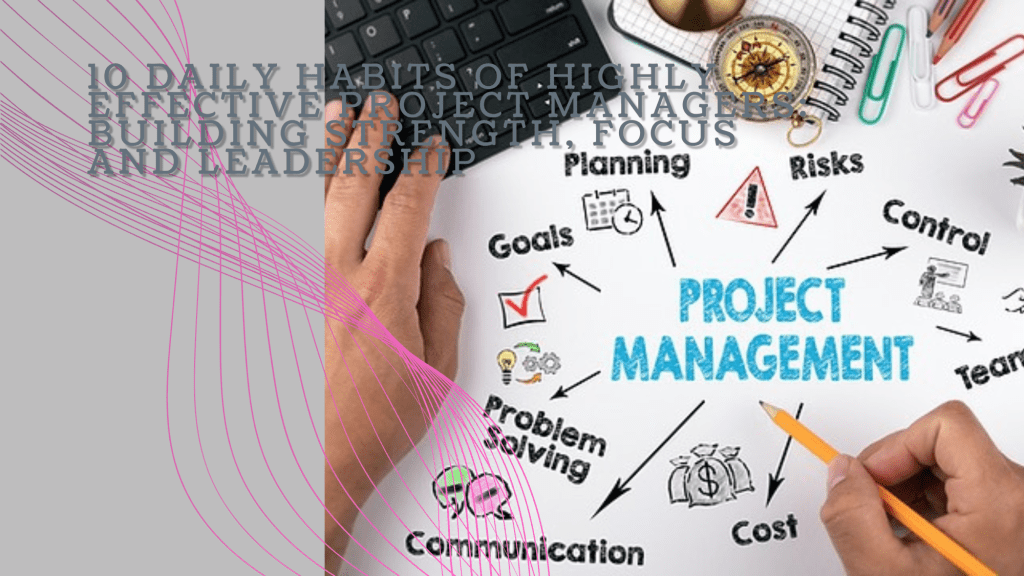
  • 10 Daily Habits of Highly Effective Project Managers: Building Strength, Focus, and Leadership

    10 Daily Habits of Highly Effective Project Managers: Building Strength, Focus, and Leadership

    Imagine this: it’s 5:30 AM, and Mark, a seasoned project manager, is already awake, gearing up for another intense day. His mornings start in the gym—lifting weights, pushing his body to its limits. Mark knows that the mental strength required to manage complex projects starts with physical discipline. Every rep he completes sharpens his focus for the day ahead. But there’s more to Mark’s success than his early morning workout routine. Over time, he’s developed a set of habits that boost his productivity and strengthen his leadership skills.

    Years ago, Sarah, another project manager, found herself constantly overwhelmed. Her days felt like a never-ending scramble, filled with back-to-back meetings and unplanned crises. But like Mark, she discovered the power of daily habits, ones that help her stay organized, calm, and in control. Today, Sarah manages projects with precision, delivering results with confidence. Let’s explore the 10 habits that have helped both Mark and Sarah thrive in their roles.

    1. Start with Physical Strength Training

    Mark’s day begins with physical training. Every morning, he heads to the gym for strength training. This ritual not only keeps him physically fit but also clears his mind. Lifting weights and pushing his body forces him to focus, which translates into sharper decision-making and stress management at work. He knows that a strong body builds a strong mind.

    Sarah, on the other hand, might not lift weights, but she starts her day with yoga and meditation. This calm, mindful practice helps her center herself before diving into the whirlwind of project management. The mental clarity it provides allows her to tackle the day’s challenges with grace and focus. Whether through strength training or yoga, both Mark and Sarah find that starting the day with physical exercise sharpens their mental resilience.

    2. Plan the Night Before

    Sarah’s evenings are just as intentional as her mornings. Before she wraps up her workday, she sets aside time to review her to-do list and plan for tomorrow. By the time she finishes, her mind is clear, and she knows exactly what to tackle first thing in the morning. This habit gives her peace of mind and prevents the morning scramble.

    Similarly, Mark has a habit of laying out his next day’s game plan the night before. He prioritizes key tasks and prepares his workspace, making sure nothing catches him off guard. When he wakes up, he feels in control, knowing that the day’s agenda is set. For both Mark and Sarah, this nightly routine keeps them organized and ready to hit the ground running each day.

    3. Embrace the Two-Minute Rule

    Mark lives by the Two-Minute Rule. If a task can be completed in less than two minutes—whether it’s responding to a quick email or approving a document—he handles it immediately. This habit stops minor tasks from piling up, keeping his workload light and manageable.

    Sarah, too, knows the value of handling quick tasks on the spot. Early in her career, she often felt bogged down by small, unfinished tasks that interrupted her flow. Now, by quickly addressing these minor issues as they arise, she frees up her time and energy for more important, strategic work. Both Mark and Sarah understand that small actions taken immediately prevent future distractions.

    4. Prioritize Deep Work

    Sarah carves out time every day for what she calls her “deep work” sessions. During these hours, she immerses herself in complex tasks that require her full attention—whether it’s strategic planning, reviewing critical reports, or brainstorming solutions. She blocks out distractions, turns off notifications, and focuses entirely on the work that truly matters.

    Mark follows the same principle. His deep work sessions are his most productive times of the day, allowing him to dive into key aspects of his projects without interruptions. He knows that staying in the zone during these moments leads to real progress. For both of them, deep work is where they solve the toughest problems and make the biggest strides.

    5. Leverage the Power of Delegation

    Early in her career, Sarah tried to do everything herself, thinking that being a strong leader meant handling every detail. But as she grew into her role, she learned that effective leadership is about empowering others. Now, she trusts her team to take ownership of their tasks, giving her more time to focus on the bigger picture.

    Mark had a similar realization. Once a hands-on manager who couldn’t let go of control, he now excels at delegating to his team. By trusting them with important responsibilities, he not only lightens his load but also helps his team grow and develop. Both Mark and Sarah have learned that great leaders don’t do it all—they build teams that can.

    6. Communicate with Purpose

    Mark understands the power of clear communication. He’s direct and concise, ensuring that every meeting and conversation serves a purpose. By communicating efficiently, he keeps his team aligned and on track, minimizing misunderstandings and ensuring everyone knows what’s expected.

    Sarah takes a similar approach. Instead of getting bogged down in long, unproductive meetings, she keeps her communication focused and intentional. Whether she’s sending a quick update or leading a strategy session, Sarah makes sure that her words are clear and impactful. Both Mark and Sarah know that effective communication is the key to keeping projects moving smoothly.

    7. Set Aside Time for Reflection

    At the end of each day, Sarah takes a few moments to reflect on her successes and challenges. She asks herself what went well, what could have been done better, and what she learned. This daily reflection helps her continuously improve, making subtle adjustments to her leadership style and project management techniques.

    Mark is no different. He’s made it a habit to end each day by reflecting on his performance. Whether it’s during his drive home or while unwinding after dinner, he considers what worked, where he faced difficulties, and how he can improve tomorrow. For both Sarah and Mark, these moments of reflection provide the self-awareness needed to grow as leaders.

    8. Adopt a Growth Mindset

    Sarah believes that challenges are opportunities to grow. Instead of fearing mistakes, she embraces them as part of the learning process. She’s constantly seeking out new knowledge, attending workshops, reading books, and staying curious. This growth mindset allows her to adapt quickly and stay ahead in a fast-changing environment.

    Mark shares this philosophy. He’s not afraid to push boundaries, experiment with new project management techniques, or ask for feedback. Like Sarah, he understands that continuous learning is the key to staying effective. Both of them know that a growth mindset is essential for long-term success in project management.

    9. Master Time Blocking

    Mark is disciplined about time blocking. He breaks his day into focused chunks—one for meetings, another for deep work, and yet another for handling administrative tasks. This structured approach helps him maximize productivity and prevent his day from being consumed by distractions.

    Sarah also uses time blocking to stay organized. She schedules specific time slots for focused work, meetings, and even personal breaks. By assigning each task its own dedicated block of time, she keeps her day structured and efficient. For both Mark and Sarah, time blocking ensures that their most important work gets the attention it deserves.

    10. End the Day with Gratitude

    At the end of the day, Sarah takes a moment to celebrate her wins. Whether it’s completing a project milestone or simply navigating a challenging conversation, she ends her day by recognizing the progress she and her team have made. This habit keeps her motivated and reminds her of the positive impact she’s having.

    Mark also ends his day on a note of gratitude. He reflects on what went well and appreciates the efforts of his team. Gratitude, he’s found, helps him stay grounded and focused on the bigger picture. Both Mark and Sarah believe that ending the day with appreciation fuels the energy and optimism needed for success.

    Conclusion: A Blueprint for Success

    Mark and Sarah have different approaches, but their success comes from the same core principle: consistent daily habits. These small but powerful routines shape their leadership, boost their productivity, and help them manage projects with confidence and clarity. From physical training to daily reflection, their habits create a strong foundation for growth.

    By adopting these habits, you too can elevate your project management skills and lead with purpose. Success doesn’t happen overnight—it’s built one habit at a time. Like Mark and Sarah, you can create the systems that allow you to thrive, delivering exceptional results in every project you lead.