Tag: productivity

  • The Gamification of Work: Boosting Productivity, Happiness, and Reducing Burnout

    The Gamification of Work: Boosting Productivity, Happiness, and Reducing Burnout

    In the relentless pursuit of high performance, many of us find ourselves trapped in a cycle of stress, burnout, and diminishing returns. The modern work environment, with its ceaseless demands and relentless pace, can often feel more like a marathon without a finish line than a fulfilling journey. But what if we could reframe our daily grind into something more engaging, enjoyable, and ultimately more productive? Enter gamification—a powerful tool that can transform the way we approach our work, increase our productivity, and make our professional lives more rewarding.

    What is Gamification?

    Gamification is the process of integrating game-like elements into non-game contexts to motivate and engage people. This concept is rooted in the psychology of reward systems, where incentives like points, badges, leaderboards, and challenges drive behavior by tapping into our intrinsic desire for achievement, recognition, and mastery.

    In the context of work, gamification can make mundane tasks more engaging, help teams stay motivated, and provide a sense of progress and achievement. It’s not about turning work into a game but rather applying the principles that make games enjoyable — such as clear goals, instant feedback, and a sense of progression—to the workplace.

    Why Gamification Works

    The effectiveness of gamification is underpinned by several psychological principles:

    1. Dopamine Response: Completing a challenge or hitting a milestone triggers a dopamine release, the brain’s “feel-good” neurotransmitter. This response reinforces the behavior, making us more likely to continue the activity.
    2. Progressive Mastery: Games often involve leveling up—incremental steps toward mastering a skill or completing a goal. This concept of progressive mastery can be applied to work tasks, breaking down large projects into smaller, manageable chunks with regular rewards.
    3. Social Connectivity: Leaderboards, team challenges, and shared goals tap into our social instincts. Friendly competition and collaboration can boost motivation and create a sense of camaraderie.
    4. Purpose and Autonomy: Gamification can help individuals find a greater sense of purpose in their work by aligning tasks with personal goals and giving them more control over how they achieve these goals.
    Implementing Gamification Across Different Roles

    Let’s explore how knowledge workers, engineers, salespeople, and managers can apply gamification to their daily tasks to improve productivity, find more meaning in their work, boost happiness, and reduce stress.

    1. Project Managers
      Project managers can utilize gamification to enhance team dynamics, streamline project execution, and drive higher levels of engagement and productivity. Here’s how:
      • Milestone Badges and Progress Bars: Implementing visual indicators like milestone badges and progress bars can transform how a team perceives its progress. These elements break down complex projects into tangible, achievable goals, making large tasks feel less overwhelming. As each milestone is reached, the team experiences a sense of accomplishment, which boosts morale and motivates them to continue pushing toward the next goal. This continuous feedback loop helps maintain momentum, reduces the risk of burnout, and keeps everyone aligned with the project’s overall objectives.
      • Points System for Task Completion: A points system that rewards timely task completion and effective problem-solving can significantly enhance team productivity. By earning points for completing tasks on time or resolving issues efficiently, team members are motivated to stay focused and proactive. This system not only helps in meeting deadlines but also encourages employees to take ownership of their responsibilities. The competitive yet collaborative environment fosters a culture of accountability and continuous improvement, ultimately leading to more efficient project delivery and higher-quality outcomes.
      • Friendly Team Challenges: Introducing friendly challenges between different teams or departments can elevate team spirit and drive performance. For example, setting up a competition to see which team can complete their deliverables ahead of schedule or exceed quality standards can inject energy and enthusiasm into the work environment. These challenges promote healthy competition, which can lead to increased collaboration as team members work together to achieve common goals. The sense of camaraderie that develops from these activities not only strengthens team bonds but also enhances overall job satisfaction and loyalty to the project and the organization.
      • Recognition for Effective Management: Recognizing and rewarding effective management practices within the team can be a powerful motivator. By acknowledging team members who excel in leadership roles—such as successfully coordinating a complex task, resolving conflicts, or leading a productive meeting—project managers can encourage the development of leadership skills across the team. This not only empowers individuals but also builds a stronger, more resilient team capable of handling challenges autonomously. Furthermore, this recognition reinforces positive behavior and sets a standard for others to aspire to, contributing to a culture of excellence and continuous development.
    2. Knowledge Workers
      Knowledge workers, such as writers, analysts, and designers, often face the challenge of staying motivated during long, solitary tasks. Here’s how they can gamify their work:
      • Time-Tracking Challenges: Knowledge work often requires sustained focus, but maintaining that focus can be difficult. By using time-tracking tools like Toggl or Clockify, knowledge workers can create personal challenges—such as earning points for every 30-minute block of uninterrupted deep work. These points can be redeemed for small rewards, providing a clear incentive to maintain focus and manage time effectively. This not only boosts productivity but also helps in avoiding distractions and managing work-related stress.
      • Task Completion Badges: Tools like Trello or Asana can be used to assign badges for completing tasks. For example, completing a report might earn you a “Research Master” badge. These badges serve as tangible recognition of progress and achievement, which can be particularly motivating in roles where the end results of one’s work are not immediately visible. Sharing these achievements with a team can also foster a sense of pride and mutual encouragement.
      • Creative Streaks: For creative professionals like writers or designers, maintaining a consistent output can be challenging. Setting up creative streaks, where points are earned for consecutive days of content creation, can create a sense of urgency and motivation to maintain consistency. This not only boosts output but also fosters a habit of regular creativity, which can lead to higher quality work and greater satisfaction in the creative process.
    3. Engineers
      Engineers, particularly those in software development, often work on complex projects that require sustained focus and problem-solving. Gamification can make this process more engaging:
      • Code Challenges and Hackathons: Engineers thrive on problem-solving, and gamification can make this process even more rewarding. Participating in or creating internal hackathons or code challenges where engineers earn points or badges for solving complex problems, debugging efficiently, or contributing to open-source projects can turn routine tasks into exciting challenges. This not only enhances skills but also fosters a culture of continuous learning and innovation.
      • Leveling Up Skills: Platforms like LeetCode, HackerRank, or Codewars allow engineers to practice coding challenges and earn points that help them “level up” in specific skills. This structured progression mirrors the game-like experience of mastering a skill and provides a clear, rewarding path for professional development. It encourages engineers to continuously improve their abilities, which can lead to higher job satisfaction and better performance.
      • Peer Review Leaderboards: Implementing a leaderboard system for peer reviews can encourage thorough and timely feedback. Engineers can earn points based on the number of reviews they complete and the quality of their feedback. This not only motivates engineers to engage more deeply in the review process but also improves the overall quality of code, leading to more efficient and successful projects.
    4. Salespeople
      Sales roles are inherently competitive, making them ideal for gamification. However, the key is to ensure that gamification doesn’t promote unhealthy competition but rather motivates individuals to achieve their best:
      • Quota Quests: Sales quotas can often feel overwhelming, but turning them into quests with multiple stages can make them more manageable and motivating. For example, reaching 50% of a monthly target could unlock a new level, with rewards at each stage. This approach breaks down large goals into more manageable milestones, reducing stress and making progress more visible and satisfying.
      • Leaderboard Dynamics: While traditional sales leaderboards focus solely on sales figures, incorporating additional metrics like client satisfaction or lead generation can provide a more holistic view of performance. This ensures that the competition isn’t just about closing deals but also about building long-term customer relationships, which are crucial for sustained success in sales.
      • Daily Spin Challenges: Introducing a daily challenge or “spin the wheel” game that salespeople can participate in each morning adds an element of surprise and fun to the workday. This could determine the focus of the day, such as upselling to existing clients or closing a deal with a new prospect. Completing the challenge earns them points or rewards, which can add excitement and variety to their routine, making daily tasks more engaging.
    5. Managers
      Managers can use gamification to improve team performance, boost morale, and streamline processes:
      • Team Achievement Badges: Managers can create badges for team achievements, such as completing a project ahead of schedule or exceeding quarterly goals. Displaying these badges in a public space (physical or digital) boosts team pride and motivation, fostering a positive and high-achieving team culture. This not only recognizes and rewards collective effort but also encourages a sense of shared purpose and commitment.
      • Performance Dashboards: Using dashboards to visualize team performance metrics allows managers to gamify goals and track progress in real-time. Setting targets for the team and rewarding them when they meet or exceed these targets can drive higher performance. The key is to focus on metrics that drive long-term success, not just short-term wins. This approach helps align team efforts with strategic goals, ensuring sustained progress and achievement.
      • Feedback and Recognition Systems: Implementing a system where team members can give each other points or badges for collaboration, innovation, or support fosters a culture of peer recognition. This can be a powerful motivator, as it encourages positive behavior, teamwork, and mutual respect. Over time, this can lead to a more cohesive and supportive work environment, which is essential for long-term team success and individual job satisfaction.
    A Quick-Start Guide to Gamifying Your Work

    Ready to gamify your workday? Here’s a step-by-step guide to get you started:

    1. Identify Key Tasks and Goals
      • List out the tasks that you find most challenging or monotonous.
      • Identify your primary goals—whether they’re related to productivity, skill development, or team collaboration.
    2. Choose the Right Tools
      • Select tools that support gamification elements, such as Trello for task management, Asana for project tracking, or specific platforms like LeetCode for skill-based challenges.
      • Consider tools like Habitica, which turns task management into an RPG-style game.
    3. Set Up Your Reward System
      • Define what rewards matter to you or your team. This could be anything from a coffee break, extra time off, or recognition at a team meeting.
      • Ensure that the rewards are meaningful and aligned with your goals.
    4. Create Challenges and Milestones
      • Break down large projects into smaller tasks or milestones.
      • Set up daily or weekly challenges, such as “complete X number of tasks” or “spend Y hours in deep work.”
    5. Track and Reflect
      • Regularly track your progress and adjust the gamification elements as needed. This might involve tweaking the difficulty of challenges or updating the reward system.
      • Reflect on how gamification is impacting your productivity and happiness. Make adjustments to keep the system engaging and effective.
    6. Scale Up
      • Once you’ve successfully implemented gamification in your personal workflow, consider expanding it to your team or department.
      • Share your experiences and tools with colleagues, and encourage them to gamify their work.
      • Periodically review and evolve your gamification strategies to ensure they remain effective as your goals and work environment change.
    Conclusion

    Gamification offers a powerful way to transform the work experience, making it more engaging, motivating, and enjoyable. By integrating game-like elements into our daily tasks, we can boost productivity, find greater satisfaction in our work, and reduce the risk of burnout. Whether you’re a knowledge worker, engineer, salesperson, or manager, the principles of gamification can be tailored to fit your role and goals, helping you to not only perform at a high level but also to enjoy the journey along the way.

    Start small, experiment with different strategies, and scale up as you find what works best for you. The key is to make work more than just a series of tasks—turn it into a game that you’re excited to play every day.
  • The Unseen Force Behind Unmatched Productivity: Mastering Typing Speed for a More Efficient Life

    The Unseen Force Behind Unmatched Productivity: Mastering Typing Speed for a More Efficient Life

    In today’s fast-paced world, where efficiency is the key to success, there exists a skill that often flies under the radar yet holds the power to drastically improve productivity: typing speed. While we devote countless hours to learning new software, mastering time management techniques, and fine-tuning our daily routines, the simple act of typing—something we do nearly every moment we interact with a computer—is frequently overlooked. However, this seemingly mundane skill could be the missing link that takes your productivity from good to exceptional. Not only can improving your typing speed and accuracy streamline your daily tasks, but it can also unlock more time to enjoy the sweeter aspects of life. 

    The Mechanics of Typing: Why It’s Worth Mastering

    Typing, in its simplest form, is the act of pressing keys to input text. Yet, the proficiency with which we perform this action can have a profound impact on our work efficiency. The average person types at about 40 words per minute (WPM), with a typical accuracy rate of around 92%. While this might suffice for basic communication, it falls short when you consider the demands of a fast-paced work environment. For those who have mastered typing, speeds of 80 WPM or more are not uncommon, with accuracy rates nearing perfection. The difference between these two levels of proficiency can equate to hours saved over the course of a week.

    But why does this matter so much? The answer lies in the cumulative effect of small efficiencies. Think about the number of emails you send, the reports you write, or the messages you type each day. Now, consider the time it takes to type each one. The faster and more accurately you can type, the quicker you can complete these tasks, freeing up time for more meaningful work—or even a few extra minutes of relaxation.

    Typing speed is typically measured in words per minute, with each “word” defined as five keystrokes. This standard measure allows for an apples-to-apples comparison of typing skills across different individuals and tasks. However, speed alone isn’t the full picture; accuracy is equally important. Typing rapidly but with frequent mistakes can be counterproductive, as the time saved in speed is often lost in correcting errors. Moreover, accuracy in typing translates to clearer communication, fewer misunderstandings, and a more professional presentation—qualities that are crucial in any field.

    The Unsung Importance of Accuracy in an Automated World

    In an era where autocorrect and predictive text are embedded in nearly every device, it’s easy to assume that accuracy is less critical than it once was. However, this reliance on technology can create a false sense of security. Autocorrect, while helpful, is far from foolproof. It can introduce its own errors, sometimes replacing correctly spelled words with incorrect ones based on context that the software fails to grasp. Moreover, autocorrect tools are often unable to detect the nuances of grammar, punctuation, and tone that a human writer can.

    Relying too heavily on these tools can lead to a decline in typing accuracy, which ultimately affects the quality of your work. For example, in professional communication, a misplaced word or an awkward phrase—introduced by an overzealous autocorrect—can send the wrong message or create confusion. In more technical fields, such as coding or data entry, where precision is paramount, the cost of inaccuracy can be even higher, leading to errors that require significant time to debug or correct.

    Thus, accuracy in typing remains a vital skill, even in the age of digital shortcuts. A typist who can maintain high accuracy at speed not only saves time but also enhances the clarity and professionalism of their work. Whether drafting a crucial email, writing a detailed report, or coding a complex program, the ability to type both quickly and accurately is indispensable.

    Assessing and Elevating Your Typing Skills: The First Steps to Mastery

    Before embarking on the journey to improve your typing speed and accuracy, it’s essential to assess your current abilities. Fortunately, there are a plethora of online tools available that allow you to measure your typing speed and accuracy with ease. Websites such as TypingTest.com, 10FastFingers, and Keybr.com offer free tests that provide an immediate snapshot of your skills. These platforms not only measure your WPM and accuracy but also offer targeted exercises to help you improve over time.

    Once you’ve established a baseline, the path to improvement is clear: practice, practice, practice. But not just any practice—focused, strategic practice that targets both speed and accuracy. Here are some of the most effective methods to boost your typing skills:

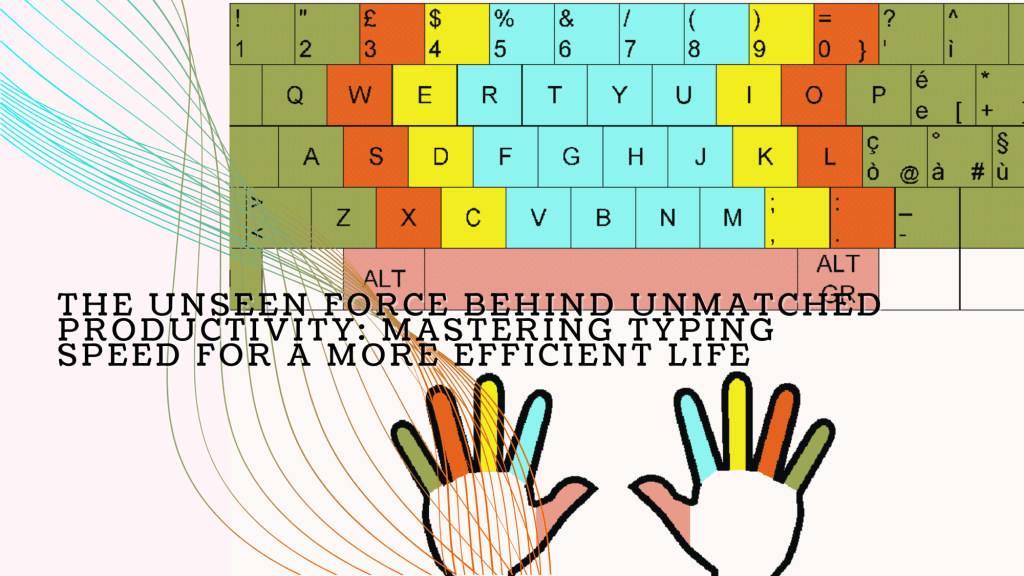
    1. Master Touch Typing: Touch typing is the practice of typing without looking at the keyboard, relying instead on muscle memory. This technique is essential for increasing both speed and accuracy, as it allows you to keep your eyes on the screen and your mind on the content, rather than on finding the right keys. Online resources like TypingClub and Ratatype offer structured lessons designed to help you master touch typing at your own pace.
    2. Regular, Focused Practice: As with any skill, regular practice is crucial for improvement. Set aside at least 10-15 minutes a day for typing exercises. Start with simple sentences or familiar phrases to build confidence, then gradually increase the complexity of the text as your skills improve. Over time, you’ll notice a significant increase in both your typing speed and accuracy.
    3. Prioritize Accuracy Over Speed: While speed is important, it should never come at the expense of accuracy. Begin by typing at a comfortable pace, focusing on minimizing errors. As you become more comfortable with the keyboard and build muscle memory, your speed will naturally increase without sacrificing accuracy.
    4. Optimize Your Workspace and Equipment: The tools you use can have a significant impact on your typing performance. Ensure that your keyboard is comfortable and responsive, with keys that suit your typing style. Some people find that mechanical keyboards, which offer tactile feedback, help them type faster, while others prefer the low-profile keys of a laptop keyboard. Additionally, make sure your workspace is ergonomically set up, with your keyboard positioned at a height that allows your wrists to remain straight and your fingers to move freely.
    5. Learn and Utilize Keyboard Shortcuts: Keyboard shortcuts are a powerful way to enhance your typing efficiency. Familiarize yourself with common shortcuts for your operating system and the software you use most frequently. These shortcuts can save you time and reduce the need for mouse navigation, allowing you to keep your hands on the keyboard and maintain your typing rhythm.
    6. Track and Celebrate Your Progress: Improvement in typing, like any skill, is a gradual process. Regularly take typing tests to measure your progress and adjust your practice routine as needed. Celebrate your milestones, whether it’s achieving a new personal best in speed, improving your accuracy rate, or mastering a challenging typing exercise. These small victories will keep you motivated and focused on your long-term goals.
    The Productivity Payoff: How Fast, Accurate Typing Transforms Your Workday

    Imagine the sheer volume of text you produce in a typical workday. From emails to reports, instant messages to presentations, typing is an integral part of virtually every task you perform. Now, consider the time it takes to type all of this content. By improving your typing speed from 40 WPM to 80 WPM, you effectively double your output. Over the course of a day, this increased efficiency can save you hours—time that can be redirected toward more strategic tasks, personal development, or simply taking a well-deserved break.

    But the benefits of faster typing extend beyond mere time savings. When you can type as quickly as you think, your thoughts flow seamlessly onto the screen. This can lead to more coherent, creative, and high-quality work. Whether you’re brainstorming ideas, drafting a proposal, or coding a new feature, the ability to capture your thoughts in real-time can make your work more fluid and less frustrating.

    Moreover, faster typing can reduce cognitive load, allowing you to focus more on the content of what you’re writing rather than the mechanics of typing. This frees up mental bandwidth for higher-level thinking, such as problem-solving, critical analysis, and creative ideation. In this way, mastering typing is not just about working faster—it’s about working smarter.

    Actionable Steps to Skyrocket Your Typing Skills and Productivity

    Improving your typing skills doesn’t require a massive time investment, but it does require consistent effort. Here are some actionable steps you can take to enhance your typing speed and accuracy, and in turn, boost your productivity:

    1. Commit to Learning Touch Typing: If you haven’t already, make touch typing your top priority. It’s the single most effective way to improve your typing speed and accuracy. Start with just a few minutes a day, and gradually increase your practice time as you become more comfortable with the technique.
    2. Set Incremental Goals: Don’t aim to become a typing maestro overnight. Instead, set realistic, incremental goals, such as improving your typing speed by 5-10 WPM over the next month. Track your progress using online typing tests and adjust your practice routine based on your results.
    3. Incorporate Typing Practice into Your Daily Routine: Just as you would with physical exercise, integrate typing practice into your daily routine. Whether it’s in the morning before you start your workday or during a break, a few minutes of focused practice each day will yield significant long-term benefits.
    4. Seek Out Advanced Typing Challenges: Once you’ve mastered the basics, challenge yourself with more advanced typing exercises. This could include typing passages with complex vocabulary, practicing touch typing in different languages, or working on specific typing skills such as data entry or coding.
    5. Leverage Technology to Support Your Goals: Utilize typing software, apps, and online resources to provide structure and feedback on your progress. Many of these tools offer personalized lessons and exercises tailored to your specific needs, whether you’re focusing on increasing speed, improving accuracy, or mastering keyboard shortcuts. Some popular options include Typing.com, Keybr.com, and Ratatype. These platforms often incorporate gamified elements to keep practice engaging and motivating.
    6. Practice in Real-World Contexts: While structured typing exercises are important, practicing in real-world contexts is equally valuable. Try to incorporate conscious typing practice into your daily work tasks. Whether you’re composing emails, drafting reports, or coding, pay attention to your speed and accuracy. Over time, this mindful approach will help you transfer the skills you’ve developed in practice sessions to your everyday tasks.
    7. Stay Consistent and Patient: Like any skill worth mastering, improving your typing speed and accuracy requires consistency and patience. It’s easy to get discouraged if progress seems slow, but remember that even small improvements add up over time. Stick with your practice routine, celebrate your milestones, and keep your end goal in sight. Over time, you’ll find that your typing skills—and your overall productivity—have significantly improved.
    Conclusion: Typing Speed as the Hidden Driver of Success

    In the quest for higher productivity, we often overlook the small, everyday skills that form the foundation of our work. Typing is one such skill—essential, yet often taken for granted. However, as we’ve explored, mastering typing speed and accuracy can have a profound impact on your efficiency, allowing you to complete tasks faster, communicate more clearly, and ultimately free up time for more meaningful activities.

    By investing time in improving your typing skills, you’re not just working faster; you’re enhancing the quality of your work, reducing cognitive load, and creating more space in your day for creativity, strategic thinking, and the simple pleasures of life. In the end, typing speed is more than just a measure of how quickly you can get words onto a page—it’s a key that unlocks the door to a more productive, balanced, and fulfilling life.

    So, whether you’re a busy professional looking to maximize your efficiency or someone who simply wants to spend less time on mundane tasks and more time enjoying life, improving your typing speed and accuracy is a worthy investment. Start today, stay consistent, and watch as this often-overlooked skill transforms your productivity and enhances your daily life.

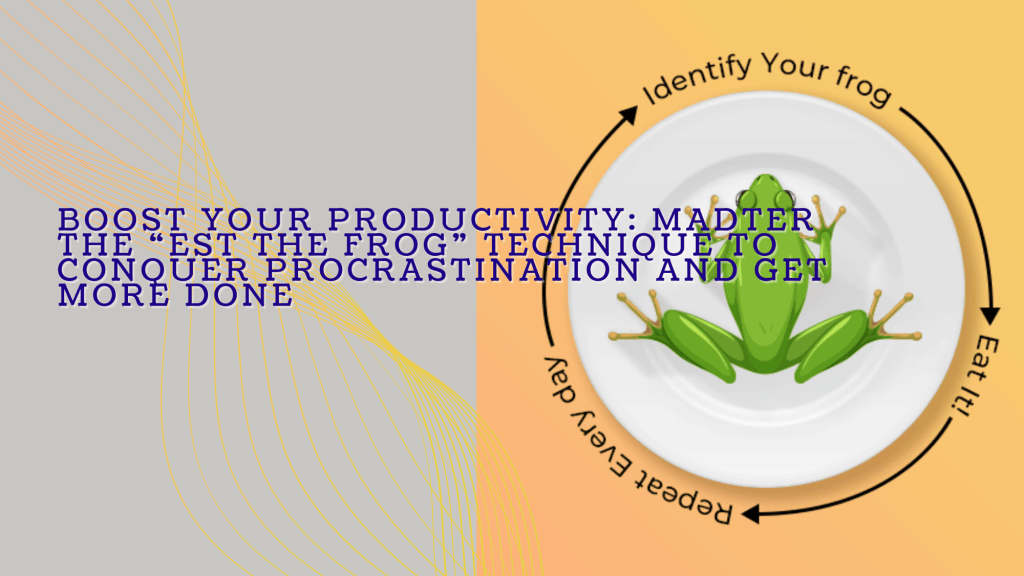
  • Boost your Productivity: Master the „Eat the Frog“ Technique to conquer procrastination and get more done

    Boost your Productivity: Master the „Eat the Frog“ Technique to conquer procrastination and get more done

    Introduction: Embrace Mark Twain’s Timeless Wisdom

    If you have to eat a live frog, do it first thing in the morning, and nothing worse will happen to you for the rest of the day.

    This vivid, slightly shocking advice from the legendary Mark Twain captures the essence of one of the most effective productivity hacks out there: “Eat the Frog.” Twain’s words might make you cringe, but they hold a powerful truth about how we handle our daily tasks and responsibilities.

    What is the “Eat the Frog” Technique?

    The “Eat the Frog” technique is a simple yet powerful productivity method that encourages you to tackle your most daunting task—the one you’re most likely to procrastinate on—first thing in the morning. This “frog” symbolizes the task that, while unpleasant, will have the greatest positive impact on your day, your goals, or your overall success if completed.

    By facing this task head-on, you not only start your day with a significant win, but you also relieve yourself of the mental burden of an unfinished task. This approach clears the way for a more productive, stress-free day.

    The Origins of the “Eat the Frog” Method

    While Mark Twain’s colorful metaphor inspired the idea, it was productivity guru Brian Tracy who popularized the “Eat the Frog” technique in his 2001 book Eat That Frog!. Tracy took Twain’s wisdom and turned it into a practical productivity system that has since helped millions of people around the world to overcome procrastination and achieve more.

    Tracy’s method is straightforward: identify your biggest, most important task for the day and do it first. By doing so, you set the tone for a highly productive day and ensure that you’re making progress on what truly matters.

    How to Use the “Eat the Frog” Technique

    Implementing the “Eat the Frog” technique is easy, but sticking to it requires commitment. Here’s how you can start:

    1. Identify Your Frog
      At the end of each day, pick out the most important and challenging task you need to accomplish the next day. This should be the task that aligns with your long-term goals and has a significant impact on your progress.
    2. Prioritize It
      Make this task your top priority. It should be the first thing you focus on when you start your workday, even before you check emails or attend meetings.
    3. Commit to Completion
      Once you’ve identified your “frog,” commit to getting it done before moving on to anything else. If the task feels overwhelming, break it down into smaller steps, but don’t let yourself get distracted until it’s complete.
    4. Reflect and Repeat
      At the end of the day, take a moment to reflect on your progress. Did you eat your frog? If not, think about what held you back and adjust your approach for tomorrow. If you did, celebrate that win and use the momentum to tackle the next day’s challenges.
    Real-Life Example: How a Project Manager Eats the Frog

    Let’s say you’re a project manager with a critical report due for a high-stakes meeting. The task is complex, requiring you to analyze data, coordinate with your team, and ensure every detail is perfect. It’s tempting to push this off in favor of smaller, easier tasks.

    But if you apply the “Eat the Frog” technique, you’d start your day by diving straight into the report, knocking it out before distractions pile up. By the time your colleagues are just getting into the groove of their day, you’ve already completed your biggest task, freeing you up to handle the rest of your responsibilities with confidence and ease.

    Why the “Eat the Frog” Technique Works: The Advantages

    The “Eat the Frog” technique has some standout benefits that make it a go-to strategy for anyone looking to boost their productivity:

    1. Slashes Procrastination:
      Tackling your most dreaded task first thing helps you avoid the temptation to procrastinate, leading to a more productive day overall.
    2. Builds Momentum:
      Completing a significant task early in the day gives you a sense of accomplishment, which boosts your motivation and energy levels for the rest of the day.
    3. Enhances Focus:
      By concentrating on one challenging task, you improve your ability to focus and work efficiently.
    4. Maximizes Time Management:
      Prioritizing high-impact tasks ensures that your time is spent on activities that deliver the most value, making you a master of time management.
    The Downsides: When “Eat the Frog” Might Not Be for You

    Despite its many benefits, the “Eat the Frog” technique isn’t without its challenges:

    1. Requires Strong Discipline:
      This method demands a high level of self-discipline. It’s easy to slip back into procrastination, especially when the task is particularly difficult.
    2. Risk of Neglecting Smaller Tasks:
      By focusing so intently on your “frog,” you might overlook smaller but still important tasks, potentially leading to delays or bottlenecks later.
    3. May Not Suit Everyone:
      Some people find that they work better by easing into their day with smaller tasks before tackling bigger challenges. For these individuals, the “Eat the Frog” technique might feel too rigid.
    How to Combine “Eat the Frog” with Other Productivity Strategies

    To get the most out of the “Eat the Frog” technique, consider integrating it with other productivity methods:

    • Time Blocking:
      Schedule your “frog” task during your peak productivity hours, ensuring you have uninterrupted time to focus on it.
    • The Pomodoro Technique:
      Break down your “frog” task into 25-minute intervals with short breaks in between. This makes large tasks feel more manageable.
    • The Eisenhower Matrix:
      Use this matrix to identify your “frog” by categorizing tasks based on their urgency and importance. This helps you ensure that your “frog” is both urgent and important, aligning with your priorities.
    Take Action Now: Start Eating the Frog Today

    Now that you know how powerful the “Eat the Frog” technique can be, it’s time to put it into action. Think about the task you’ve been dreading—the one that’s crucial for your success but has been sitting on your to-do list for far too long. Make a commitment to tackle it first thing tomorrow morning.

    As you get more comfortable with this technique, start applying it to larger projects or combining it with other productivity tools. Remember, consistency is key, and the more you practice, the easier it becomes to “eat the frog” every day.

    Conclusion: Take Control of Your Day with the “Eat the Frog” Technique

    The “Eat the Frog” technique is a game-changer for anyone looking to overcome procrastination and boost productivity. By tackling your most challenging task first thing in the morning, you set yourself up for a day of success, reduced stress, and increased momentum. While it requires discipline and might not fit everyone’s work style, its simplicity and effectiveness make it a must-try for anyone serious about getting more done. So, the next time you’re facing a daunting task, remember Mark Twain’s advice and start your day by eating that frog—you’ll be amazed at the results.

  • Mastering Focus: The Art of Batching and How It Can Revolutionize Your Productivity

    Mastering Focus: The Art of Batching and How It Can Revolutionize Your Productivity

    In a world that thrives on multitasking and demands your attention at every turn, productivity can often feel like an elusive goal. We find ourselves bouncing from task to task, checking emails, answering calls, writing reports, attending meetings, all while trying to keep up with a constant stream of notifications. This frenetic pace can leave us exhausted, overwhelmed, and wondering why we never seem to get as much done as we’d hoped.

    But what if there was a way to cut through the noise, regain control of your time, and not just check off your to-do list, but dominate it? Enter the concept of batching—a deceptively simple yet profoundly effective approach to managing your tasks that could be the key to unlocking a new level of productivity.

    The Batching Breakthrough: A Deep Dive into the Concept

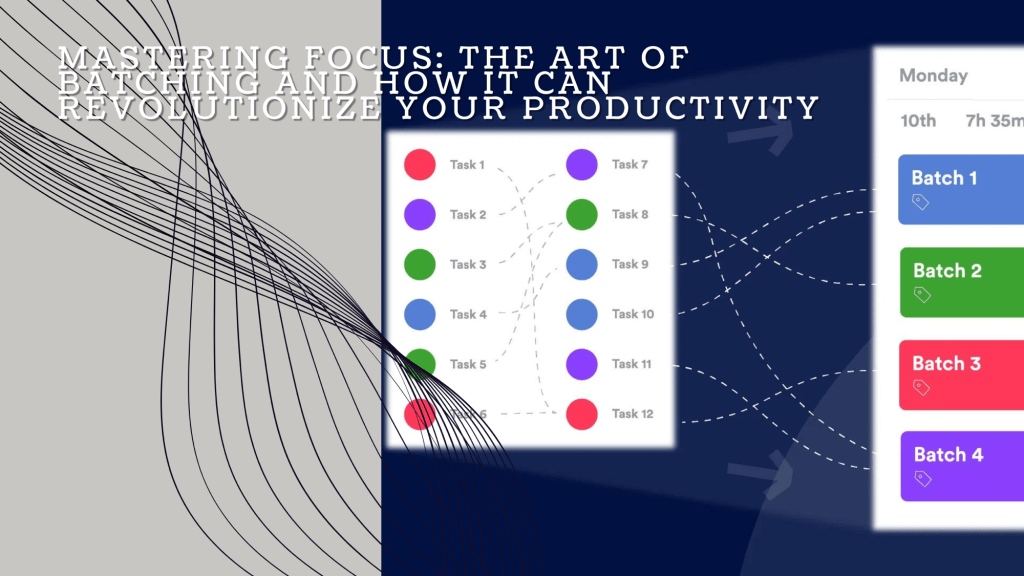
    Batching is more than just a productivity hack; it’s a mindset shift. At its core, batching involves grouping similar tasks together and tackling them in one focused burst, rather than spreading them out throughout your day or week. This method leverages the power of singular focus, allowing you to fully immerse yourself in one type of activity without the mental drain that comes from constantly switching gears.

    The principle behind batching is simple: when you focus on one kind of task for an extended period, your brain becomes more efficient at performing that task. It’s like how athletes train by repeating the same movements until they become second nature. Batching builds that same kind of momentum, enabling you to complete tasks faster and with greater precision.

    Why Batching Works: The Science of Focus and Efficiency

    To understand why batching is so effective, let’s delve into the concept of “context switching.” Each time you shift your attention from one task to another, your brain needs to refocus, recalibrate, and get back up to speed. This cognitive process, known as context switching, is both time-consuming and mentally exhausting. Research suggests that it can take up to 25 minutes to fully regain focus after an interruption. If you’re constantly switching between tasks, those minutes add up quickly, chipping away at your productivity.

    Batching circumvents this problem by allowing you to stay in the same mental mode for longer periods. For example, if you dedicate an hour to answering emails, you’ll likely find yourself in a rhythm where you can process each message more quickly. Contrast this with the typical approach of checking emails sporadically throughout the day, where you’re forced to continually reorient yourself to the task.

    The result? Less time wasted on context switching, more time spent in a state of deep work—a term popularized by productivity expert Cal Newport, which refers to the periods of focused, undistracted work that lead to significant progress.

    Batching in Action: Real-Life Applications and Project Management

    Let’s bring this concept to life with some practical examples:

    Email Management: Instead of letting your inbox dictate your day, set specific times to check and respond to emails. By batching this task, you can prevent your inbox from becoming a constant distraction and maintain focus on more critical work during the rest of the day.

    Content Creation: If you’re a writer, marketer, or content creator, you know the challenge of switching between brainstorming, drafting, editing, and publishing. By batching these activities—such as dedicating one day to brainstorming, another to writing, and another to editing—you can streamline your creative process and produce higher-quality content.

    Administrative Work: Filing, invoicing, scheduling, and other administrative tasks can eat up your day if left unchecked. Batching these activities into a specific block of time each week allows you to power through them quickly, freeing up mental space for more strategic work.

    But the power of batching doesn’t stop at individual tasks. It can have a profound impact on how you manage projects as well.

    Batching for Project Management: Streamlining Complexity

    Projects, by their nature, involve a myriad of tasks, often spread across different phases and requiring input from various team members. Managing these tasks effectively can be a challenge, particularly when team members are constantly pulled in different directions. This is where batching can offer significant benefits.

    1. Phase-Based Batching: One effective approach is to batch tasks according to the phase of the project. For example, during the planning phase, focus solely on tasks related to research, resource allocation, and timeline development. By batching all planning-related activities together, you can create a strong foundation for the project, reducing the likelihood of oversights that could derail progress later.

    2. Role-Based Batching: Projects often require contributions from team members with different roles—designers, developers, marketers, etc. By batching tasks by role, you ensure that each team member can work uninterrupted on their specific contributions. For instance, all design tasks could be batched into one or two weeks, followed by a development phase. This approach not only improves efficiency but also fosters better collaboration, as team members can focus on delivering their best work within their domain.

    3. Feedback Batching: One of the biggest productivity killers in project management is the constant flow of feedback and revisions. Instead of addressing feedback piecemeal, batch it into specific review sessions. This allows the team to focus on implementing changes all at once, rather than being constantly interrupted by ongoing revisions.

    The Benefits of Batching: Beyond Efficiency

    The advantages of batching extend beyond just getting more done in less time. Here’s how batching can transform your approach to work:

    Enhanced Focus: By eliminating the need to switch between tasks, you can maintain a higher level of concentration, allowing you to complete tasks with greater accuracy and creativity.

    Better Time Management: Batching helps you structure your day or week more effectively, ensuring that you allocate enough time to high-priority tasks without getting bogged down by less important activities.

    Reduced Stress: When you know that similar tasks are grouped together, you can approach your work with a sense of order and control, rather than feeling overwhelmed by a disorganized to-do list.

    Increased Satisfaction: Completing a batch of tasks provides a tangible sense of accomplishment, which can boost your motivation and drive to tackle the next challenge.

    A Call to Action: How to Implement Batching Today

    The concept of batching is simple, but implementing it effectively requires a deliberate approach. Here’s how to get started:

    1. Identify Batchable Tasks: Start by making a list of your regular tasks and identifying those that can be grouped together. Look for tasks that are similar in nature, require a similar type of thinking, or can be completed in a single session.

    2. Create a Batching Schedule: Allocate specific blocks of time in your daily or weekly schedule for your batches. For example, you might dedicate Monday mornings to content creation, Wednesday afternoons to meetings, and Fridays to administrative work.

    3. Minimize Distractions: During your batching sessions, eliminate distractions as much as possible. Turn off notifications, close unrelated tabs, and let others know you’re unavailable. This will help you maintain focus and get into a flow state.

    4. Review and Adjust: After a few weeks of batching, take the time to review your process. Are you seeing improvements in your productivity? Are there tasks that could be batched more effectively? Adjust your approach as needed to maximize the benefits.

    Conclusion: Take Control of Your Productivity

    In a world where distractions are constant and time is precious, batching offers a powerful solution for those looking to regain control of their productivity. By grouping similar tasks together and focusing on them in dedicated blocks of time, you can reduce the mental load of context switching, improve your focus, and ultimately, get more done in less time.

    The next time you find yourself overwhelmed by a never-ending to-do list, remember the power of batching. Start small, experiment with different approaches, and see how this simple yet effective strategy can transform the way you work. Whether you’re managing personal tasks or leading a complex project, batching has the potential to elevate your productivity to new heights.

    So why not give it a try? Start batching today and take the first step toward a more focused, efficient, and satisfying workday.

  • Mastering Leadership and Personal Accountability: Lessons from Extreme Ownership by Jocko Willink and Leif Babin

    Mastering Leadership and Personal Accountability: Lessons from Extreme Ownership by Jocko Willink and Leif Babin

    Introduction: The Power of Extreme Ownership

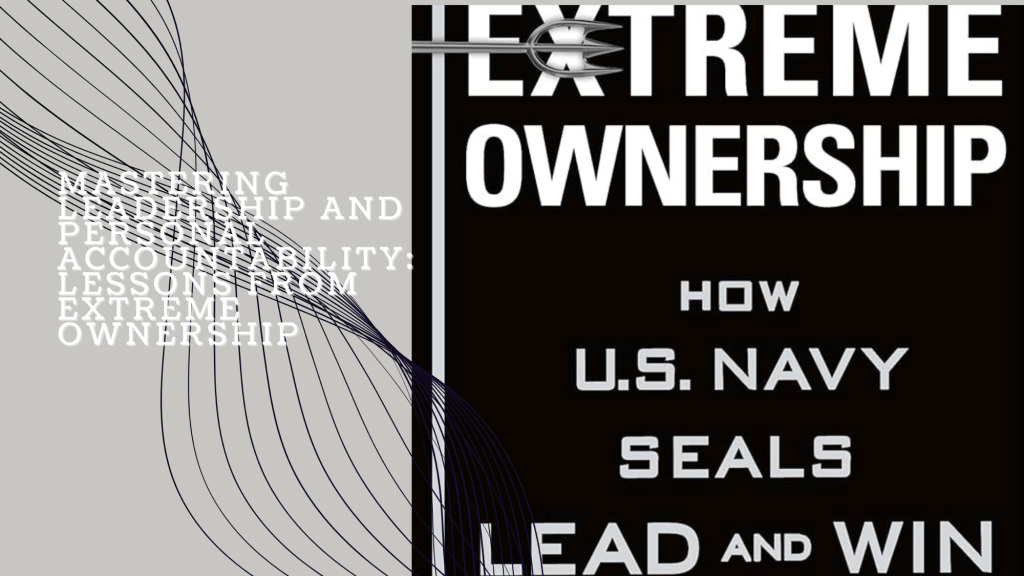
    Extreme Ownership: How U.S. Navy SEALs Lead and Win is a compelling guide to leadership, co-authored by Jocko Willink and Leif Babin, two highly decorated U.S. Navy SEALs. Drawing on their experiences in the battlefield, particularly during the Iraq War, the authors present a set of leadership principles that are as relevant in the boardroom as they are in combat. These principles revolve around the concept of “extreme ownership”—the idea that a leader must take full responsibility for everything within their domain, from successes to failures. The book is divided into three sections—Winning the War Within, Laws of Combat, and Sustaining Victory—each offering insights that can be applied to any leadership challenge, whether in business, personal life, or creative projects.

    Meet the Authors: Jocko Willink and Leif Babin

    Before delving into the principles of Extreme Ownership, it’s important to understand the backgrounds of its authors, Jocko Willink and Leif Babin.

    Jocko Willink served for 20 years as a U.S. Navy SEAL, eventually reaching the rank of Lieutenant Commander. He was the commander of Task Unit Bruiser, the most decorated special operations unit of the Iraq War. Willink’s leadership on the battlefield was defined by his unyielding commitment to the principles that would later be outlined in Extreme Ownership. After retiring from the military, he co-founded Echelon Front, a leadership consultancy, and has become a prominent speaker, author, and the host of the popular “Jocko Podcast,” where he discusses leadership, discipline, and personal growth.

    Leif Babin also served as a Navy SEAL officer and was the platoon commander in Task Unit Bruiser. His leadership during some of the toughest battles in Ramadi, Iraq, honed his understanding of what it takes to lead a team to victory. After his military service, Babin co-founded Echelon Front with Willink and has since dedicated his career to teaching leadership strategies to a wide range of organizations. Both Willink and Babin continue to influence leaders worldwide through their books, consulting work, and speaking engagements.

    The Core Principles of Extreme Ownership

    The essence of *Extreme Ownership* is encapsulated in several key principles, each of which is supported by real-world examples from the authors’ military experience. These principles are not only crucial for military leaders but also for anyone in a leadership position, including those managing design projects or creative teams.

    1. Extreme Ownership

    Principle: Leaders must own everything in their sphere of influence. There is no room for blame-shifting; every failure and success reflects the leader’s ability to guide their team.

    Example in Project Management: Imagine a project manager overseeing a branding project. If the final design fails to meet the client’s expectations, instead of blaming the designer, the project manager should reflect on how they could have provided better guidance or clearer feedback during the process. By owning the outcome, the project manager can identify areas for improvement and avoid similar issues in the future.

    2. There Are No Bad Teams, Only Bad Leaders

    Principle: A team’s performance is a direct reflection of its leadership. Effective leaders can turn even underperforming teams into high-functioning units.

    Example: Suppose a design team consistently misses deadlines. Instead of attributing this to a lack of skill or motivation among team members, the project manager should evaluate their own role. Are they setting realistic deadlines, providing adequate resources, and fostering a supportive environment? By adjusting their approach, the project manager can transform the team’s productivity.

    3. Believe

    Principle: A leader must fully believe in the mission or project. This belief fuels commitment and enables the leader to inspire the same level of dedication in their team.

    Example: If a project manager is tasked with leading a rebranding effort but is skeptical about the new direction, their lack of enthusiasm can permeate the team. However, if they take the time to understand the strategic vision and align themselves with the goals, they can then convey this belief to the team, driving collective effort and creativity.

    4. Check the Ego

    Principle: Ego can be a leader’s worst enemy, clouding judgment and preventing effective decision-making. Leaders must remain humble, open to feedback, and willing to admit mistakes.

    Example: During a design review, the client suggests changes that conflict with the project manager’s vision. Instead of letting ego drive the decision to dismiss these suggestions, the project manager should objectively assess their merit. This humility can lead to a more refined and successful final product.

    5. Cover and Move

    Principle: Teams must work together, supporting each other to achieve the mission. Silos and lack of communication can lead to failure, while collaboration ensures success.

    Example: A project manager must ensure that all parts of a design project—such as research, design, and development—are working in sync. If one team falls behind, the manager should facilitate support from other teams to keep the project on track, ensuring that every phase progresses together.

    6. Simple

    Principle: Complexity can be the enemy of execution. Leaders should simplify plans and communicate them clearly to avoid confusion and ensure that everyone understands their role.

    Example: In a complex project with multiple moving parts, the project manager should break down the project plan into simple, actionable steps. Clear, straightforward instructions help the team focus on what needs to be done without getting lost in unnecessary details.

    7. Prioritize and Execute

    Principle: Leaders must identify the most critical tasks and tackle them first. Trying to do everything at once can lead to paralysis by analysis; focus is key.

    Example: When faced with a tight deadline, the project manager should prioritize essential tasks like finalizing the design concept before moving on to less critical elements. This approach ensures that the project’s core objectives are met, even if adjustments have to be made later.

    8. Decentralized Command

    Principle: Leaders should empower their team members to make decisions within their areas of expertise. This not only builds trust but also allows the team to be more responsive and agile.

    Example: In a design project, the project manager can delegate creative decisions to the lead designer, trusting their expertise while maintaining overall project coordination. This empowers the team and allows the project to move forward without bottlenecks.

    How Project Managers Can Benefit from Extreme Ownership

    Implementing the principles of *Extreme Ownership* can significantly enhance a project manager’s effectiveness and accelerate their career growth. Here’s how:

    Strengthened Leadership: Embracing extreme ownership leads to more decisive, proactive leadership. Project managers who take full responsibility for their projects are better positioned to anticipate challenges and navigate their teams toward success.

    Better Team Cohesion: Encouraging decentralized command and fostering a collaborative environment helps build stronger, more cohesive teams. This not only improves project outcomes but also boosts morale and engagement.

    Increased Efficiency: Simplifying processes and prioritizing tasks ensure that projects are executed efficiently, reducing the risk of delays and cost overruns. This kind of operational excellence is highly valued in any organization.

    Continuous Personal Improvement: Leaders who check their ego and remain open to feedback are more likely to grow in their roles. This commitment to self-improvement makes project managers more adaptable and capable, enhancing their long-term career prospects.

    Key Takeaways for Personal Productivity Optimization

    Extreme Ownership offers several powerful lessons for personal productivity:

    Total Accountability: Owning every aspect of your work makes you more focused and motivated to achieve your goals.

    Simplicity: Breaking down tasks into simpler, more manageable steps increases efficiency and reduces the risk of feeling overwhelmed.

    Effective Prioritization: Focusing on the most important tasks first ensures that you’re always working on what matters most, leading to better outcomes.

    Ego Management: By keeping your ego in check, you remain open to learning and growth, which is crucial for long-term success.

    Conclusion: Embrace Extreme Ownership for Lasting Success

    Extreme Ownership is more than just a book on leadership; it’s a transformative approach to how you manage both others and yourself. By adopting these principles, you can lead your team more effectively, achieve better results in your projects, and continually improve your personal productivity.

    Call to Action: Implementing the Principles of Extreme Ownership

    Ready to take your leadership and personal productivity to the next level? Here’s how you can start:

    1. Read the Book: Make reading Extreme Ownership your first step. The insights within are invaluable for anyone looking to enhance their leadership capabilities.
    2. Reflect and Apply: Identify areas in your current projects or life where you can begin to apply these principles. Start with extreme ownership—take responsibility for every aspect of your work.
    3. Simplify and Prioritize: Review your current workload and streamline it. Focus on the tasks that will have the most impact and ensure they’re done right.
    4. Stay Accountable: Set up a system to keep yourself accountable. Whether through regular self-assessment, journaling, or checking in with a mentor, make sure you’re consistently applying what you’ve learned.

    By taking these steps, you’ll not only see immediate improvements in your professional life but also set the foundation for ongoing personal and leadership development.