Tag: project management

  • Tough Lessons in Project Management: What ‘If You’re Gonna Be Stupid, You Gotta Be Tough’ Teaches Us About Leadership

    Tough Lessons in Project Management: What ‘If You’re Gonna Be Stupid, You Gotta Be Tough’ Teaches Us About Leadership

    It’s a phrase that’s equal parts funny, blunt, and uncomfortably true: “If you’re gonna be stupid, you gotta be tough.” Popularized by author John Grisham, this quote has become a tongue-in-cheek anthem for everyone who’s ever learned something the hard way. While it might sound like the punchline to a bar story, it’s also quietly profound—especially if you’re managing complex projects, tight timelines, and high-stakes outcomes.

    Let’s be honest: in project management, no matter how skilled you are, mistakes happen. Bad calls are made. Sometimes you skip a process to save time, only to watch things go sideways weeks later. In those moments, toughness isn’t a bonus—it’s a survival skill.

    In this article, we’ll explore what this gritty little quote can teach us about leadership, accountability, and how to build teams that get stronger with every challenge.

    What the Quote Really Means

    On the surface, “If you’re gonna be stupid, you gotta be tough” is a jab at people who make reckless choices and then suffer the consequences. But let’s break it down:

    “Stupid” doesn’t necessarily mean intellectually lacking — it often means acting without foresight, rushing decisions, or ignoring best practices. “Tough” means resilient, adaptive, and strong enough to fix the mess you created without giving up.

    It’s not just about enduring pain. It’s about learning fast, bouncing back, and owning your part in what went wrong. In the project management world, that mindset is priceless.

    5 Project Management Lessons Hidden in the Quote
    1. Risk Ignored is Pain Deferred

    We’ve all been tempted to fast-track a project by skipping the risk register or brushing off stakeholder alignment. After all, what’s the worst that could happen?

    Plenty.

    When we ignore potential risks, we’re not eliminating them — we’re simply deferring the pain. A minor oversight in the early stages can balloon into a full-blown crisis in execution. The tough project manager isn’t just a fire-fighter; they’re a risk-spotter who prevents the fire in the first place.

    Pro tip: Build in a “pre-mortem” at project kickoff. Ask your team, “If this project failed six months from now, what went wrong?” Then plan to prevent those scenarios.

    2. Toughness is a Core Competency

    Every project faces bumps: budget overruns, vendor delays, last-minute scope changes. What separates good PMs from great ones is how they handle adversity.

    Toughness doesn’t mean powering through with brute force. It means staying calm under pressure, navigating politics with grace, and keeping the team focused when things go wrong. It’s about emotional resilience, not ego.

    When the pressure’s on, your team will look to you. Be the calm in the storm.

    3. Don’t Confuse Hustle with Strategy

    Too many project managers wear their stress as a badge of honor — working nights, sending emails at 2 a.m., fixing problems caused by bad planning.

    That’s not leadership. That’s burnout.

    Being “tough” shouldn’t be about cleaning up after poor decisions. It should be about preventing them with smart strategy and clear priorities. Hustle is overrated if it’s compensating for a lack of structure.

    Remember: Your job isn’t to suffer through the chaos. It’s to design a system that avoids chaos in the first place.

    4. Own Your Mistakes Publicly and Early

    Project leaders who try to hide or deflect mistakes often create a toxic culture of blame. The best PMs do the opposite: they own their decisions, admit errors early, and invite their teams into the solution.

    This creates trust, accelerates course correction, and models what real accountability looks like.

    Toughness isn’t about pretending to be perfect. It’s about being honest and brave enough to lead through imperfection.

    5. Learn Fast or Repeat Pain

    Pain is a great teacher — if you let it be.

    After every project (especially the messy ones), carve out time for a “lessons learned” session. Not just to document what went wrong, but to implement changes in your process, team culture, or decision-making criteria.

    Every mistake is a tuition payment. Make sure you get your degree.

    Tools to Prevent ‘Stupid’ Decisions

    The good news? We’re not at the mercy of trial and error. Project management offers powerful tools to reduce the “stupid” and strengthen the “tough”:

    1. RAID Logs (Risks, Assumptions, Issues, Dependencies): Keep your threats visible and manageable.
    2. Decision Logs: Track why certain paths were chosen — it helps defend your logic later and improve future calls.
    3. Stakeholder Maps: Identify who needs to be involved before surprises happen.
    4. Psychological Safety: Create a culture where team members can challenge bad decisions before they turn into costly problems.
    5. Retrospectives: Don’t just look back — plan forward with the insights gained.
    The Upside: Why Toughness Builds Legendary PMs

    We tend to remember great project managers not for their smoothest projects, but for how they handled the toughest ones. When the stakes were high, the budget was low, and everything went wrong — they showed up with calm, clarity, and courage.

    Toughness, in this sense, isn’t brute strength. It’s emotional intelligence, proactive leadership, and the refusal to let a bad day become a bad outcome.

    Every crisis you manage well increases your influence and trust capital. Toughness is the seed of leadership growth.

    Closing Thoughts: Embrace the Quote, But Don’t Live By It

    The quote “If you’re gonna be stupid, you gotta be tough” should make you laugh — but also think. Yes, it’s a reminder that toughness is vital. But the real win is minimizing the “stupid” decisions through systems, foresight, and humility.

    Don’t make toughness your only strategy. Make preparation, reflection, and clarity your daily habits — and let toughness be your last line of defense, not your first.

    Call to Action

    Think back to your last project misstep — what would’ve helped you avoid it? A clearer plan? A stronger team conversation? A simple checklist?

    Take one step today to tighten your process — and make life a little less tough down the road.

  • How to Set and Achieve SMART Goals: The Ultimate Guide to Boosting Productivity for Busy Professionals

    How to Set and Achieve SMART Goals: The Ultimate Guide to Boosting Productivity for Busy Professionals

    As a busy professional, you’re constantly juggling multiple tasks, managing teams, and keeping up with corporate processes. Whether you’re a project manager or a knowledge worker, your schedule is packed, and there’s little time for wasted effort. That’s where goal-setting comes in. But not just any goals—SMART goals.

    Setting SMART goals isn’t just a productivity hack. It’s a proven method for staying focused, driving progress, and achieving results. So, let’s dive into how you can set SMART goals that will skyrocket your productivity.

    What Are SMART Goals?

    Before you start setting goals, it’s important to understand what SMART goals actually are. SMART stands for:

    • Specific: Your goal should be clear and unambiguous. What exactly do you want to achieve?
    • Measurable: Ensure you can track progress. How will you know when you’ve achieved your goal?
    • Achievable: Your goal should be realistic. Do you have the resources to meet it?
    • Relevant: Your goal should align with your larger objectives, both personal and professional.
    • Time-bound: There should be a clear deadline to create urgency and prevent procrastination.

    Why are SMART goals so effective for busy professionals? Because they force you to think through the details, clarify your intentions, and avoid vague, overwhelming objectives that leave you directionless.

    How to Set SMART Goals for Maximum Productivity

    Ready to create goals that will help you achieve more with less effort? Follow these steps to set SMART goals that drive productivity:

    1. Clarify the Goal’s Specific Outcome
      • Focus on what you want to achieve. Instead of “Improve team communication,” a specific goal could be “Increase weekly team meetings from 30 to 60 minutes to improve project updates.”
    2. Define How Success Will Be Measured
      • Break down the key performance indicators (KPIs). In the example above, you might measure success by tracking whether meetings happen on time and whether they lead to more efficient project updates.
    3. Assess Feasibility and Resources
      • Ask yourself, “Do I have the necessary time, tools, and support to achieve this goal?” If not, adjust your goal or timeline.
    4. Ensure the Goal is Aligned with Broader Objectives
      • Your goals should support your overall professional objectives. For instance, if improving communication helps with project efficiency, that aligns with your team’s core business goals.
    5. Set a Deadline
      • Without a deadline, goals can drift. Create urgency by committing to a realistic yet challenging timeline. Aim for a set date, like “Increase meeting time by 30 minutes within the next four weeks.”

    Take Action Now: Grab a notebook or open your task manager, and start crafting your first SMART goal for the week. Write it down! You’ll remember it better and stay more committed.

    Integrating SMART Goals into Corporate Processes and Projects

    Setting SMART goals isn’t just for individual productivity—it can be a game-changer at the team or organizational level. Here’s how to integrate SMART goals into corporate processes:

    • Align with Company Objectives: Ensure that your goals contribute to the bigger picture. If your company is focused on increasing productivity, set SMART goals that support this—whether it’s improving team processes or reducing inefficiencies.
    • Collaborate with Your Team: When your personal goals align with team objectives, it helps build a cohesive approach. Discuss SMART goals with your team and ensure they understand how they contribute to project success.
    • Fit SMART Goals into Project Management Frameworks: Whether you’re using Agile, Scrum, or traditional project management, SMART goals can be tailored to fit the framework. Break down large project goals into smaller, SMART goals for each phase.

    Engage with Your Team: Start a meeting with a discussion on how each team member’s SMART goals align with the overall project objectives. This encourages collaboration and focus.

    Tracking and Measuring Progress Towards SMART Goals

    Setting goals is only the first step—tracking progress is just as important. Without consistent monitoring, you’ll never know if you’re on track to achieve your goals.

    Here are a few ways to track progress effectively:

    • Use Project Management Tools: Tools like Trello, Asana, or Monday.com are perfect for setting and tracking SMART goals on both an individual and team level. Set up milestones and deadlines within these tools for easy tracking.
    • Daily or Weekly Check-ins: Stay accountable by reviewing your goals daily or weekly. Assess what you’ve achieved, what’s on track, and what needs adjustment. If you find yourself off-track, reset your focus and identify the necessary actions.
    • Celebrate Small Wins: As you meet milestones, take time to celebrate. Small victories keep you motivated and maintain momentum.

    Pro Tip: Use a simple spreadsheet or digital checklist to visualize your progress. Seeing your tasks ticked off is highly motivating.

    The Impact of SMART Goals on Individual and Team Productivity

    SMART goals don’t just help individuals—they drive team-wide productivity. Here’s how:

    • Individual Productivity: Having a clear, focused goal reduces distractions and enhances concentration. Instead of feeling overwhelmed by a large project, you have a clear task to focus on, which boosts efficiency.
    • Team Collaboration: When everyone has clear, aligned goals, teams work more efficiently. There’s less duplication of effort, better communication, and stronger accountability, which drives results.
    • Project Success: A project driven by SMART goals has clear deliverables, timelines, and measurable results. This leads to higher chances of success and faster project completion.

    Take a Moment to Reflect: Think about one major project you’re currently working on. How could breaking it down into SMART goals improve its success rate?

    Overcoming Common Challenges in Goal Setting and Execution

    While SMART goals are powerful, you may encounter challenges along the way:

    • Avoiding Overwhelm: It’s easy to feel overwhelmed when managing multiple SMART goals. Focus on one goal at a time, and break larger goals into smaller, bite-sized steps.
    • Staying Adaptable: Be ready to adjust goals as circumstances change. For example, if a key team member leaves or a resource becomes unavailable, you may need to tweak your goals to reflect the new reality.
    • Dealing with Distractions: With so many competing demands, staying focused can be tough. Prioritize your goals and set boundaries around your time to avoid interruptions.

    Challenge Yourself: Review your current goals—do they align with your SMART framework? If not, refine them today.


    Achieving Success Through SMART Goals

    SMART goals are the cornerstone of productivity for busy professionals. They provide clarity, focus, and a sense of direction amidst a hectic schedule. By setting, tracking, and achieving SMART goals, you can drive personal and team success in a structured, manageable way.

    Remember: It’s not about setting as many goals as possible, but setting the right ones and staying committed to achieving them. Start with one SMART goal this week, and watch how it transforms your productivity and focus.

    Ready to Take Action? Go ahead and set your first SMART goal for the week. Write it down, break it down into actionable steps, and track your progress. You’ve got this!

  • Top 10 Project Management Tools to Streamline Your Workflow

    Top 10 Project Management Tools to Streamline Your Workflow

    In today’s fast-paced work environment, effective project management is more important than ever. The right tools not only streamline workflow but also empower teams to be more productive and organized. With countless options available, finding the right tool can be overwhelming. Here’s a rundown of the top 10 project management tools and how they can help you stay on top of your projects.

    1. Trello
    Pros:
    • Visual task management through an intuitive board system.
    • Great for collaboration across small to mid-sized teams.
    • Simple to use with drag-and-drop functionality.
    Cons:
    • Lacks advanced project management features.
    • Limited reporting and tracking capabilities compared to other tools.
    Best Use Case:

    Trello is ideal for teams that need a visual overview of tasks. Using a Kanban system, you can easily track work progress from “To Do” to “Done.” Pairing Trello with automation (via Power-Ups) can eliminate repetitive tasks, making your workflow more efficient.

    2. Asana
    Pros:
    • Customizable workflows and task automation.
    • Timelines, task dependencies, and reporting tools.
    • Easy to manage complex projects and assign tasks.
    Cons:
    • Can be overwhelming for beginners due to its feature richness.
    • Limited offline functionality.
    Best Use Case:

    For teams looking to manage multiple projects simultaneously, Asana’s automation features help streamline repetitive tasks. Use timelines and task dependencies to ensure that everyone is on the same page and that deadlines are met.

    3. Jira
    Pros:
    • Ideal for software development teams working in Agile.
    • Excellent for tracking issues, bugs, and tasks.
    • Comprehensive reporting for sprints, backlogs, and workflows.
    Cons:
    • Not beginner-friendly.
    • Overwhelming for non-technical teams.
    Best Use Case:

    Jira is perfect for teams using Scrum or Kanban methodologies. You can create custom workflows for software development, from sprint planning to issue tracking. Jira’s integration with GitHub or Bitbucket makes it a favorite among developers.

    4. Monday.com
    Pros:
    • Custom workflows and task tracking.
    • Visual and user-friendly interface.
    • Seamless integration with tools like Slack, Google Drive, and more.
    Cons:
    • Can get expensive for large teams.
    • Limited advanced reporting features.
    Best Use Case:

    For teams that want visual project tracking with the flexibility to customize workflows. Monday.com’s integrations and automations allow you to track project progress in real-time and ensure no tasks slip through the cracks.

    5. Smartsheet
    Pros:
    • Combines spreadsheet capabilities with project management.
    • Excellent for managing large datasets and generating detailed reports.
    • Powerful automation features and real-time dashboards.
    Cons:
    • Less intuitive for non-spreadsheet users.
    • Requires some technical knowledge to maximize its potential.
    Best Use Case:

    Trello is ideal for teams that need a visual overview of tasks. Using a Kanban system, you can easily track work progress from “To Do” to “Done.” Pairing Trello with automation (via Power-Ups) can eliminate repetitive tasks, making your workflow more efficient.

    1. Trello
    Pros:
    • Visual task management through an intuitive board system.
    • Great for collaboration across small to mid-sized teams.
    • Simple to use with drag-and-drop functionality.
    Cons:
    • Lacks advanced project management features.
    • Limited reporting and tracking capabilities compared to other tools.
    Best Use Case:

    Smartsheet is a perfect fit for teams that rely heavily on data and spreadsheets. Its automation and reporting features allow you to track progress and generate reports easily, especially for larger, data-driven projects.

    6. ClickUp
    Pros:
    • Customizable with a broad range of features (task management, document collaboration, and goal tracking).
    • Provides time tracking, timelines, and resource management.
    • All-in-one platform that reduces the need for multiple tools.
    Cons:
    • Learning curve due to its feature-heavy interface.
    • Some users may find it cluttered.
    Best Use Case:

    ClickUp works for teams that need a customizable project management tool that combines task management, documentation, and goals into one platform. ClickUp’s flexibility can be tailored to any team’s workflow.

    7. Wrike
    Pros:
    • Real-time project updates, task tracking, and collaboration.
    • Detailed reporting, including resource and budget tracking.
    • Easy team communication with file-sharing and messaging.
    Cons:
    • Limited customization options.
    • May become expensive for large teams.
    Best Use Case:

    Wrike is excellent for teams juggling multiple projects at once. Use its real-time dashboard and task-tracking features to ensure projects stay on track and deadlines are met.

    8. Microsoft Project
    Pros:
    • Powerful for planning and scheduling projects.
    • Advanced resource management and budgeting features.
    • Can handle complex dependencies and timelines.
    Cons:
    • Complex interface that requires training.
    • Expensive, particularly for smaller teams.
    Best Use Case:

    Best for teams working on large, complex projects with many moving parts. Microsoft Project’s advanced planning and scheduling tools ensure that resources are allocated efficiently and deadlines are met.

    9. Notion
    Pros:
    • Flexible platform combining note-taking, databases, and task management.
    • Great for knowledge sharing and collaborative project planning.
    • Clean, minimalistic interface.
    Cons:
    • Can be challenging for teams managing complex projects.
    • Limited task automation.
    Best Use Case:

    Notion is best for creative teams that need a flexible space for brainstorming, note-taking, and organizing project tasks. It’s also excellent for knowledge sharing and documentation.

    10. Basecamp
    Pros:
    • Simple interface with task lists, file sharing, and messaging.
    • Ideal for teams needing basic project tracking and communication.
    • Affordable pricing for small businesses.
    Cons:
    • Lacks advanced project management features.
    • No built-in time tracking or advanced reporting.
    Best Use Case:

    Basecamp is ideal for small to mid-sized teams that need a simple, easy-to-use project management tool. Its communication features (such as message boards) help teams stay connected without over-complicating the workflow.

    Maximizing the Benefit from Any Tool

    Regardless of the tool you choose, here are some systems you can apply across all platforms for maximum benefit:

    1. Automation: Many tools, like Asana, Monday.com, and Smartsheet, offer automation for recurring tasks. Use this to reduce repetitive tasks and save time.
    2. Task Dependencies: Tools like Microsoft Project, ClickUp, and Asana allow you to set task dependencies, ensuring that teams work on the right tasks at the right time.
    3. Dashboards and Reporting: Real-time dashboards in Wrike, Smartsheet, or ClickUp help you monitor project progress in one glance, while reporting tools keep stakeholders updated.
    4. Communication Integration: Integrating your project management tools with communication platforms like Slack (available in Monday.com and Trello) keeps team collaboration smooth.
    A Way Forward: Combining Tools for Maximum Efficiency

    If you’re managing multiple complex projects, you might need more than one tool to meet all your needs. Here are some combinations worth considering:

    • Trello + Slack: For small teams that thrive on collaboration and visual task tracking, combining Trello with Slack creates an efficient, communicative workspace.
    • Jira + Confluence: For software development teams, Jira’s task tracking paired with Confluence’s documentation features offers a comprehensive project management suite.
    • Asana + Google Workspace: For teams that need file sharing and seamless document collaboration, Asana combined with Google Drive ensures smooth integration.
    • ClickUp + Zoom: If you run remote teams, ClickUp’s task management combined with Zoom for communication ensures tasks are on track while keeping teams connected.
    Conclusion

    Choosing the right project management tool can revolutionize how your team operates. Whether you’re a small startup using Trello for task tracking or a large enterprise using Microsoft Project for managing multiple project timelines, understanding the pros and cons of each tool will help you make the best decision. Start with your team’s specific needs, and don’t be afraid to combine tools to create the perfect workflow for your projects.

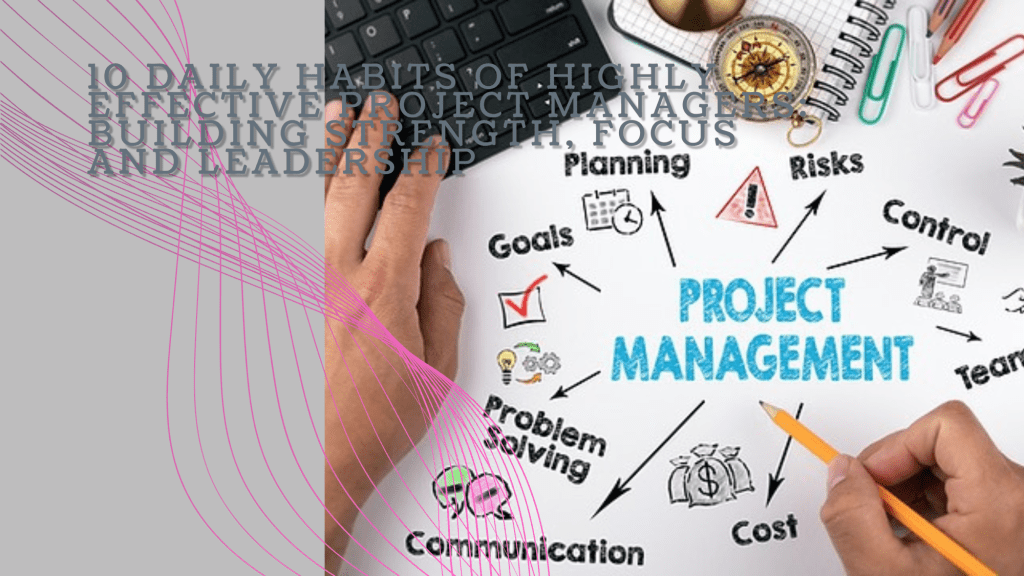
  • 10 Daily Habits of Highly Effective Project Managers: Building Strength, Focus, and Leadership

    10 Daily Habits of Highly Effective Project Managers: Building Strength, Focus, and Leadership

    Imagine this: it’s 5:30 AM, and Mark, a seasoned project manager, is already awake, gearing up for another intense day. His mornings start in the gym—lifting weights, pushing his body to its limits. Mark knows that the mental strength required to manage complex projects starts with physical discipline. Every rep he completes sharpens his focus for the day ahead. But there’s more to Mark’s success than his early morning workout routine. Over time, he’s developed a set of habits that boost his productivity and strengthen his leadership skills.

    Years ago, Sarah, another project manager, found herself constantly overwhelmed. Her days felt like a never-ending scramble, filled with back-to-back meetings and unplanned crises. But like Mark, she discovered the power of daily habits, ones that help her stay organized, calm, and in control. Today, Sarah manages projects with precision, delivering results with confidence. Let’s explore the 10 habits that have helped both Mark and Sarah thrive in their roles.

    1. Start with Physical Strength Training

    Mark’s day begins with physical training. Every morning, he heads to the gym for strength training. This ritual not only keeps him physically fit but also clears his mind. Lifting weights and pushing his body forces him to focus, which translates into sharper decision-making and stress management at work. He knows that a strong body builds a strong mind.

    Sarah, on the other hand, might not lift weights, but she starts her day with yoga and meditation. This calm, mindful practice helps her center herself before diving into the whirlwind of project management. The mental clarity it provides allows her to tackle the day’s challenges with grace and focus. Whether through strength training or yoga, both Mark and Sarah find that starting the day with physical exercise sharpens their mental resilience.

    2. Plan the Night Before

    Sarah’s evenings are just as intentional as her mornings. Before she wraps up her workday, she sets aside time to review her to-do list and plan for tomorrow. By the time she finishes, her mind is clear, and she knows exactly what to tackle first thing in the morning. This habit gives her peace of mind and prevents the morning scramble.

    Similarly, Mark has a habit of laying out his next day’s game plan the night before. He prioritizes key tasks and prepares his workspace, making sure nothing catches him off guard. When he wakes up, he feels in control, knowing that the day’s agenda is set. For both Mark and Sarah, this nightly routine keeps them organized and ready to hit the ground running each day.

    3. Embrace the Two-Minute Rule

    Mark lives by the Two-Minute Rule. If a task can be completed in less than two minutes—whether it’s responding to a quick email or approving a document—he handles it immediately. This habit stops minor tasks from piling up, keeping his workload light and manageable.

    Sarah, too, knows the value of handling quick tasks on the spot. Early in her career, she often felt bogged down by small, unfinished tasks that interrupted her flow. Now, by quickly addressing these minor issues as they arise, she frees up her time and energy for more important, strategic work. Both Mark and Sarah understand that small actions taken immediately prevent future distractions.

    4. Prioritize Deep Work

    Sarah carves out time every day for what she calls her “deep work” sessions. During these hours, she immerses herself in complex tasks that require her full attention—whether it’s strategic planning, reviewing critical reports, or brainstorming solutions. She blocks out distractions, turns off notifications, and focuses entirely on the work that truly matters.

    Mark follows the same principle. His deep work sessions are his most productive times of the day, allowing him to dive into key aspects of his projects without interruptions. He knows that staying in the zone during these moments leads to real progress. For both of them, deep work is where they solve the toughest problems and make the biggest strides.

    5. Leverage the Power of Delegation

    Early in her career, Sarah tried to do everything herself, thinking that being a strong leader meant handling every detail. But as she grew into her role, she learned that effective leadership is about empowering others. Now, she trusts her team to take ownership of their tasks, giving her more time to focus on the bigger picture.

    Mark had a similar realization. Once a hands-on manager who couldn’t let go of control, he now excels at delegating to his team. By trusting them with important responsibilities, he not only lightens his load but also helps his team grow and develop. Both Mark and Sarah have learned that great leaders don’t do it all—they build teams that can.

    6. Communicate with Purpose

    Mark understands the power of clear communication. He’s direct and concise, ensuring that every meeting and conversation serves a purpose. By communicating efficiently, he keeps his team aligned and on track, minimizing misunderstandings and ensuring everyone knows what’s expected.

    Sarah takes a similar approach. Instead of getting bogged down in long, unproductive meetings, she keeps her communication focused and intentional. Whether she’s sending a quick update or leading a strategy session, Sarah makes sure that her words are clear and impactful. Both Mark and Sarah know that effective communication is the key to keeping projects moving smoothly.

    7. Set Aside Time for Reflection

    At the end of each day, Sarah takes a few moments to reflect on her successes and challenges. She asks herself what went well, what could have been done better, and what she learned. This daily reflection helps her continuously improve, making subtle adjustments to her leadership style and project management techniques.

    Mark is no different. He’s made it a habit to end each day by reflecting on his performance. Whether it’s during his drive home or while unwinding after dinner, he considers what worked, where he faced difficulties, and how he can improve tomorrow. For both Sarah and Mark, these moments of reflection provide the self-awareness needed to grow as leaders.

    8. Adopt a Growth Mindset

    Sarah believes that challenges are opportunities to grow. Instead of fearing mistakes, she embraces them as part of the learning process. She’s constantly seeking out new knowledge, attending workshops, reading books, and staying curious. This growth mindset allows her to adapt quickly and stay ahead in a fast-changing environment.

    Mark shares this philosophy. He’s not afraid to push boundaries, experiment with new project management techniques, or ask for feedback. Like Sarah, he understands that continuous learning is the key to staying effective. Both of them know that a growth mindset is essential for long-term success in project management.

    9. Master Time Blocking

    Mark is disciplined about time blocking. He breaks his day into focused chunks—one for meetings, another for deep work, and yet another for handling administrative tasks. This structured approach helps him maximize productivity and prevent his day from being consumed by distractions.

    Sarah also uses time blocking to stay organized. She schedules specific time slots for focused work, meetings, and even personal breaks. By assigning each task its own dedicated block of time, she keeps her day structured and efficient. For both Mark and Sarah, time blocking ensures that their most important work gets the attention it deserves.

    10. End the Day with Gratitude

    At the end of the day, Sarah takes a moment to celebrate her wins. Whether it’s completing a project milestone or simply navigating a challenging conversation, she ends her day by recognizing the progress she and her team have made. This habit keeps her motivated and reminds her of the positive impact she’s having.

    Mark also ends his day on a note of gratitude. He reflects on what went well and appreciates the efforts of his team. Gratitude, he’s found, helps him stay grounded and focused on the bigger picture. Both Mark and Sarah believe that ending the day with appreciation fuels the energy and optimism needed for success.

    Conclusion: A Blueprint for Success

    Mark and Sarah have different approaches, but their success comes from the same core principle: consistent daily habits. These small but powerful routines shape their leadership, boost their productivity, and help them manage projects with confidence and clarity. From physical training to daily reflection, their habits create a strong foundation for growth.

    By adopting these habits, you too can elevate your project management skills and lead with purpose. Success doesn’t happen overnight—it’s built one habit at a time. Like Mark and Sarah, you can create the systems that allow you to thrive, delivering exceptional results in every project you lead.

  • 10 Proven Techniques to Boost Your Daily Productivity: A Guide for Project Managers

    10 Proven Techniques to Boost Your Daily Productivity: A Guide for Project Managers

    Project management is a demanding profession that requires juggling multiple tasks, deadlines, and team dynamics. With so many moving parts, maintaining high productivity levels can be challenging. However, by employing proven techniques, you can enhance your daily productivity and lead your projects to successful completion. Below are ten actionable strategies tailored to the day-to-day work of a project manager.

    1. Prioritize with the Eisenhower Matrix

    As a project manager, your to-do list can quickly become overwhelming. The Eisenhower Matrix helps you prioritize tasks by categorizing them into four quadrants:

    • Urgent and important: Tasks you must do immediately.
    • Important but not urgent: Tasks to schedule for later.
    • Urgent but not important: Tasks to delegate.
    • Neither urgent nor important: Tasks to eliminate.

    By focusing on what’s truly important, you can ensure that critical tasks receive your attention while less vital ones don’t consume your time.

    2. Embrace Time Blocking

    Time blocking involves scheduling specific blocks of time for different tasks or activities throughout your day. For project managers, this could mean allocating time for team meetings, project planning, stakeholder communication, and deep work sessions. By dedicating time to these activities, you minimize context-switching, which can drain your energy and reduce efficiency.

    3. Leverage Project Management Tools

    Modern project management tools like Asana, Trello, or Microsoft Project can be game-changers for productivity. These tools help you manage tasks, track progress, and collaborate with your team in real-time. They also offer features like Gantt charts, time tracking, and automated reminders, ensuring that nothing slips through the cracks.

    4. Implement the Two-Minute Rule

    The two-minute rule is simple: if a task can be completed in two minutes or less, do it immediately. For project managers, this might involve quick email responses, approving small requests, or updating a project status. By handling these quick tasks right away, you prevent them from piling up and cluttering your to-do list.

    5. Practice the Pomodoro Technique

    The Pomodoro Technique is a time management method where you work for 25 minutes and then take a five-minute break. After four “Pomodoros,” take a longer break of 15-30 minutes. This technique helps maintain focus and productivity while preventing burnout. For project managers, using this technique can be particularly useful during periods of intense focus, such as when creating project plans or conducting performance reviews.

    6. Delegate Effectively

    Effective delegation is key to a project manager’s productivity. Identify tasks that can be handled by your team members, and delegate accordingly. This not only frees up your time to focus on high-priority tasks but also empowers your team, fosters trust, and enhances their professional development. Use delegation tools within your project management software to track delegated tasks and ensure accountability.

    7. Conduct Regular Stand-Up Meetings

    Daily stand-up meetings, or “scrums,” are brief check-ins with your team that last no longer than 15 minutes. These meetings help ensure that everyone is on the same page, address any roadblocks, and keep the project moving forward. By keeping them short and focused, you maintain momentum without bogging down your day with lengthy discussions.

    8. Automate Routine Tasks

    Automation can significantly boost your productivity by handling repetitive tasks. As a project manager, you can automate reporting, reminders, or even communication updates using tools like Zapier or built-in automation features in your project management software. This reduces the manual workload, allowing you to focus on more strategic activities.

    9. Set Clear Goals and Milestones

    Setting clear, measurable goals and milestones is essential for maintaining productivity. Break down large projects into smaller tasks with specific deadlines. This not only makes the project more manageable but also provides a sense of progress and accomplishment as you complete each milestone. Clear goals also help you stay aligned with your overall project objectives and reduce the risk of scope creep.

    10. Reflect and Adjust

    At the end of each day or week, take time to reflect on what you accomplished, what challenges you faced, and how you can improve. This practice allows you to adjust your strategies, refine your approach, and continuously improve your productivity. Regular reflection also helps you stay aware of your workload and prevents burnout.

    Conclusion

    For project managers, balancing multiple responsibilities while maintaining high productivity is crucial. By implementing these ten proven techniques, you can streamline your workflow, enhance your efficiency, and ensure that your projects are delivered on time and within scope. Remember, productivity is not about doing more in less time—it’s about focusing on what truly matters and delivering value to your team and stakeholders.