Tag: project management skills

  • Tough Lessons in Project Management: What ‘If You’re Gonna Be Stupid, You Gotta Be Tough’ Teaches Us About Leadership

    Tough Lessons in Project Management: What ‘If You’re Gonna Be Stupid, You Gotta Be Tough’ Teaches Us About Leadership

    It’s a phrase that’s equal parts funny, blunt, and uncomfortably true: “If you’re gonna be stupid, you gotta be tough.” Popularized by author John Grisham, this quote has become a tongue-in-cheek anthem for everyone who’s ever learned something the hard way. While it might sound like the punchline to a bar story, it’s also quietly profound—especially if you’re managing complex projects, tight timelines, and high-stakes outcomes.

    Let’s be honest: in project management, no matter how skilled you are, mistakes happen. Bad calls are made. Sometimes you skip a process to save time, only to watch things go sideways weeks later. In those moments, toughness isn’t a bonus—it’s a survival skill.

    In this article, we’ll explore what this gritty little quote can teach us about leadership, accountability, and how to build teams that get stronger with every challenge.

    What the Quote Really Means

    On the surface, “If you’re gonna be stupid, you gotta be tough” is a jab at people who make reckless choices and then suffer the consequences. But let’s break it down:

    “Stupid” doesn’t necessarily mean intellectually lacking — it often means acting without foresight, rushing decisions, or ignoring best practices. “Tough” means resilient, adaptive, and strong enough to fix the mess you created without giving up.

    It’s not just about enduring pain. It’s about learning fast, bouncing back, and owning your part in what went wrong. In the project management world, that mindset is priceless.

    5 Project Management Lessons Hidden in the Quote
    1. Risk Ignored is Pain Deferred

    We’ve all been tempted to fast-track a project by skipping the risk register or brushing off stakeholder alignment. After all, what’s the worst that could happen?

    Plenty.

    When we ignore potential risks, we’re not eliminating them — we’re simply deferring the pain. A minor oversight in the early stages can balloon into a full-blown crisis in execution. The tough project manager isn’t just a fire-fighter; they’re a risk-spotter who prevents the fire in the first place.

    Pro tip: Build in a “pre-mortem” at project kickoff. Ask your team, “If this project failed six months from now, what went wrong?” Then plan to prevent those scenarios.

    2. Toughness is a Core Competency

    Every project faces bumps: budget overruns, vendor delays, last-minute scope changes. What separates good PMs from great ones is how they handle adversity.

    Toughness doesn’t mean powering through with brute force. It means staying calm under pressure, navigating politics with grace, and keeping the team focused when things go wrong. It’s about emotional resilience, not ego.

    When the pressure’s on, your team will look to you. Be the calm in the storm.

    3. Don’t Confuse Hustle with Strategy

    Too many project managers wear their stress as a badge of honor — working nights, sending emails at 2 a.m., fixing problems caused by bad planning.

    That’s not leadership. That’s burnout.

    Being “tough” shouldn’t be about cleaning up after poor decisions. It should be about preventing them with smart strategy and clear priorities. Hustle is overrated if it’s compensating for a lack of structure.

    Remember: Your job isn’t to suffer through the chaos. It’s to design a system that avoids chaos in the first place.

    4. Own Your Mistakes Publicly and Early

    Project leaders who try to hide or deflect mistakes often create a toxic culture of blame. The best PMs do the opposite: they own their decisions, admit errors early, and invite their teams into the solution.

    This creates trust, accelerates course correction, and models what real accountability looks like.

    Toughness isn’t about pretending to be perfect. It’s about being honest and brave enough to lead through imperfection.

    5. Learn Fast or Repeat Pain

    Pain is a great teacher — if you let it be.

    After every project (especially the messy ones), carve out time for a “lessons learned” session. Not just to document what went wrong, but to implement changes in your process, team culture, or decision-making criteria.

    Every mistake is a tuition payment. Make sure you get your degree.

    Tools to Prevent ‘Stupid’ Decisions

    The good news? We’re not at the mercy of trial and error. Project management offers powerful tools to reduce the “stupid” and strengthen the “tough”:

    1. RAID Logs (Risks, Assumptions, Issues, Dependencies): Keep your threats visible and manageable.
    2. Decision Logs: Track why certain paths were chosen — it helps defend your logic later and improve future calls.
    3. Stakeholder Maps: Identify who needs to be involved before surprises happen.
    4. Psychological Safety: Create a culture where team members can challenge bad decisions before they turn into costly problems.
    5. Retrospectives: Don’t just look back — plan forward with the insights gained.
    The Upside: Why Toughness Builds Legendary PMs

    We tend to remember great project managers not for their smoothest projects, but for how they handled the toughest ones. When the stakes were high, the budget was low, and everything went wrong — they showed up with calm, clarity, and courage.

    Toughness, in this sense, isn’t brute strength. It’s emotional intelligence, proactive leadership, and the refusal to let a bad day become a bad outcome.

    Every crisis you manage well increases your influence and trust capital. Toughness is the seed of leadership growth.

    Closing Thoughts: Embrace the Quote, But Don’t Live By It

    The quote “If you’re gonna be stupid, you gotta be tough” should make you laugh — but also think. Yes, it’s a reminder that toughness is vital. But the real win is minimizing the “stupid” decisions through systems, foresight, and humility.

    Don’t make toughness your only strategy. Make preparation, reflection, and clarity your daily habits — and let toughness be your last line of defense, not your first.

    Call to Action

    Think back to your last project misstep — what would’ve helped you avoid it? A clearer plan? A stronger team conversation? A simple checklist?

    Take one step today to tighten your process — and make life a little less tough down the road.

  • Top 10 Project Management Tools to Streamline Your Workflow

    Top 10 Project Management Tools to Streamline Your Workflow

    In today’s fast-paced work environment, effective project management is more important than ever. The right tools not only streamline workflow but also empower teams to be more productive and organized. With countless options available, finding the right tool can be overwhelming. Here’s a rundown of the top 10 project management tools and how they can help you stay on top of your projects.

    1. Trello
    Pros:
    • Visual task management through an intuitive board system.
    • Great for collaboration across small to mid-sized teams.
    • Simple to use with drag-and-drop functionality.
    Cons:
    • Lacks advanced project management features.
    • Limited reporting and tracking capabilities compared to other tools.
    Best Use Case:

    Trello is ideal for teams that need a visual overview of tasks. Using a Kanban system, you can easily track work progress from “To Do” to “Done.” Pairing Trello with automation (via Power-Ups) can eliminate repetitive tasks, making your workflow more efficient.

    2. Asana
    Pros:
    • Customizable workflows and task automation.
    • Timelines, task dependencies, and reporting tools.
    • Easy to manage complex projects and assign tasks.
    Cons:
    • Can be overwhelming for beginners due to its feature richness.
    • Limited offline functionality.
    Best Use Case:

    For teams looking to manage multiple projects simultaneously, Asana’s automation features help streamline repetitive tasks. Use timelines and task dependencies to ensure that everyone is on the same page and that deadlines are met.

    3. Jira
    Pros:
    • Ideal for software development teams working in Agile.
    • Excellent for tracking issues, bugs, and tasks.
    • Comprehensive reporting for sprints, backlogs, and workflows.
    Cons:
    • Not beginner-friendly.
    • Overwhelming for non-technical teams.
    Best Use Case:

    Jira is perfect for teams using Scrum or Kanban methodologies. You can create custom workflows for software development, from sprint planning to issue tracking. Jira’s integration with GitHub or Bitbucket makes it a favorite among developers.

    4. Monday.com
    Pros:
    • Custom workflows and task tracking.
    • Visual and user-friendly interface.
    • Seamless integration with tools like Slack, Google Drive, and more.
    Cons:
    • Can get expensive for large teams.
    • Limited advanced reporting features.
    Best Use Case:

    For teams that want visual project tracking with the flexibility to customize workflows. Monday.com’s integrations and automations allow you to track project progress in real-time and ensure no tasks slip through the cracks.

    5. Smartsheet
    Pros:
    • Combines spreadsheet capabilities with project management.
    • Excellent for managing large datasets and generating detailed reports.
    • Powerful automation features and real-time dashboards.
    Cons:
    • Less intuitive for non-spreadsheet users.
    • Requires some technical knowledge to maximize its potential.
    Best Use Case:

    Trello is ideal for teams that need a visual overview of tasks. Using a Kanban system, you can easily track work progress from “To Do” to “Done.” Pairing Trello with automation (via Power-Ups) can eliminate repetitive tasks, making your workflow more efficient.

    1. Trello
    Pros:
    • Visual task management through an intuitive board system.
    • Great for collaboration across small to mid-sized teams.
    • Simple to use with drag-and-drop functionality.
    Cons:
    • Lacks advanced project management features.
    • Limited reporting and tracking capabilities compared to other tools.
    Best Use Case:

    Smartsheet is a perfect fit for teams that rely heavily on data and spreadsheets. Its automation and reporting features allow you to track progress and generate reports easily, especially for larger, data-driven projects.

    6. ClickUp
    Pros:
    • Customizable with a broad range of features (task management, document collaboration, and goal tracking).
    • Provides time tracking, timelines, and resource management.
    • All-in-one platform that reduces the need for multiple tools.
    Cons:
    • Learning curve due to its feature-heavy interface.
    • Some users may find it cluttered.
    Best Use Case:

    ClickUp works for teams that need a customizable project management tool that combines task management, documentation, and goals into one platform. ClickUp’s flexibility can be tailored to any team’s workflow.

    7. Wrike
    Pros:
    • Real-time project updates, task tracking, and collaboration.
    • Detailed reporting, including resource and budget tracking.
    • Easy team communication with file-sharing and messaging.
    Cons:
    • Limited customization options.
    • May become expensive for large teams.
    Best Use Case:

    Wrike is excellent for teams juggling multiple projects at once. Use its real-time dashboard and task-tracking features to ensure projects stay on track and deadlines are met.

    8. Microsoft Project
    Pros:
    • Powerful for planning and scheduling projects.
    • Advanced resource management and budgeting features.
    • Can handle complex dependencies and timelines.
    Cons:
    • Complex interface that requires training.
    • Expensive, particularly for smaller teams.
    Best Use Case:

    Best for teams working on large, complex projects with many moving parts. Microsoft Project’s advanced planning and scheduling tools ensure that resources are allocated efficiently and deadlines are met.

    9. Notion
    Pros:
    • Flexible platform combining note-taking, databases, and task management.
    • Great for knowledge sharing and collaborative project planning.
    • Clean, minimalistic interface.
    Cons:
    • Can be challenging for teams managing complex projects.
    • Limited task automation.
    Best Use Case:

    Notion is best for creative teams that need a flexible space for brainstorming, note-taking, and organizing project tasks. It’s also excellent for knowledge sharing and documentation.

    10. Basecamp
    Pros:
    • Simple interface with task lists, file sharing, and messaging.
    • Ideal for teams needing basic project tracking and communication.
    • Affordable pricing for small businesses.
    Cons:
    • Lacks advanced project management features.
    • No built-in time tracking or advanced reporting.
    Best Use Case:

    Basecamp is ideal for small to mid-sized teams that need a simple, easy-to-use project management tool. Its communication features (such as message boards) help teams stay connected without over-complicating the workflow.

    Maximizing the Benefit from Any Tool

    Regardless of the tool you choose, here are some systems you can apply across all platforms for maximum benefit:

    1. Automation: Many tools, like Asana, Monday.com, and Smartsheet, offer automation for recurring tasks. Use this to reduce repetitive tasks and save time.
    2. Task Dependencies: Tools like Microsoft Project, ClickUp, and Asana allow you to set task dependencies, ensuring that teams work on the right tasks at the right time.
    3. Dashboards and Reporting: Real-time dashboards in Wrike, Smartsheet, or ClickUp help you monitor project progress in one glance, while reporting tools keep stakeholders updated.
    4. Communication Integration: Integrating your project management tools with communication platforms like Slack (available in Monday.com and Trello) keeps team collaboration smooth.
    A Way Forward: Combining Tools for Maximum Efficiency

    If you’re managing multiple complex projects, you might need more than one tool to meet all your needs. Here are some combinations worth considering:

    • Trello + Slack: For small teams that thrive on collaboration and visual task tracking, combining Trello with Slack creates an efficient, communicative workspace.
    • Jira + Confluence: For software development teams, Jira’s task tracking paired with Confluence’s documentation features offers a comprehensive project management suite.
    • Asana + Google Workspace: For teams that need file sharing and seamless document collaboration, Asana combined with Google Drive ensures smooth integration.
    • ClickUp + Zoom: If you run remote teams, ClickUp’s task management combined with Zoom for communication ensures tasks are on track while keeping teams connected.
    Conclusion

    Choosing the right project management tool can revolutionize how your team operates. Whether you’re a small startup using Trello for task tracking or a large enterprise using Microsoft Project for managing multiple project timelines, understanding the pros and cons of each tool will help you make the best decision. Start with your team’s specific needs, and don’t be afraid to combine tools to create the perfect workflow for your projects.

  • Mastering the Art of a Project Kick-Off: Your Blueprint for Success

    Mastering the Art of a Project Kick-Off: Your Blueprint for Success

    A project kick-off meeting is like the launchpad of a rocket — everything needs to be perfectly aligned for a smooth takeoff. This pivotal moment sets the stage for the entire project, making it crucial to get it right from the start. Whether you’re launching a new product, implementing a software solution, or planning an event, a well-executed kick-off meeting can ignite momentum, foster collaboration, and lay down the foundation for success. Let’s dive into the steps for preparing and conducting an impactful kick-off meeting, explore the skills every project manager needs to shine, and consider how the meeting format — whether in-person, hybrid, or remote — can influence the outcome.

    1. Setting the Stage: How to Prepare Like a Pro
    Get to Know Your Project Inside Out

    Imagine trying to sell a product you barely know. Impossible, right? The same goes for your project. Before the kick-off meeting, immerse yourself in the project’s scope, objectives, deliverables, timeline, and stakeholders. Picture yourself as the project’s ambassador—your job is to articulate the vision so clearly that everyone in the room buys into it.

    Craft a Crystal-Clear Agenda

    A kick-off meeting without an agenda is like a road trip without a map—you might get somewhere, but it won’t be where you intended. Your agenda is your navigation tool. It should be straightforward, covering:

    • Welcome and introductions: Start on a warm note.
    • Project overview: Lay out the mission and the vision.
    • Roles and responsibilities: Who’s doing what?Timeline and milestones: When’s it all happening?
    • Communication plan: How will you stay in touch?
    • Risk management: What could go wrong, and how will you handle it?
    • Q&A session: Time to address any uncertainties.

    Share this agenda with all participants well in advance, so they come prepared.

    Engage Key Stakeholders Early

    Ever heard the saying, “An ounce of prevention is worth a pound of cure”? Engaging stakeholders before the kick-off can save you from potential roadblocks later on. Reach out to understand their expectations, concerns, and any key insights they might have. This will help you tailor the meeting to address their needs and ensure their buy-in from the get-go.

    Set Up for Success: Tools and Materials

    Depending on whether your meeting is in-person, hybrid, or remote, make sure you have all the necessary tools in place. For an in-person meeting, book a comfortable room, prepare any visuals, and ensure technical equipment is ready to go. For hybrid or remote meetings, ensure your video conferencing software is reliable, test the internet connection, and distribute all digital materials ahead of time.

    Communicate the Why

    Don’t just invite people — sell them on the importance of the kick-off. Explain why this meeting matters, what you hope to achieve, and why their participation is critical. This builds anticipation and ensures that everyone comes ready to contribute.

    2. Running the Show: Conducting a Kick-Off Meeting That Energizes Your Team
    Kick Off with Energy and Enthusiasm

    Start your meeting with a positive, welcoming introduction. If you can infuse some excitement, do it—your energy sets the tone for the rest of the session. Think of it like warming up before a big game; it gets everyone in the right mindset.

    Make the Project Overview Engaging

    Don’t just read off a slide—tell a story. Share the project’s background, its importance, and what success will look like. Use visuals, real-world examples, or analogies to make the information relatable and engaging.

    Clarify Roles with Precision

    Avoid the dreaded “it’s not my job” scenario by clearly defining roles and responsibilities. Go around the room (or the virtual room) and make sure everyone knows who’s responsible for what. This clarity helps prevent overlap and ensures that all tasks are covered.

    Timeline and Milestones: The Roadmap to Success

    Present the timeline in a way that’s easy to digest. Break it down into key milestones and emphasize any critical paths or dependencies. This not only helps the team understand the schedule but also underscores the importance of meeting deadlines.

    Nail Down the Communication Plan

    Communication can make or break a project. Explain how you’ll keep everyone in the loop — whether it’s through weekly check-ins, status reports, or a project management tool like Trello or Asana. The goal is to ensure that information flows smoothly and that everyone knows where to go for updates.

    Address Risks Head-On

    No project is without risks, but by addressing them upfront, you can prevent them from derailing your efforts. Encourage the team to voice any concerns and work together to brainstorm solutions. This proactive approach builds confidence and fosters a problem-solving mindset.

    Foster Engagement and Open Dialogue

    Throughout the meeting, encourage participation. Ask questions, invite feedback, and make sure everyone’s voice is heard. This not only builds engagement but also helps surface any issues that need to be addressed before they become bigger problems.

    Wrap Up with a Bang: Summary and Next Steps

    End your meeting with a clear summary of what was discussed and what comes next. Reinforce the key takeaways, and make sure everyone knows what their immediate tasks are. This ensures that the momentum from the meeting carries forward into action.

    3. The Project Manager’s Secret Sauce: Must-Have Skills for a Standout Kick-Off

    To deliver a kick-off meeting that’s both effective and inspiring, you’ll need to bring your A-game in several key areas:

    • Communication: The Glue That Holds It All Together
      Your ability to communicate clearly and persuasively is critical. You need to convey complex information in a way that’s easy to understand, while also inspiring and motivating your team.
    • Organization: Keeping It All Together
      A successful kick-off meeting is a well-organized one. From the agenda to the follow-up, your ability to keep everything on track is crucial. Good organization shows your team that you’re in control and that the project is in capable hands.
    • Leadership: Guiding the Team to Victory
      As the project manager, you’re the captain of the ship. Your leadership skills—how you motivate, manage, and guide your team—are key to setting the project off on the right foot.
    • Emotional Intelligence: The People Factor
      Projects are about people as much as they are about tasks. Understanding and managing emotions, both yours and your team’s, helps in resolving conflicts, building trust, and maintaining a positive work environment.
    • Tech Savvy: Leveraging Tools for Success
      Whether it’s project management software or video conferencing tools, being comfortable with technology is essential. The better you are at using these tools, the smoother your kick-off meeting will run, especially in hybrid or remote settings.
    4. In-Person, Hybrid, or Remote? Tailoring Your Approach for Each Format
    • In-Person Meetings: Leveraging Face-to-Face Interaction
      In-person kick-offs are great for building rapport and trust. They allow for spontaneous interaction and easier collaboration. For these meetings, make sure the environment is conducive to open discussion and that all necessary materials are at hand.
    • Hybrid Meetings: Bridging the Gap
      Hybrid meetings require careful planning to ensure that both in-person and remote participants feel equally included. Invest in good technology—like high-quality microphones and cameras—and make sure everyone has access to the same information. Facilitation skills are particularly important here to maintain balance.
    • Remote Meetings: Keeping the Virtual Energy High
      Remote kick-offs are convenient and flexible but can be challenging in terms of engagement. Use interactive tools like polls or breakout rooms to keep participants involved. Be mindful of time zones, and consider recording the meeting for anyone who can’t attend live.
    5. Your Kick-Off Meeting Checklist

    To help you ace your next project kick-off, here’s a handy checklist:

    1. Understand the Project: Know your project’s ins and outs.
    2. Craft a Clear Agenda: Structure your meeting with a focused agenda.
    3. Engage Stakeholders: Get buy-in before the meeting.
    4. Set Up Tools and Materials: Prepare all necessary tools and materials.
    5. Communicate the Purpose: Make sure everyone knows why the meeting matters.
    6. Start Strong: Begin with a positive, energizing introduction.
    7. Present Clearly: Make the project overview engaging and easy to understand.
    8. Clarify Roles: Ensure everyone knows their responsibilities.
    9. Discuss Timeline: Break down key milestones and deadlines.
    10. Outline Communication: Explain how you’ll keep in touch.
    11. Address Risks: Discuss potential risks and mitigation strategies.
    12. Encourage Participation: Make sure everyone’s voice is heard.
    13. Summarize and Assign Next Steps: End with clear action items.

    With this guide and checklist in hand, you’re well on your way to conducting a project kick-off meeting that not only sets the project up for success but also energizes and aligns your team from the very start. Good luck, and go lead that project to victory!

  • The Critical Path Method (CPM) in Project Management: Origins, Application, and Evolution

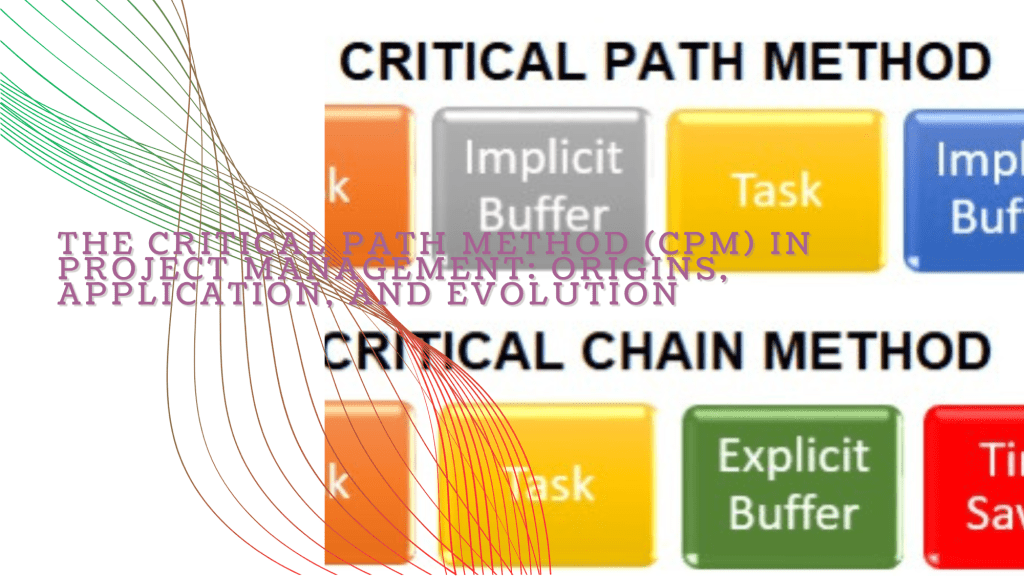
    The Critical Path Method (CPM) in Project Management: Origins, Application, and Evolution

    Introduction

    Project management has evolved over the decades into a refined discipline, integrating complex methodologies that enable the efficient planning, execution, and completion of projects. One of the foundational methodologies in this field is the Critical Path Method (CPM). This article delves into the origins of CPM, its historical context, and its impact on project management. We will explore how it is taught in contemporary academic settings, provide a detailed explanation of its methodology, and discuss its evolution into the Critical Chain Method (CCM). Finally, we will offer practical advice on how to implement these methods effectively in various types of projects.

    Origins and Development of the Critical Path Method

    Remington Rand and Morgan R. Walker of DuPont. The genesis of CPM can be traced to the need for more efficient project management techniques during a time of rapid industrial growth in the United States. The method was initially created to address the scheduling challenges in large, complex projects, particularly in the construction and defense industries.

    James E. Kelley was an engineer and computer scientist who played a significant role in the development of project scheduling techniques. He was instrumental in applying mathematical models to project management, which laid the groundwork for the development of CPM. Morgan R. Walker, on the other hand, was a project engineer at DuPont, where he was involved in developing techniques to streamline production processes. Their collaboration led to the formalization of CPM, which quickly gained traction in industries requiring rigorous scheduling and resource management.

    Notable Applications:

    1. Polaris Missile Project (1960s): One of the most famous early applications of CPM was in the U.S. Navy’s Polaris missile project. The method helped manage the project’s complexity, involving numerous contractors and schedules, leading to its successful completion ahead of schedule.
    2. Construction of the World Trade Center (1970s): The construction of the World Trade Center in New York utilized CPM to coordinate the numerous contractors and tasks, ensuring that the project remained on schedule.
    The Critical Path Method in Modern Education

    Today, CPM is a staple in the curriculum of business schools and engineering programs. It is typically taught as part of project management courses, where students learn how to plan, schedule, and control projects using CPM. The method’s emphasis on identifying the longest sequence of dependent tasks (the critical path) that determines the project’s minimum completion time is a fundamental concept that students must grasp.

    Educational programs often integrate CPM with software tools like Microsoft Project or Primavera P6, allowing students to visualize and manage project schedules effectively. Case studies are commonly used to illustrate how CPM is applied in real-world scenarios, reinforcing the importance of this method in modern project management.

    Detailed Explanation of the Critical Path Method

    What is the Critical Path? The critical path is the longest sequence of tasks in a project that must be completed on time for the project to be completed by its deadline. This path determines the shortest possible project duration. If any task on the critical path is delayed, the entire project will be delayed.

    Steps to Identify and Visualize the Critical Path:
    1. Break Down the Project into Tasks: List all the tasks required to complete the project. Each task should have a clear beginning and end.
    2. Identify Dependencies: Determine which tasks depend on the completion of others. These dependencies will help in identifying the sequence of tasks.
    3. Estimate Duration: Assign an estimated duration to each task, typically in days or weeks.
    4. Draw the Network Diagram: Create a visual representation of the tasks and their dependencies. This can be done using arrows or lines to connect tasks in the sequence they need to be completed.
    5. Determine the Longest Path: The critical path is the longest path through the network diagram, meaning it has the longest duration. The tasks on this path are the ones that directly impact the project’s finish date.
    6. Monitor and Update the Critical Path: As the project progresses, it is essential to continuously monitor the critical path. Any changes in task durations or dependencies can affect the critical path, and consequently, the project’s completion date.
    Keeping Track of the Critical Path:
    • Gantt Charts: A Gantt chart is a popular tool for visualizing the project schedule, including the critical path. It allows project managers to see which tasks are on the critical path and monitor their progress.
    • CPM Software: Various software tools are available that can automate the process of identifying and tracking the critical path, such as Microsoft Project, Primavera P6, and others.
    The Critical Chain Method (CCM): Evolution of CPM

    The Critical Chain Method (CCM) was developed by Dr. Eliyahu M. Goldratt in the late 1990s as an enhancement to the Critical Path Method. While CPM focuses on task sequences and durations, CCM incorporates resource constraints and variability, making it more flexible and realistic in dealing with uncertainties.

    Key Differences between CPM and CCM:

    Resource Constraints: Unlike CPM, CCM takes into account the availability of resources, ensuring that tasks are scheduled based on when resources are actually available, rather than assuming they are always available.

    Buffer Management: CCM introduces the concept of buffers—additional time added to account for uncertainties in task durations. These buffers are placed strategically to protect the critical chain (the longest sequence of tasks considering resource constraints) from delays.

    Focus on Task Completion: While CPM focuses on starting tasks as early as possible, CCM emphasizes the importance of completing tasks as quickly as possible to avoid cascading delays.

    Applying the Critical Chain Method:
    1. Identify the Critical Chain: Similar to CPM, list all tasks, dependencies, and durations, but also consider resource constraints when identifying the critical chain.
    2. Add Buffers: Add project buffers at the end of the critical chain and feeding buffers at points where non-critical tasks intersect with the critical chain.
    3. Monitor Buffer Consumption: Track the use of buffers to identify potential delays before they impact the project’s completion.
    4. Prioritize Task Completion: Encourage teams to focus on completing tasks quickly, rather than simply starting them early, to minimize delays.
    Conclusion

    The Critical Path Method and its evolution into the Critical Chain Method are powerful tools in project management, particularly for complex, resource-intensive projects. CPM is best suited for projects where task sequences and dependencies are the primary constraints, such as construction or large-scale engineering projects. On the other hand, CCM is more appropriate for projects where resource constraints and variability are significant concerns, such as in software development or research and development projects.

    Tools for Implementing CPM and CCM:

    Software: Microsoft Project, Primavera P6, and Smartsheet for CPM; ProChain and Leankit for CCM.

    Step-by-Step Guide to Implementing CPM/CCM:

    1. Define the Project Scope: Clearly define the project’s objectives, deliverables, and constraints.
    2. Break Down the Project: Decompose the project into manageable tasks.
    3. Identify Dependencies: Determine the relationships between tasks.
    4. Estimate Durations and Resources: Assign time estimates and identify resource needs for each task.
    5. Select the Appropriate Method: Choose between CPM and CCM based on the nature of the project.
    6. Create the Schedule: Develop the project schedule, identifying the critical path or chain.
    7. Monitor Progress and Adjust: Continuously monitor the project’s progress, making adjustments to the schedule as needed to keep the project on track.
    8. Manage Buffers (for CCM): In the case of CCM, carefully manage and monitor buffers to ensure the project remains within its timeline.

    By understanding and applying these methods, project managers can significantly enhance their ability to deliver projects on time and within budget, regardless of the complexity and uncertainty involved.

  • Harnessing the Power of Kanban for Enhanced Productivity and Project Management

    Harnessing the Power of Kanban for Enhanced Productivity and Project Management

    In the relentless pursuit of productivity, professionals are constantly seeking methodologies that offer clarity, efficiency, and a sense of control over their workflows. Enter Kanban, a method that has stood the test of time, evolving from a simple inventory management system to a powerful tool for managing projects across various industries. But what exactly is Kanban, and how can it transform the way you approach work and productivity? This article explores the fascinating origins of Kanban, its application in modern project management, and how you can implement its principles to enhance your daily life, increase visibility, and reduce stress.

    The Origins of Kanban: From Factory Floors to Global Workspaces

    The roots of Kanban stretch back to post-World War II Japan, where the economy was rebuilding, and efficiency was paramount. Toyota, under the visionary leadership of industrial engineer Taiichi Ohno, was looking for ways to streamline production and eliminate waste. Ohno was inspired by a surprising source—American supermarkets. He observed how shelves were restocked only when items were purchased, leading to a lean, demand-driven inventory system. This insight led to the development of Kanban, a word that translates to “signboard” or “visual card” in Japanese, which would become the backbone of Toyota’s just-in-time (JIT) production system.

    Kanban was initially used to control the logistical chain from production through to the delivery of finished products, ensuring that nothing was produced until it was needed. This revolutionary approach reduced costs, minimized waste, and maximized efficiency, propelling Toyota to the forefront of the global automotive industry. Over time, the principles of Kanban have transcended manufacturing, being adopted by knowledge workers in industries as diverse as software development, healthcare, and marketing.

    What is Kanban? A Visual Symphony of Workflow Management

    At its essence, Kanban is a visual workflow management tool designed to help teams visualize work, balance demands with available capacity, and optimize the flow of work items. Picture a board divided into columns that represent different stages of a process—this is the heart of Kanban. Tasks, often represented by cards, move across the board from left to right as they progress through stages such as “To Do,” “In Progress,” and “Done.”

    But Kanban is more than just a board with sticky notes. It embodies a set of core principles that guide how work is approached and completed:

    1. Visualizing the Workflow: The visual aspect of Kanban is perhaps its most powerful feature. By creating a visual map of your tasks and their statuses, you gain immediate insight into the progress and potential bottlenecks. This transparency fosters better communication and collaboration among team members, as everyone can see exactly what needs to be done and what is currently in motion.
    2. Limiting Work in Progress (WIP): One of the biggest productivity killers is multitasking. Kanban combats this by setting strict limits on how much work can be in progress at any given time. By focusing on a smaller number of tasks, you can ensure that each task receives the attention it needs, reducing the likelihood of errors and improving overall quality.
    3. Managing Flow: Kanban encourages a smooth and consistent flow of work. By closely monitoring how tasks move through the workflow, you can identify and address inefficiencies, ensuring that work is completed promptly without unnecessary delays.
    4. Making Process Policies Explicit: For a team to function effectively, everyone must be on the same page. Kanban promotes clarity by making the rules and processes explicit, so there is no confusion about how tasks should be handled or what the priorities are.
    5. Implementing Feedback Loops: Continuous improvement is a cornerstone of Kanban. Regular feedback loops, such as daily stand-ups or retrospective meetings, allow teams to review their progress, address challenges, and make incremental improvements to their workflow.
    6. Improving Collaboratively, Evolving Experimentally: Kanban is inherently flexible. It encourages teams to experiment with their processes, try new approaches, and learn from their experiences. This iterative approach fosters a culture of continuous improvement, where the focus is on finding the best way to achieve the desired outcomes.
    Kanban in Project Management: A Versatile Tool for Diverse Industries

    The adaptability of Kanban has made it a favored methodology in various fields, particularly in project management. Its principles are universal, making it an excellent fit for any industry where work can be visualized and broken down into discrete tasks.

    1. Software Development: In the fast-paced world of software development, where requirements often change mid-project, Kanban provides the flexibility to adapt without disrupting the flow of work. It complements Agile methodologies like Scrum by offering a continuous delivery model that emphasizes the steady flow of features, bug fixes, and updates. This ensures that development teams can maintain momentum without being overwhelmed by shifting priorities.
    2. Marketing: Marketing teams, often juggling multiple campaigns, content calendars, and social media strategies, benefit immensely from Kanban’s visual approach. By mapping out tasks on a Kanban board, teams can see at a glance what content is in the pipeline, what needs approval, and what’s ready to go live. This visibility reduces the risk of missed deadlines and helps ensure that all aspects of a campaign are aligned.
    3. Healthcare: In healthcare, where the stakes are high, and efficiency can impact patient outcomes, Kanban is used to manage everything from patient flow in hospitals to treatment plans. For example, a Kanban board can help a healthcare team track the status of each patient’s treatment, ensuring that critical steps are not overlooked and that care is delivered in a timely manner.
    4. Manufacturing: Kanban’s origins in manufacturing make it particularly well-suited to this industry. Whether managing production schedules, tracking inventory, or coordinating supply chain logistics, Kanban helps ensure that manufacturing processes are efficient, responsive to demand, and free from waste.
    Integrating Kanban Principles into Traditional Project Management

    Even in classically managed projects, which often rely on rigid structures and timelines, Kanban principles can bring significant benefits. The key is to incorporate Kanban’s flexibility and visual management into existing frameworks, enhancing overall efficiency and communication.

    1. Visualizing Complex Projects: Traditional projects often involve multiple teams and numerous interdependent tasks. By using Kanban boards to visualize these tasks, project managers can create a clear picture of the entire project landscape. This visualization helps identify potential bottlenecks, allowing managers to allocate resources more effectively and keep the project on track.
    2. Limiting Work in Progress Across Phases: In projects that follow a waterfall methodology, it’s common to have several phases (e.g., design, development, testing) running simultaneously. However, without proper controls, this can lead to overload and inefficiency. Applying WIP limits to these phases ensures that each stage of the project is fully completed before moving on to the next, reducing the risk of rework and delays.
    3. Enhancing Flow with Strategic Resource Allocation: Traditional project management often suffers from resource bottlenecks—when too many tasks are assigned to too few people. By adopting Kanban’s focus on flow, project managers can monitor task progress and adjust workloads in real-time, ensuring that resources are used effectively and that tasks move smoothly from start to finish.
    4. Incorporating Feedback for Continuous Improvement: In traditional projects, feedback is often limited to post-mortem reviews after the project has ended. However, by incorporating regular feedback loops, similar to Kanban’s retrospective meetings, project managers can make iterative improvements throughout the project lifecycle. This not only increases the chances of project success but also fosters a culture of learning and continuous improvement.
    Implementing Kanban for Personal Productivity: A Roadmap for High Performers

    For high achievers looking to optimize their personal productivity, Kanban offers a structured yet flexible approach to managing daily tasks. Here’s how you can leverage Kanban to boost your efficiency, reduce stress, and achieve your goals.

    1. Building Your Personal Kanban Board: Start by creating a simple Kanban board, either physically with sticky notes or digitally using tools like Trello or Asana. Begin with three columns: “To Do,” “In Progress,” and “Done.” Populate the “To Do” column with tasks that need your attention, and move them across the board as you work on them.
    2. Mastering Focus with WIP Limits: The beauty of Kanban lies in its ability to help you focus. Set a WIP limit for the “In Progress” column—perhaps two or three tasks at a time. This encourages you to concentrate on completing tasks before taking on new ones, reducing the cognitive load and the stress of multitasking.
    3. Conducting Regular Reviews: At the end of each day or week, take a few moments to review your Kanban board. Look for patterns—are there tasks that frequently stall in the “In Progress” column? Are you consistently underestimating the time required for certain tasks? Use these insights to refine your workflow, making adjustments that will enhance your productivity over time.
    4. Showcasing Your Progress: One of the most satisfying aspects of using Kanban is seeing tasks move into the “Done” column. This not only provides a visual representation of your accomplishments but also allows you to communicate your progress to others. If you’re working in a team or reporting to a manager, sharing your Kanban board can be a powerful way to demonstrate your productivity and ensure that your efforts are recognized.
    Leveraging Kanban for Visibility and Recognition

    In a competitive environment, making your contributions visible is crucial for career advancement. Kanban’s transparency can help you not only manage your work more effectively but also ensure that your efforts are noticed and valued by others.

    1. Proactively Share Your Board: Don’t wait for others to ask for updates. By regularly sharing your Kanban board with your team or supervisor, you take control of the narrative around your work. This proactive communication demonstrates your commitment to transparency and accountability, qualities that are highly valued in any professional setting.
    2. Use the “Done” Column as a Portfolio: The “Done” column of your Kanban board is more than just a record of completed tasks—it’s a showcase of your accomplishments. Regularly reviewing this column can help you prepare for performance reviews, project retrospectives, or even job interviews, providing concrete examples of the work you’ve completed and the impact you’ve made.
    3. Foster a Collaborative Environment: Kanban’s visual nature makes it easy for others to see where they can contribute. By maintaining an up-to-date board, you encourage team members to offer support, share insights, and collaborate more effectively. This not only enhances team performance but also positions you as a leader who facilitates open communication and teamwork.
    A Gradual Implementation Plan: Start Small, Scale Up

    If you’re ready to start using Kanban to transform your workflow, the key is to start small and gradually scale up as you become more comfortable with the methodology. Here’s a step-by-step plan:

    1. Begin with a Simple Board: Set up a basic Kanban board with three columns: “To Do,” “In Progress,” and “Done.” Start by adding a few tasks that you need to complete this week. Don’t worry about getting everything perfect—focus on getting started.
    2. Introduce WIP Limits: Once you’re comfortable with the basic board, introduce WIP limits. This could be as simple as deciding that you won’t work on more than three tasks at once. Observe how this affects your focus and productivity, and adjust the limits as needed.
    3. Regularly Review and Reflect: Make it a habit to review your Kanban board at the end of each day or week. Reflect on what’s working well and what could be improved. This practice will help you fine-tune your approach and ensure that you’re continuously improving your workflow.
    4. Gradually Expand the Board: As you become more comfortable with Kanban, consider expanding your board to include additional columns or categories. For example, you might add a “Backlog” column for tasks that are not yet ready to be started, or a “Blocked” column for tasks that are waiting on input from others.
    5. Scale Up and Share: Once Kanban has become an integral part of your workflow, consider scaling up by using it for more complex projects or by introducing it to your team. Sharing your board with others can help you align efforts, improve collaboration, and ensure that everyone is working towards the same goals.

    By following this plan, you’ll not only integrate Kanban into your daily work but also create a scalable system that grows with you. Over time, you’ll find that Kanban not only boosts your productivity but also reduces stress, enhances visibility, and makes your efforts more impactful.

    Kanban is more than just a tool—it’s a mindset that empowers you to take control of your work, continuously improve, and achieve your goals with confidence. Whether you’re managing a team, running a project, or simply looking to optimize your personal productivity, the principles of Kanban offer a path to success that is both effective and sustainable. Start small, stay committed, and watch as your productivity soars to new heights.