
In today’s fast-paced world, where efficiency is the key to success, there exists a skill that often flies under the radar yet holds the power to drastically improve productivity: typing speed. While we devote countless hours to learning new software, mastering time management techniques, and fine-tuning our daily routines, the simple act of typing—something we do nearly every moment we interact with a computer—is frequently overlooked. However, this seemingly mundane skill could be the missing link that takes your productivity from good to exceptional. Not only can improving your typing speed and accuracy streamline your daily tasks, but it can also unlock more time to enjoy the sweeter aspects of life.
The Mechanics of Typing: Why It’s Worth Mastering
Typing, in its simplest form, is the act of pressing keys to input text. Yet, the proficiency with which we perform this action can have a profound impact on our work efficiency. The average person types at about 40 words per minute (WPM), with a typical accuracy rate of around 92%. While this might suffice for basic communication, it falls short when you consider the demands of a fast-paced work environment. For those who have mastered typing, speeds of 80 WPM or more are not uncommon, with accuracy rates nearing perfection. The difference between these two levels of proficiency can equate to hours saved over the course of a week.
But why does this matter so much? The answer lies in the cumulative effect of small efficiencies. Think about the number of emails you send, the reports you write, or the messages you type each day. Now, consider the time it takes to type each one. The faster and more accurately you can type, the quicker you can complete these tasks, freeing up time for more meaningful work—or even a few extra minutes of relaxation.
Typing speed is typically measured in words per minute, with each “word” defined as five keystrokes. This standard measure allows for an apples-to-apples comparison of typing skills across different individuals and tasks. However, speed alone isn’t the full picture; accuracy is equally important. Typing rapidly but with frequent mistakes can be counterproductive, as the time saved in speed is often lost in correcting errors. Moreover, accuracy in typing translates to clearer communication, fewer misunderstandings, and a more professional presentation—qualities that are crucial in any field.
The Unsung Importance of Accuracy in an Automated World
In an era where autocorrect and predictive text are embedded in nearly every device, it’s easy to assume that accuracy is less critical than it once was. However, this reliance on technology can create a false sense of security. Autocorrect, while helpful, is far from foolproof. It can introduce its own errors, sometimes replacing correctly spelled words with incorrect ones based on context that the software fails to grasp. Moreover, autocorrect tools are often unable to detect the nuances of grammar, punctuation, and tone that a human writer can.
Relying too heavily on these tools can lead to a decline in typing accuracy, which ultimately affects the quality of your work. For example, in professional communication, a misplaced word or an awkward phrase—introduced by an overzealous autocorrect—can send the wrong message or create confusion. In more technical fields, such as coding or data entry, where precision is paramount, the cost of inaccuracy can be even higher, leading to errors that require significant time to debug or correct.
Thus, accuracy in typing remains a vital skill, even in the age of digital shortcuts. A typist who can maintain high accuracy at speed not only saves time but also enhances the clarity and professionalism of their work. Whether drafting a crucial email, writing a detailed report, or coding a complex program, the ability to type both quickly and accurately is indispensable.
Assessing and Elevating Your Typing Skills: The First Steps to Mastery
Before embarking on the journey to improve your typing speed and accuracy, it’s essential to assess your current abilities. Fortunately, there are a plethora of online tools available that allow you to measure your typing speed and accuracy with ease. Websites such as TypingTest.com, 10FastFingers, and Keybr.com offer free tests that provide an immediate snapshot of your skills. These platforms not only measure your WPM and accuracy but also offer targeted exercises to help you improve over time.
Once you’ve established a baseline, the path to improvement is clear: practice, practice, practice. But not just any practice—focused, strategic practice that targets both speed and accuracy. Here are some of the most effective methods to boost your typing skills:
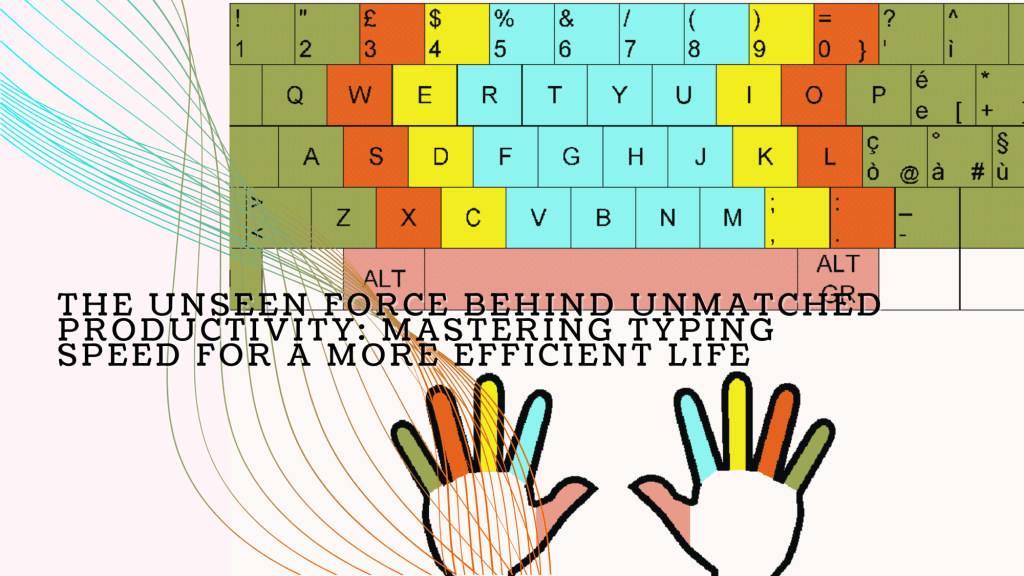
- Master Touch Typing: Touch typing is the practice of typing without looking at the keyboard, relying instead on muscle memory. This technique is essential for increasing both speed and accuracy, as it allows you to keep your eyes on the screen and your mind on the content, rather than on finding the right keys. Online resources like TypingClub and Ratatype offer structured lessons designed to help you master touch typing at your own pace.
- Regular, Focused Practice: As with any skill, regular practice is crucial for improvement. Set aside at least 10-15 minutes a day for typing exercises. Start with simple sentences or familiar phrases to build confidence, then gradually increase the complexity of the text as your skills improve. Over time, you’ll notice a significant increase in both your typing speed and accuracy.
- Prioritize Accuracy Over Speed: While speed is important, it should never come at the expense of accuracy. Begin by typing at a comfortable pace, focusing on minimizing errors. As you become more comfortable with the keyboard and build muscle memory, your speed will naturally increase without sacrificing accuracy.
- Optimize Your Workspace and Equipment: The tools you use can have a significant impact on your typing performance. Ensure that your keyboard is comfortable and responsive, with keys that suit your typing style. Some people find that mechanical keyboards, which offer tactile feedback, help them type faster, while others prefer the low-profile keys of a laptop keyboard. Additionally, make sure your workspace is ergonomically set up, with your keyboard positioned at a height that allows your wrists to remain straight and your fingers to move freely.
- Learn and Utilize Keyboard Shortcuts: Keyboard shortcuts are a powerful way to enhance your typing efficiency. Familiarize yourself with common shortcuts for your operating system and the software you use most frequently. These shortcuts can save you time and reduce the need for mouse navigation, allowing you to keep your hands on the keyboard and maintain your typing rhythm.
- Track and Celebrate Your Progress: Improvement in typing, like any skill, is a gradual process. Regularly take typing tests to measure your progress and adjust your practice routine as needed. Celebrate your milestones, whether it’s achieving a new personal best in speed, improving your accuracy rate, or mastering a challenging typing exercise. These small victories will keep you motivated and focused on your long-term goals.
The Productivity Payoff: How Fast, Accurate Typing Transforms Your Workday
Imagine the sheer volume of text you produce in a typical workday. From emails to reports, instant messages to presentations, typing is an integral part of virtually every task you perform. Now, consider the time it takes to type all of this content. By improving your typing speed from 40 WPM to 80 WPM, you effectively double your output. Over the course of a day, this increased efficiency can save you hours—time that can be redirected toward more strategic tasks, personal development, or simply taking a well-deserved break.
But the benefits of faster typing extend beyond mere time savings. When you can type as quickly as you think, your thoughts flow seamlessly onto the screen. This can lead to more coherent, creative, and high-quality work. Whether you’re brainstorming ideas, drafting a proposal, or coding a new feature, the ability to capture your thoughts in real-time can make your work more fluid and less frustrating.
Moreover, faster typing can reduce cognitive load, allowing you to focus more on the content of what you’re writing rather than the mechanics of typing. This frees up mental bandwidth for higher-level thinking, such as problem-solving, critical analysis, and creative ideation. In this way, mastering typing is not just about working faster—it’s about working smarter.
Actionable Steps to Skyrocket Your Typing Skills and Productivity
Improving your typing skills doesn’t require a massive time investment, but it does require consistent effort. Here are some actionable steps you can take to enhance your typing speed and accuracy, and in turn, boost your productivity:
- Commit to Learning Touch Typing: If you haven’t already, make touch typing your top priority. It’s the single most effective way to improve your typing speed and accuracy. Start with just a few minutes a day, and gradually increase your practice time as you become more comfortable with the technique.
- Set Incremental Goals: Don’t aim to become a typing maestro overnight. Instead, set realistic, incremental goals, such as improving your typing speed by 5-10 WPM over the next month. Track your progress using online typing tests and adjust your practice routine based on your results.
- Incorporate Typing Practice into Your Daily Routine: Just as you would with physical exercise, integrate typing practice into your daily routine. Whether it’s in the morning before you start your workday or during a break, a few minutes of focused practice each day will yield significant long-term benefits.
- Seek Out Advanced Typing Challenges: Once you’ve mastered the basics, challenge yourself with more advanced typing exercises. This could include typing passages with complex vocabulary, practicing touch typing in different languages, or working on specific typing skills such as data entry or coding.
- Leverage Technology to Support Your Goals: Utilize typing software, apps, and online resources to provide structure and feedback on your progress. Many of these tools offer personalized lessons and exercises tailored to your specific needs, whether you’re focusing on increasing speed, improving accuracy, or mastering keyboard shortcuts. Some popular options include Typing.com, Keybr.com, and Ratatype. These platforms often incorporate gamified elements to keep practice engaging and motivating.
- Practice in Real-World Contexts: While structured typing exercises are important, practicing in real-world contexts is equally valuable. Try to incorporate conscious typing practice into your daily work tasks. Whether you’re composing emails, drafting reports, or coding, pay attention to your speed and accuracy. Over time, this mindful approach will help you transfer the skills you’ve developed in practice sessions to your everyday tasks.
- Stay Consistent and Patient: Like any skill worth mastering, improving your typing speed and accuracy requires consistency and patience. It’s easy to get discouraged if progress seems slow, but remember that even small improvements add up over time. Stick with your practice routine, celebrate your milestones, and keep your end goal in sight. Over time, you’ll find that your typing skills—and your overall productivity—have significantly improved.
Conclusion: Typing Speed as the Hidden Driver of Success
In the quest for higher productivity, we often overlook the small, everyday skills that form the foundation of our work. Typing is one such skill—essential, yet often taken for granted. However, as we’ve explored, mastering typing speed and accuracy can have a profound impact on your efficiency, allowing you to complete tasks faster, communicate more clearly, and ultimately free up time for more meaningful activities.
By investing time in improving your typing skills, you’re not just working faster; you’re enhancing the quality of your work, reducing cognitive load, and creating more space in your day for creativity, strategic thinking, and the simple pleasures of life. In the end, typing speed is more than just a measure of how quickly you can get words onto a page—it’s a key that unlocks the door to a more productive, balanced, and fulfilling life.
So, whether you’re a busy professional looking to maximize your efficiency or someone who simply wants to spend less time on mundane tasks and more time enjoying life, improving your typing speed and accuracy is a worthy investment. Start today, stay consistent, and watch as this often-overlooked skill transforms your productivity and enhances your daily life.

 Sebastian Strobl
Leave a reply to catshy879ea3c076 Cancel reply